
Managing a fast-moving software team without the right tools is like running a sprint with no finish line in sight. Deadlines shift, priorities change, and suddenly your backlog looks like a graveyard of good intentions. That’s exactly why choosing the best agile project management software is one of the most important decisions your team will make this year.
Whether you’re a scrum master juggling sprints, a product owner tracking roadmaps, or an engineering leader trying to connect delivery to business goals, the best project management software tool can be the difference between shipping on time and constant firefighting. Based on industry research and hands-on analysis, this guide reviews the 12 best agile project management tools in 2026, helping you cut through the noise and pick the one that actually fits how your team works.
Top 12 Best Agile Project Management Software Tools in 2026
1. Jira Software
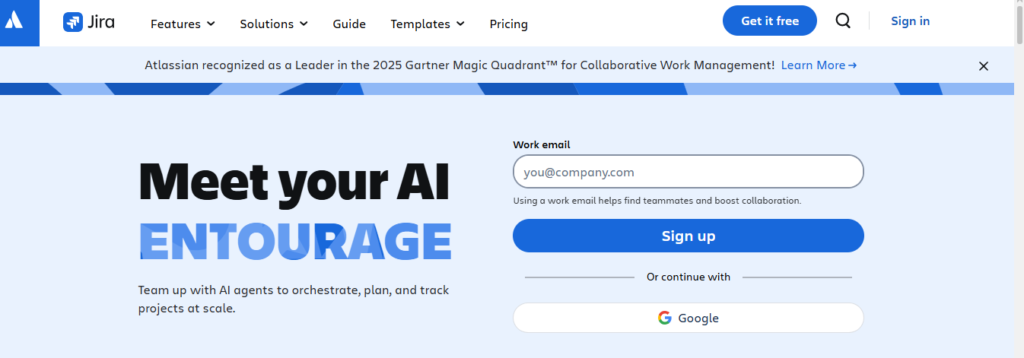
Jira by Atlassian has been the backbone of software delivery for over two decades, and in 2026, it still holds the crown for teams that live and breathe agile. It is purpose-built for Scrum and Kanban workflows, giving engineering teams the structure they need to plan sprints, manage backlogs, and track releases with precision.
What sets Jira apart is its depth. The configuration options go far beyond most competitors, and its integrations with developer tools like GitHub, Bitbucket, and Confluence make it a natural hub for engineering-first organizations. If your team manages complex workflows with multiple squads, roadmaps, and dependency chains, Jira handles all of it without breaking a sweat.
That said, Jira is not for everyone. Smaller teams or non-technical users often find the initial setup time-consuming, and the learning curve is real. But for organizations that invest in getting it right, Jira is genuinely hard to beat as a best agile project management tool.
Key Features
- Scrum and Kanban boards with fully customizable workflows and WIP limits
- Advanced sprint planning with backlog prioritization and estimation tools
- Real-time reporting including burndown charts, velocity tracking, and cumulative flow diagrams
- Deep integration with GitHub, Bitbucket, Confluence, and 3,000+ marketplace apps
- Roadmap visualization for multi-team planning and dependency tracking
- AI-powered automation for routine tasks like ticket assignment and sprint scheduling
Pros
- Unmatched depth of agile features for software development teams
- Massive ecosystem of integrations and third-party plugins
- Highly customizable to fit Scrum, Kanban, SAFe, or hybrid methodologies
- Enterprise-grade security and compliance controls
- Strong reporting suite that gives managers real-time visibility
Cons
- Complex setup and configuration for new users or small teams
- Can feel overly heavy for simple projects
- Costs scale quickly for larger organizations
- Occasional performance lag on complex boards with heavy automation
Best For: Mid-to-large software development teams, enterprise engineering organizations, and any team that needs a deeply configurable agile platform with world-class integrations.
2. ClickUp
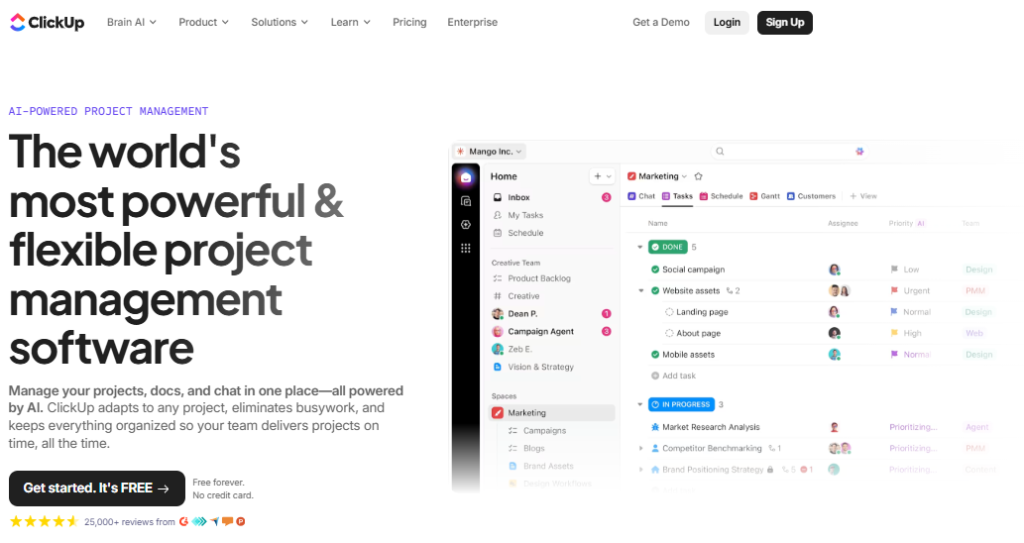
ClickUp has grown from a scrappy upstart to one of the most feature-rich platforms in the Best Project Management Software category. Its appeal is straightforward: instead of paying for five different tools, your team gets sprint management, docs, goals, time tracking, and reporting all in one workspace.
What makes ClickUp shine is its flexibility. Unlike tools that lock you into one framework, ClickUp lets your team define its own agile process. You can run Scrum sprints, manage Kanban boards, build product roadmaps, and automate repetitive workflows all from the same interface. That makes it especially powerful for cross-functional teams where engineers, designers, and marketers need to collaborate without context-switching.
The trade-off is a steeper learning curve compared to simpler tools. ClickUp’s feature density can feel overwhelming at first. But once your team gets set up, the payoff in productivity is substantial.
Key Features
- Sprint management with burndown charts, velocity tracking, and backlog prioritization
- Multiple views including Kanban, Gantt, Calendar, List, and Workload
- Customizable automation workflows to eliminate repetitive tasks
- Built-in Docs and wikis for centralized team knowledge
- Time tracking and workload management natively integrated
- ClickUp AI for task summarization, progress updates, and writing assistance
Pros
- Replaces multiple tools with one unified workspace
- Generous free plan with meaningful features
- Extremely customizable without requiring developer skills
- Strong automation capabilities that scale as your team grows
- Regular product updates with a highly engaged user community
Cons
- Feature overload can overwhelm new users
- Mobile app experience lags behind the desktop version
- Performance can slow down on very large or complex projects
- Requires significant initial setup to match your specific workflows
Best For: Cross-functional teams and growing startups that want maximum flexibility and want to consolidate their tooling into one platform without sacrificing agile structure.
3. Monday.com
Monday.com has always been strong in visual project management, and its dedicated product for development teams, monday dev, brings that same intuitiveness to agile software delivery. The platform is designed to bridge the gap between engineering execution and business visibility, which makes it uniquely valuable for teams that need both sides of the coin.
monday dev offers customizable sprint boards, backlog management, and roadmap views while keeping things accessible enough for non-technical stakeholders to follow along. Unlike Jira, which can feel like an engineering fortress, monday.com lets product managers, executives, and clients stay informed without needing a tutorial.
For teams asking about the best AI project management tools for agile software development, monday.com has been expanding its AI capabilities in 2026, offering automated workload suggestions, risk detection, and deadline forecasting built directly into the platform.
Key Features
- Drag-and-drop Kanban and Scrum boards with sprint automation
- Cross-functional dashboards for real-time visibility across teams
- Burndown charts and velocity reporting for sprint performance tracking
- Roadmap and milestone planning for product and release management
- 200+ integrations including GitHub, Slack, Jira, and Salesforce
- AI-driven workload balancing and risk prediction
Pros
- One of the most intuitive interfaces in the market, great onboarding experience
- Excellent for cross-functional collaboration across technical and business teams
- Strong automation capabilities with a no-code workflow builder
- Highly visual dashboards that non-technical stakeholders can actually use
- Flexible enough to support Scrum, Kanban, or hybrid workflows
Cons
- Sprint-specific features not as deep as Jira for pure engineering teams
- Per-seat pricing adds up quickly for larger organizations
- Advanced features locked behind higher pricing tiers
- Limited offline functionality
Best For: Product and development teams in growth-stage companies where engineering and business alignment is a priority, and where visual communication matters as much as technical depth.
4. Asana
Asana consistently ranks among the top best agile project management tools for a good reason: it gets the balance between simplicity and power exactly right for most teams. It is not a tool built exclusively for engineers, which is precisely what makes it so effective for cross-functional agile work.
Sprint boards, timelines, and workflow automation all live inside a clean, organized interface that does not require weeks of configuration. Asana’s strength lies in helping teams move fast without getting lost in complexity. It supports Scrum and Kanban methodologies out of the box, and its rule-based automation allows teams to build repeatable sprint processes that actually stick.
For growing organizations that need to manage agile delivery alongside marketing, HR, and finance workflows, Asana acts as a single source of truth that keeps every team connected.
Key Features
- Kanban boards and timeline views for sprint planning and progress visualization
- Sprint automation templates that automatically populate backlogs and assign tasks
- Goal tracking and OKR management linked directly to project tasks
- Advanced reporting dashboards for capacity planning and sprint health
- 200+ integrations including Slack, Zoom, GitHub, and Microsoft Teams
- AI-assisted task suggestions and workload balancing
Pros
- Intuitive interface that teams adopt quickly with minimal training
- Strong workflow automation with an easy-to-use rule builder
- Excellent for cross-functional agile teams beyond pure engineering
- Clear goal-to-task linkage that keeps teams aligned with business objectives
- Reliable mobile app with full feature parity
Cons
- Not as deep for pure software development workflows as Jira or Linear
- No native time tracking (requires third-party integrations)
- Advanced features like portfolios and workload views require higher plans
- Less suitable for technical teams managing complex DevOps pipelines
Best For: Cross-functional organizations and product teams that want to run agile sprints in a tool that also serves their marketing, operations, and strategy teams.
5. Linear
Linear is the tool that engineers actually look forward to using. Built specifically for software development teams, it is fast, opinionated, and refreshingly simple compared to the bloat that can creep into older platforms. If you have heard developers complain about Jira’s sluggishness, Linear is often the answer they land on.
What makes Linear stand out in the best agile project management tools 2026 landscape is its speed and keyboard-first design. Everything loads instantly, cycles (Linear’s equivalent of sprints) are easy to set up and manage, and the GitHub integration is seamless and automatic. Issues created from pull requests, automated status updates, and built-in project roadmaps make Linear feel like it was built by engineers for engineers.
It is also worth noting that Linear’s opinionated structure is a deliberate choice, not a limitation. The platform nudges teams toward good agile habits without forcing endless configuration decisions.
Key Features
- Cycle management (sprints) with automatic backlog triage and carry-forward
- Git-native integration with GitHub and GitLab for automatic issue tracking
- Built-in roadmaps and project milestones for release planning
- Instant search, keyboard shortcuts, and sub-second load times
- Triage workflow for managing incoming issues without polluting the backlog
- Linear Insights for velocity, throughput, and cycle time reporting
Pros
- Exceptionally fast and clean user experience loved by engineering teams
- GitHub integration that actually works without manual configuration
- Opinionated structure promotes good sprint hygiene by default
- Simple, transparent pricing without enterprise complexity
- Great command palette and keyboard navigation for power users
Cons
- Not designed for non-technical stakeholders or business-wide use
- Less customizable than Jira or ClickUp for complex enterprise workflows
- Smaller integration ecosystem compared to more established platforms
- No native time tracking or resource management
Best For: Product-led engineering teams, startups, and scale-ups where developer experience is a priority and the team values speed and simplicity over deep customization.
6. Wrike
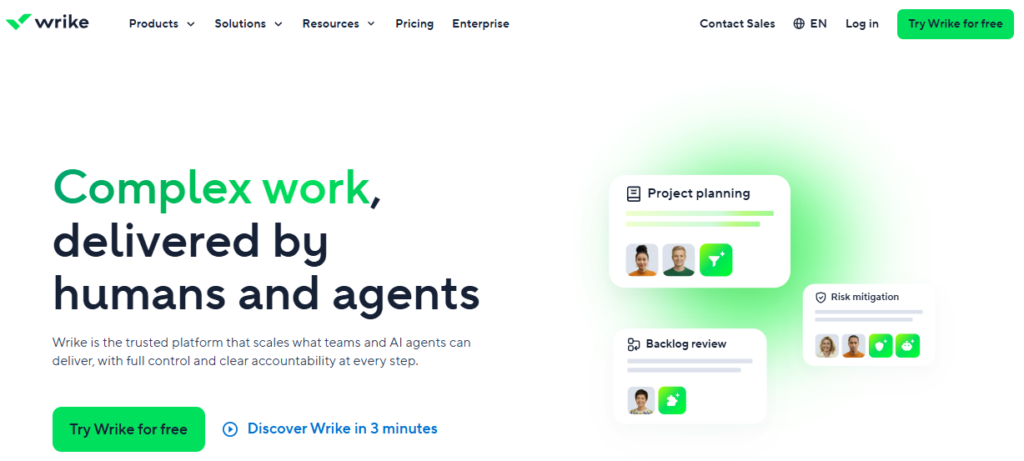
Wrike earns its place on this list because it thrives in situations where most project management tools begin to struggle: large-scale, cross-team coordination with overlapping dependencies, mixed methodologies, and enterprise reporting requirements. It is a genuinely versatile platform that goes well beyond simple Kanban boards.
The cross-project portfolio view is one of Wrike’s standout features, letting managers track workloads, dependencies, and delivery timelines across multiple teams simultaneously. Its resource booking system allows capacity planning at the team member level, which is invaluable for organizations managing complex staffing across multiple agile programs.
For teams looking at the best AI-driven project management automation tools for agile teams in 2026, Wrike offers AI-powered risk prediction, smart workload recommendations, and automated status reporting that reduce management overhead significantly.
Key Features
- Cross-project portfolio management with dependency tracking and Gantt views
- Scrum boards with backlog management, sprint tracking, and burndown reports
- Resource bookings with capacity planning and effort forecasting
- Custom workflows configurable for Scrum, Kanban, or waterfall delivery
- 400+ integrations including Salesforce, Microsoft Teams, and GitHub
- AI-powered risk detection and automated project status updates
Pros
- Excellent for large-scale, multi-team program management
- Highly configurable workflows that support diverse delivery methodologies
- Strong portfolio-level visibility for leadership and PMOs
- Robust reporting and analytics suite
- Solid enterprise security and compliance features
Cons
- Can feel heavy and complex for smaller or agile-only teams
- Higher price point compared to lighter-weight alternatives
- Steeper learning curve, especially for non-technical users
- Some users report performance issues with very large, complex projects
Best For: PMOs, enterprise engineering organizations, and operations teams managing multiple agile programs simultaneously who need portfolio-level control without sacrificing sprint-level detail.
7. Notion
Notion is genuinely different from every other tool on this list. It started as a knowledge management platform and has steadily evolved into a credible agile project management solution. For teams where documentation, planning, and execution are deeply intertwined, Notion offers a level of flexibility that more structured tools simply cannot match.
The secret is Notion’s database system. You can build a fully functional sprint board, product roadmap, and release log from scratch using linked databases, custom views, and formulas. It requires more initial setup than a dedicated agile tool, but the result is a workspace that looks and works exactly the way your team thinks.
In 2026, Notion AI adds a compelling layer, helping teams generate sprint summaries, write documentation, and extract insights from meeting notes without leaving the workspace. For teams exploring the best AI project management tools for agile software development 2025 and beyond, Notion is worth serious consideration.
Key Features
- Linked databases for building custom sprint boards, roadmaps, and backlogs
- Multiple views per database: Board, Table, Calendar, Gallery, and Timeline
- Notion AI for content generation, summarization, and sprint retrospectives
- Collaborative docs with real-time editing and commenting
- Notion Projects for lightweight sprint and task management out of the box
- 100+ integrations including GitHub, Slack, Figma, and Google Drive
Pros
- Unmatched flexibility for teams that want to build their own workflows
- Excellent for documentation-heavy agile teams (great for product specs and wikis)
- Notion AI adds real productivity value for writing and knowledge management
- Clean, minimal interface that is pleasant to work in
- Strong free plan for small teams
Cons
- Requires significant setup time to build effective agile workflows from scratch
- Not purpose-built for sprint management, so lacks depth in reporting and velocity tracking
- Can become disorganized without strong team conventions and governance
- Less suitable for large engineering organizations with complex delivery requirements
Best For: Product teams, startup founders, and knowledge-intensive agile teams where documentation, planning, and project tracking need to live in the same workspace.
8. Zenhub
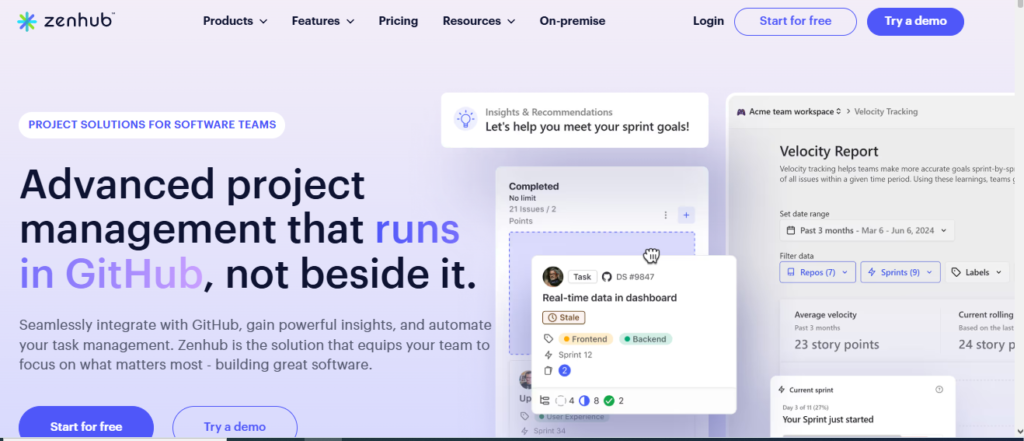
If your engineering team lives inside GitHub, Zenhub is arguably the most productive agile tool you can add to your workflow. It does not ask developers to switch between platforms. Instead, it layers a full Scrum and Kanban experience directly on top of GitHub, so your issues, pull requests, and sprint boards all exist in the same place.
Zenhub’s native GitHub integration means sprint boards automatically update when pull requests are opened or merged. Epics, burndown charts, and velocity reports are all powered by actual GitHub data, which makes reporting feel effortless rather than forced. For engineering-first teams that have watched Jira adoption fail because developers do not want to maintain a second system, Zenhub solves the problem at the root.
Key Features
- Full sprint management (epics, sprints, backlog) inside the GitHub interface
- Automated burndown charts and velocity tracking from GitHub activity
- Zenhub AI for sprint planning suggestions and issue summarization
- Slack integration for standups and sprint notifications
- Multi-repo workspace support for managing complex multi-service architectures
- Sub-issues and issue types for hierarchical backlog management
Pros
- Zero context-switching for developers already working in GitHub
- Sprint data automatically synced from real GitHub activity
- Strong AI features for sprint planning and retrospectives
- Significantly reduces the adoption friction common with other tools
- Excellent for open-source and DevOps-oriented engineering teams
Cons
- Only works if your team uses GitHub (not suitable for Azure DevOps or Bitbucket shops)
- Less suitable for non-engineering stakeholders who need a standalone interface
- Reporting depth does not match Jira for enterprise program management
- Smaller marketplace of third-party integrations
Best For: GitHub-first engineering teams and open-source projects where developer adoption is the biggest barrier to agile tool success.
9. Azure DevOps
Azure DevOps is the natural choice for organizations deeply invested in the Microsoft stack. It combines agile planning (Boards), version control (Repos), CI/CD pipelines (Pipelines), and test management into one unified platform, which gives Microsoft-ecosystem teams an integrated delivery experience that is hard to replicate elsewhere.
The Boards module supports Scrum, Kanban, and custom delivery frameworks with enterprise-grade control over permissions, workflows, and reporting. For organizations running on Azure infrastructure with teams using Visual Studio and Microsoft Teams, Azure DevOps removes the integration friction that can slow delivery cycles.
It is one of the few platforms that genuinely competes with Jira at the enterprise level while offering a more native experience for teams already operating within the Microsoft ecosystem.
Key Features
- Agile Boards with Scrum, Kanban, and custom process templates
- Integrated CI/CD pipelines with release tracking and gate controls
- Deep integration with Azure cloud services, Visual Studio, and Microsoft Teams
- Advanced analytics and Power BI integration for custom reporting
- Work item hierarchy from Epics to Tasks with full audit trail
- Enterprise-grade security with role-based access controls
Pros
- Best-in-class integration for Microsoft-first organizations
- Combines development, testing, CI/CD, and planning in one platform
- Strong compliance and audit capabilities for regulated industries
- Competitive pricing, especially for existing Microsoft customers
- Scales effectively from small teams to large enterprise programs
Cons
- Interface feels dated compared to newer tools like Linear or monday.com
- Not ideal for teams outside the Microsoft ecosystem
- Learning curve is steep for teams new to the Azure DevOps model
- Some features require significant configuration to match simpler competitors
Best For: Enterprise engineering teams operating within the Microsoft ecosystem who want a unified platform for planning, code, and deployment without managing multiple vendor relationships.
10. Trello
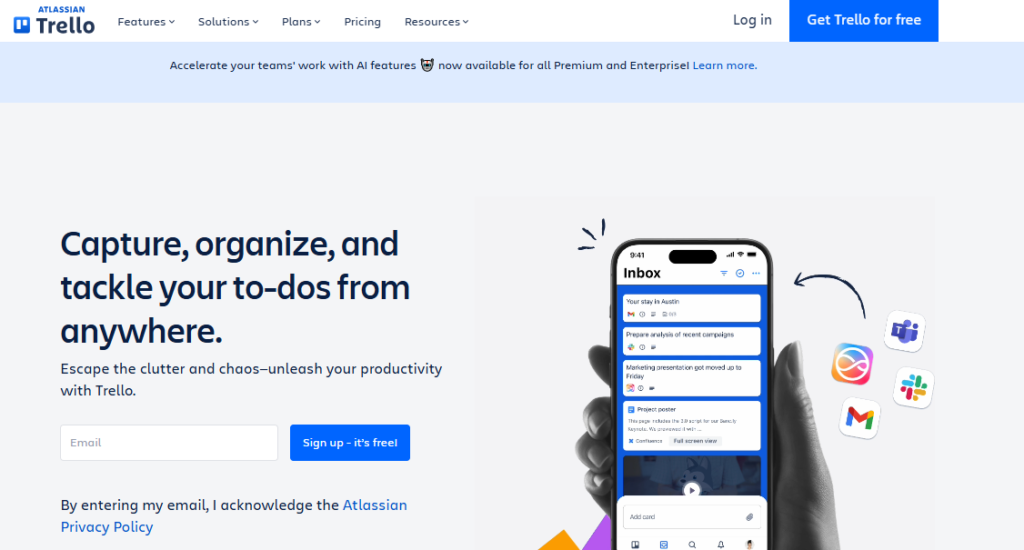
Trello is the entry point for agile project management, and that is not a criticism. For small teams or those running straightforward Kanban workflows, Trello delivers a visual, low-friction experience that more complex tools can never match. It is the tool you can introduce to a five-person team on Monday and have everyone using it productively by Thursday.
The card-based interface is immediately intuitive, and Power-Ups (Trello’s integration layer) extend the platform’s capabilities for teams that need a bit more depth. Trello is especially strong for creative teams, marketing squads, and small product teams that want agile-flavored workflows without the overhead of a full scrum toolset.
For teams exploring Thelistify or looking to start their agile journey without a major investment in training, Trello is the natural first step.
Key Features
- Visual Kanban boards with drag-and-drop card management
- Butler automation for rule-based workflow automation without code
- Power-Ups for adding calendar views, time tracking, and integrations
- Templates for sprint planning, product roadmaps, and retrospectives
- Team and workspace management with permission controls
- Mobile apps with full feature support for on-the-go teams
Pros
- The easiest agile tool to adopt, minimal training required
- Generous free plan that works well for small teams
- Clean, visual interface that non-technical users love
- Fast to set up with ready-made templates for common workflows
- Reliable and stable platform with Atlassian’s backing
Cons
- Limited sprint management capabilities without Power-Ups
- Lacks native burndown charts, velocity tracking, and advanced reporting
- Not scalable for large engineering teams or complex multi-team programs
- No built-in time tracking or resource management
Best For: Small teams, freelancers, and early-stage startups that want simple visual task tracking without the complexity of a full agile platform.
11. Smartsheet
Smartsheet occupies a fascinating niche in the agile project management landscape. It presents itself as a spreadsheet-style interface, which makes it immediately familiar to most professionals, while packing in surprisingly sophisticated project management capabilities underneath. For organizations that run on spreadsheets but want to level up to agile delivery, Smartsheet is the most natural bridge.
The platform supports Kanban boards, Gantt charts, and agile sprint tracking on top of its grid-based foundation. Its reporting capabilities are genuinely impressive, and its integration with Power BI and other analytics tools gives data-driven teams a level of visibility that more traditional project management platforms struggle to match.
It is also worth noting that Smartsheet’s automation and workflow features are among the most powerful for non-technical users, making it a strong option for PMOs and operations teams managing hybrid agile and waterfall delivery.
Key Features
- Grid, Kanban, Gantt, and Calendar views with seamless switching
- Automated workflows and approval processes with no coding required
- Dynamic reports and dashboards with real-time data aggregation
- Resource management with workload visualization and allocation tracking
- Deep integration with Microsoft 365, Google Workspace, Salesforce, and Jira
- Enterprise-grade security with compliance certifications (SOC 2, ISO 27001, HIPAA)
Pros
- Familiar spreadsheet interface lowers adoption barriers significantly
- Exceptional reporting and analytics capabilities
- Strong enterprise compliance and security features
- Powerful automation for non-technical users
- Good for hybrid teams managing both agile and traditional delivery
Cons
- Not purpose-built for software development agile workflows
- Kanban and sprint features feel like add-ons rather than core capabilities
- Higher cost than most dedicated agile tools for comparable team sizes
- Not ideal for developer-first teams who need deep GitHub or DevOps integration
Best For: Operations teams, PMOs, and enterprise organizations that need agile flexibility alongside robust reporting, approval workflows, and compliance controls.
12. Zoho Sprints
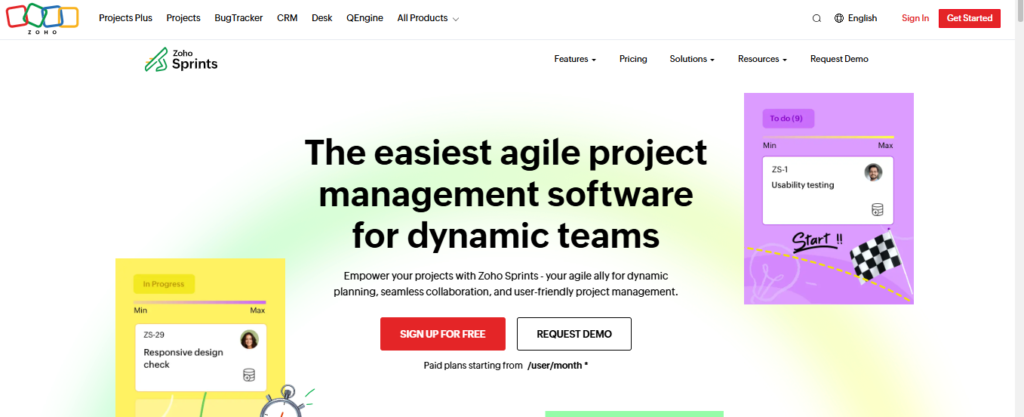
Zoho Sprints rounds out this list as the best value option in the best agile project management tools 2026 category. Part of the broader Zoho ecosystem, it delivers a focused set of Scrum and Kanban features at a price point that makes it genuinely accessible for small teams and growing companies watching their software spend.
Do not mistake affordability for inadequacy. Zoho Sprints covers the essentials well: sprint planning, backlog management, velocity reports, and burndown charts all work as expected. And for teams already using Zoho CRM, Zoho Projects, or other Zoho products, the native integration is a significant advantage.
Where it falls short is at scale. Larger organizations or teams with complex multi-squad programs will bump into its limitations fairly quickly. But for teams under 25 users running straightforward Scrum workflows, Zoho Sprints delivers excellent value for the price.
Key Features
- Sprint planning with backlog prioritization and story point estimation
- Kanban and Scrum board views with swimlane support
- Velocity charts, burndown reports, and cumulative flow diagrams
- Timesheet integration for tracking hours against sprint tasks
- Native integration with the full Zoho product suite
- Web and mobile apps with offline support
Pros
- Highly affordable compared to most competitors in this category
- Intuitive interface that agile beginners can learn quickly
- Strong native integration with Zoho CRM and Zoho Projects
- Covers all essential Scrum ceremonies and reports out of the box
- Good mobile experience for distributed teams
Cons
- Does not scale well for large teams or complex enterprise workflows
- Limited third-party integrations outside the Zoho ecosystem
- Reporting depth lags behind Jira or ClickUp for advanced analytics
- AI features are limited compared to newer platforms
Best For: Small to mid-size teams, startups, and organizations already using Zoho products that want a capable, affordable agile platform without enterprise-level complexity.
Comparison Table: Best Agile Project Management Software 2026
| Tool | Best For | Key Strength | Integrations | Ease of Use | Platform Type |
|---|---|---|---|---|---|
| Jira | Enterprise engineering teams | Deep agile customization | GitHub, Confluence, 3000+ apps | Moderate | Cloud / Data Center |
| ClickUp | All-in-one teams | Feature breadth and flexibility | 1000+ integrations | Moderate | Cloud |
| monday.com | Cross-functional teams | Visual collaboration | 200+ integrations | Easy | Cloud |
| Asana | Mixed agile teams | Simplicity and automation | 200+ integrations | Easy | Cloud |
| Linear | Fast-moving engineering teams | Speed and developer UX | GitHub, GitLab | Easy | Cloud |
| Wrike | Multi-team program management | Portfolio-level visibility | 400+ integrations | Moderate | Cloud |
| Notion | Docs-first agile teams | Flexibility and knowledge management | 100+ integrations | Easy | Cloud |
| Zenhub | GitHub-first engineering teams | Native GitHub integration | GitHub, Slack | Easy | GitHub Extension |
| Azure DevOps | Microsoft-ecosystem orgs | Unified dev and planning | Microsoft stack | Moderate | Cloud / On-prem |
| Trello | Small teams and beginners | Visual simplicity | 200+ Power-Ups | Very Easy | Cloud |
| Smartsheet | PMOs and ops teams | Reporting and compliance | Microsoft, Salesforce | Moderate | Cloud |
| Zoho Sprints | Budget-conscious small teams | Affordability and Zoho ecosystem | Zoho suite, Slack | Easy | Cloud |
Final Verdict
There is no single winner here, and that is the point. The best agile project management software for your team depends entirely on how you work, who is using it, and what you need to accomplish.
If you run a large software engineering org with complex workflows, Jira is still the benchmark. If your team values speed and developer experience above all else, Linear deserves serious consideration. For cross-functional teams that need business and engineering aligned on one platform, monday.com or Asana are excellent choices. And if budget is your primary constraint without sacrificing agile fundamentals, Zoho Sprints punches well above its weight class.
To explore more in-depth comparisons like this, visit TheListify, where we regularly publish expert-curated lists of the best tools and software for businesses across various industries. Whether you’re searching for Best CRM Tools, marketing tools, or productivity solutions, our detailed guides help you make informed decisions faster.
Frequently Asked Questions
What is the best agile project management software in 2026?
The best agile project management software in 2026 depends on your team’s needs. Jira is ideal for enterprise teams, ClickUp offers all-in-one flexibility, and Linear is best for fast-moving engineering teams.
Which agile tool is best for small teams?
Tools like Trello, Zoho Sprints, and ClickUp are great for small teams because they are easy to use, affordable, and require minimal setup.
What features should you look for in agile project management software?
Key features include sprint planning, backlog management, Kanban boards, reporting tools like burndown charts, integrations, and automation capabilities.
Is Jira better than ClickUp for agile project management?
Jira is better for complex software development workflows, while ClickUp is more flexible and suitable for cross-functional teams that need an all-in-one solution.
Can non-technical teams use agile project management software?
Yes, tools like Asana, monday.com, and Notion are designed for non-technical teams and support agile workflows without requiring technical expertise.
Which agile software is best for large enterprises?
Jira, Azure DevOps, and Wrike are best suited for large enterprises due to their scalability, advanced reporting, and enterprise-level security features.