

Managing nonprofit finances is nothing like running a for-profit business. You have restricted funds, donor-designated grants, IRS Form 990 deadlines, and board members who want real-time transparency. Using the wrong accounting software can mean misallocated funds, audit headaches, and compliance violations that erode donor trust. That is why choosing the best accounting software for nonprofits is one of the most important operational decisions your organization will make.
This guide cuts through the noise. After analyzing the top SERP competitors and evaluating dozens of platforms on fund accounting capability, ease of use, pricing, and nonprofit-specific features, we have identified the 8 best options for 2026. Whether you run a small community group or a multi-million-dollar foundation, there is a tool here built for your needs.
What Makes Nonprofit Accounting Different from Regular Bookkeeping
Standard business software tracks revenue and profit. Nonprofit accounting software tracks accountability. Every dollar your organization receives carries intent. A restricted grant for youth programs cannot be spent on office supplies. A temporarily restricted donation must be released only when the specific condition is met. General-purpose software like spreadsheets or small-business tools cannot enforce these distinctions automatically.
According to the Financial Accounting Standards Board (FASB), under ASC 958, nonprofits must present financial statements organized by net asset class. Purpose-built nonprofit accounting software handles this automatically. General-purpose alternatives require manual adjustments that frequently break during audits.
The platforms below all handle the nonprofit-specific essentials: fund accounting, grant tracking, IRS Form 990 preparation, donor receipt generation, and functional expense allocation. The differences lie in depth, pricing, and who they are built for.
8 Best Accounting Software for Nonprofits in 2026
1. Aplos
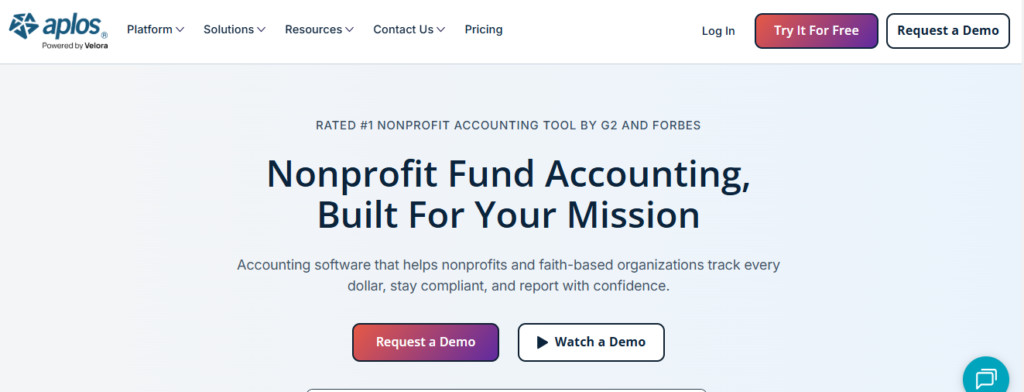
Aplos is the tool most small and mid-size nonprofits should look at first. It was built from the ground up specifically for charities, churches, and community organizations, which means you do not have to hack general ledger workarounds to manage restricted funds. Fund accounting is native, not bolted on.
Where Aplos really earns its spot is the combination it offers. You get a proper chart of accounts, donor CRM, online giving pages, and contribution tracking all in one platform. For a small nonprofit with a part-time bookkeeper, that means no juggling between three different tools to produce your year-end financials. It is also one of the few platforms that lets volunteer board treasurers operate it without accounting experience.
Aplos hits a sweet spot for organizations with roughly $250K to $3M in annual revenue. Once you scale into complex multi-entity structures or federal single audit territory, you will likely outgrow it. But for the vast majority of small nonprofits looking at the best accounting software for small nonprofit organizations, Aplos delivers genuine value at a reasonable price.
Key Features
- Native Fund Accounting: Tracks restricted and unrestricted funds separately with automatic balance sheets organized by net asset class. No manual workarounds required.
- Donor CRM and Contribution Tracking: Records donor details, generates automated tax receipt letters, and maps each gift to the correct fund in real time.
- Online Giving and Fundraising Tools: Embeds donation forms on your website, supports recurring gifts, and processes ACH and card payments through Stripe integration.
- FASB-Compliant Financial Reporting: Generates Statement of Financial Position, Statement of Activities, and functional expense reports audit-ready and GAAP-aligned.
- Bank Reconciliation with Automated Feeds: Pulls transactions directly from connected bank accounts and categorizes them to the correct fund, reducing manual data entry.
- Grant and Budget Tracking: Attaches budgets to individual grants, monitors spending against allocations, and flags approaching limits before you overspend.
Pros
- Designed specifically for nonprofits – no accounting background needed to get started
- Combines fund accounting, donor CRM, and online giving in a single subscription
- FASB and GAAP-compliant reports generated with a few clicks
- Cloud-based with multi-user access for staff and board members
- Responsive customer support team with nonprofit-focused onboarding
Cons
- Pricing has increased recently – lower tiers start around $79/month and can climb quickly with add-ons
- Not suitable for large organizations with federal grant audits or multi-entity consolidation needs
- Reporting customization is more limited than enterprise options like Sage Intacct
- Phone support is limited on entry-level plans
Best For: Small to mid-size nonprofits and faith-based organizations that need true fund accounting, donor tracking, and IRS-compliant reporting without enterprise complexity or cost.
Starting Price: $79/month (Lite plan)
2. QuickBooks Nonprofit
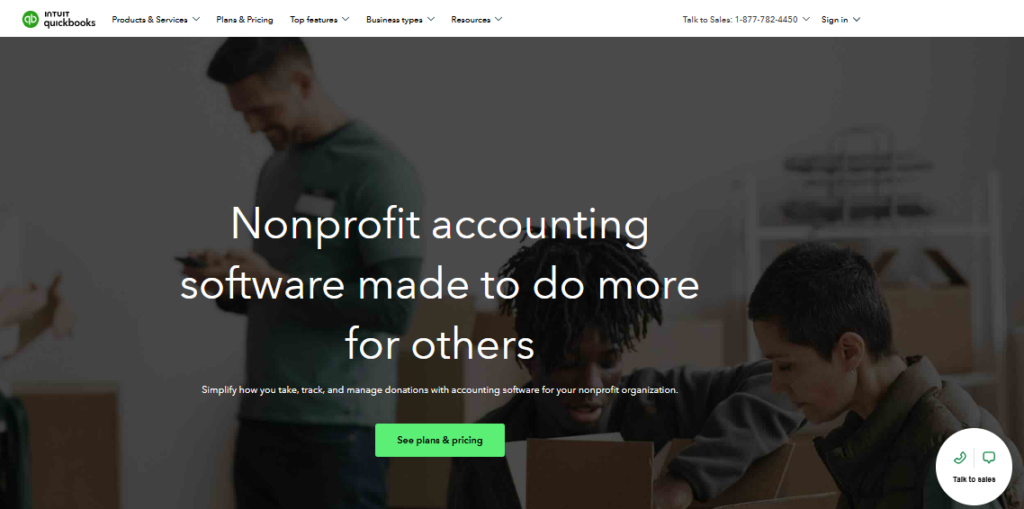
QuickBooks Online is the most widely used accounting software on the planet, and its nonprofit edition adapts that powerful foundation for mission-driven organizations. The biggest advantage is the sheer ecosystem around it. With over 800 app integrations, a massive pool of QuickBooks-certified accountants, and deep payroll capabilities, QuickBooks is a platform your organization can grow into rather than out of.
The trade-off worth knowing is that QuickBooks does not have native fund accounting. Instead, it uses a Class Tracking feature to simulate fund separation. For many small and mid-size nonprofits, this works well in practice. For organizations facing a federal single audit or managing complex restricted grant hierarchies, the workaround can break down under auditor scrutiny. If you are exploring the best small business accounting software that also serves nonprofits, QuickBooks is the easiest on-ramp.
QuickBooks Nonprofit earns its place here because of broad accountant support, outstanding reporting depth, and a pricing structure that lets small organizations start cheap and add capabilities over time. It is the default choice for nonprofits whose bookkeeper or CPA is already in the QuickBooks world.
Key Features
- Class and Location Tracking for Funds: Simulates fund accounting by tagging each transaction with a class (fund) and location (program), enabling fund-level profit and loss reports.
- Donation and Grant Tracking: Records contributions by donor, project, and funding source, with automated thank-you receipts and donor statements.
- 800+ App Integrations: Connects natively to payroll tools (Gusto, ADP), donor management systems, project management platforms, and CRM software.
- Customizable Budget vs. Actual Reports: Creates program-level budgets and tracks spending against them in real time with exportable dashboards.
- Form 990 Preparation Support: Produces the financial data needed for 990 filings, though a tax professional is still recommended for actual submission.
- Mobile App for On-the-Go Accounting: Lets staff capture receipts, record donations, and check balances from any device.
Pros
- Largest accountant network in the US – easy to find a QuickBooks-certified nonprofit CPA
- 800+ integrations cover virtually every tool a nonprofit uses
- Tiered pricing lets small orgs start affordably and scale
- Excellent mobile app with real-time sync
- Outstanding help documentation, training resources, and 24/7 chat support
Cons
- No native fund accounting – Class Tracking is a workaround that can fail under single audit scrutiny
- Higher-tier plans ($99+/month) can get expensive for small nonprofits on tight budgets
- Limited donor management compared to Aplos or purpose-built nonprofit tools
- User-seat limitations on lower plans restrict multi-user access
Best For: Growing nonprofits with $1M+ in revenue that want a widely supported platform with broad integrations and a large pool of QuickBooks-familiar accountants.
Starting Price: $99/month (nonprofit plans)
3. Sage Intacct
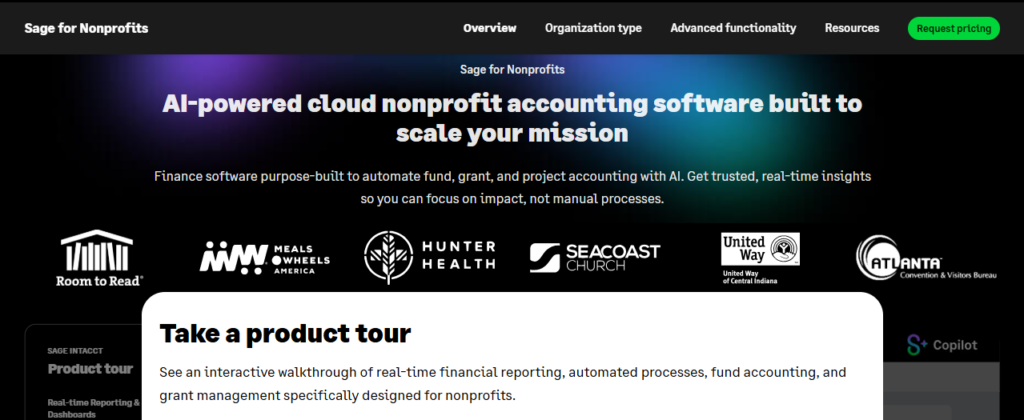
Sage Intacct is the only cloud financial management platform endorsed by the American Institute of CPAs (AICPA), and that distinction matters for nonprofits. It offers native fund accounting, dimensional general ledger reporting, automated grant tracking, and built-in 990 reporting – not as workarounds, but as core features designed for nonprofit finance teams.
What separates Sage Intacct from everything else on this list is reporting depth. Its dimensional GL lets finance directors slice data by fund, program, location, department, and grant in any combination. You can produce a Statement of Functional Expenses by program area in minutes. For organizations subject to Uniform Guidance (2 CFR 200) and federal single audit requirements, that level of granularity is not optional.
The honest trade-off is cost and complexity. Sage Intacct subscriptions typically run $15,000 to $50,000 per year once you factor in user licenses, modules, and implementation by a certified partner. That makes it a realistic choice only for organizations with $5M or more in annual revenue. For that audience, it is arguably the best accounting software for nonprofit organizations with complex grant structures.
Key Features
- Dimensional General Ledger: Tags every transaction across multiple dimensions (fund, program, grant, location) for granular reporting without duplicate data entry.
- Native Grant Management: Tracks grant budgets, expenditure drawdowns, reporting deadlines, and compliance milestones from award through close-out.
- Form 990 and FASB Reporting: Generates 990 schedules, Statement of Activities, Statement of Financial Position, and functional expense allocation reports automatically.
- Salesforce NPSP and Raiser’s Edge Integration: Bi-directional sync with major fundraising CRMs means gift data flows into accounting without manual rekeying.
- Multi-Entity Consolidation: Rolls up financials from multiple chapters, subsidiaries, or programs into a single consolidated report with eliminations.
- Automated Approval Workflows: Routes invoices, journal entries, and purchase orders through configurable approval chains before posting, strengthening internal controls.
Pros
- AICPA-endorsed – the gold standard for nonprofit finance at scale
- Dimensional GL enables reporting no other mid-market tool can match
- Native grant management handles federal Uniform Guidance requirements
- Robust multi-entity consolidation for federated organizations
- 150+ pre-built reports plus a visual custom report builder
Cons
- High cost – typically $15,000 to $50,000+ per year, making it inaccessible for small nonprofits
- Requires a certified Sage Intacct implementation partner — adds time and cost upfront
- Steeper learning curve than Aplos or QuickBooks
- Support response times can vary depending on your partner tier
Best For: Mid to large nonprofits with $5M+ in revenue, federal grant recipients, multi-entity federations, and organizations that require AICPA-grade financial reporting.
Starting Price: ~$15,000/year (custom quote required)
4. Blackbaud Financial Edge NXT
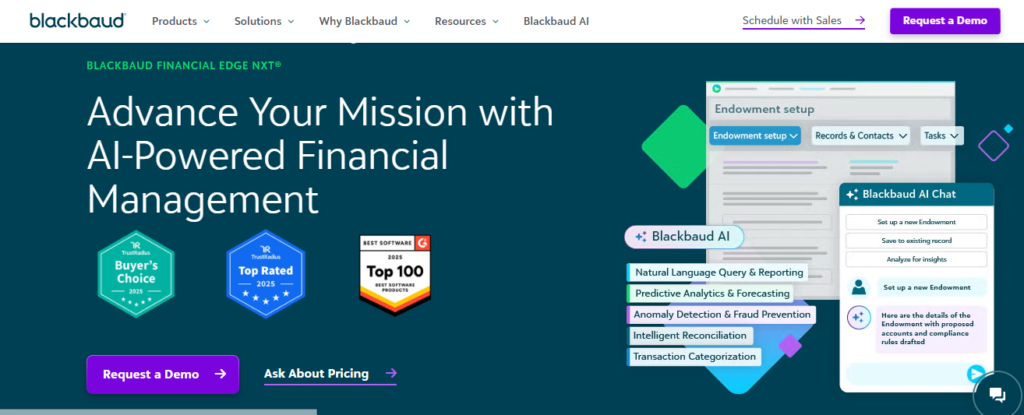
Blackbaud Financial Edge NXT is the enterprise-grade fund accounting solution built specifically for nonprofits and government entities. It has been the go-to platform for large health systems, universities, arts organizations, and social services agencies for decades. The NXT suffix signals its cloud-first modernization, with real-time dashboards, browser-based access, and deep integration with Raiser’s Edge NXT for fundraising.
The defining strength of Financial Edge NXT is the Blackbaud ecosystem connection. If your development team already uses Raiser’s Edge NXT to manage donors and campaigns, Financial Edge NXT creates a seamless flow where gifts recorded in fundraising automatically post to accounting without a manual import. For large nonprofits where the finance and development departments have historically operated in silos, that integration alone justifies the price.
Budget for this one carefully. Financial Edge NXT typically starts at $400 to $1,000+ per month depending on organization size and modules selected, with implementation costs ranging from $10,000 to $50,000. It is a serious enterprise investment and the right one if your organization is already operating within the Blackbaud product family.
Key Features
- Raiser’s Edge NXT Integration: Bi-directional, real-time sync between fundraising and accounting eliminates duplicate data entry and reconciliation errors.
- Advanced Fund Accounting: Tracks restricted, temporarily restricted, and unrestricted funds with automated net asset class reporting for FASB compliance.
- Configurable Dashboards and Real-Time Reporting: Finance teams see live KPIs, budget vs. actual summaries, and grant status across the entire organization.
- Grant Management and Compliance Tracking: Monitors grant expenditures, reporting deadlines, and funder restrictions with automated alerts and audit trails.
- Robust Internal Controls: Role-based user permissions, approval routing, and detailed audit logs meet the governance requirements of large boards and external auditors.
- Accounts Payable Automation: Streamlines vendor management, invoice routing, and payment processing with automated approval workflows.
Pros
- Unmatched integration depth with Raiser’s Edge NXT for unified fundraising and finance
- Purpose-built for nonprofits – every feature serves mission-driven finance
- Strong internal controls meet large board and audit committee requirements
- Real-time cloud dashboards give leadership instant financial visibility
- Broad industry trust across health, education, arts, and social services sectors
Cons
- Expensive – typically $400 to $1,000+/month plus $10,000 to $50,000 in implementation fees
- Best value only if you are already using other Blackbaud products
- The interface can feel dated in places despite NXT modernization efforts
- Support response times vary; complex issues often require escalation
Best For: Large nonprofits already in the Blackbaud ecosystem, particularly organizations using Raiser’s Edge NXT that want fully integrated fundraising-to-finance workflows.
Starting Price: $400/month+ (custom quote required)
5. MIP Fund Accounting

MIP Fund Accounting (now part of Community Brands) is one of the most established names in US nonprofit accounting and has been trusted by school districts, healthcare organizations, and social service agencies for decades. Its standout capability is the ability to handle unlimited funds without creating chart of accounts clutter, which makes it ideal for organizations managing dozens of restricted grants simultaneously.
MIP goes beyond most nonprofit accounting tools by bundling payroll and HR functionality into the same platform. That matters for mid-size nonprofits where managing staff compensation, benefits, and compliance consumes a significant portion of the finance team’s time. Connecting payroll directly to fund-level accounting eliminates the reconciliation work that typically happens when payroll runs in a separate system.
The trade-off is transparency on pricing – MIP does not publish rates publicly and requires a sales conversation for quotes. Implementation and onboarding also carry a learning curve. But for organizations that have outgrown QuickBooks and need a dedicated nonprofit platform before stepping up to Sage Intacct, MIP is a logical middle step.
Key Features
- Unlimited Fund Tracking: Manages an unlimited number of funds within a single chart of accounts, keeping books clean without creating per-fund ledger proliferation.
- Integrated Payroll and HR: Processes payroll, manages employee records, and allocates labor costs to the correct fund and program in a single system.
- Grant Management Module: Tracks grant awards, monitors spending against budgets, flags overspending, and generates funder-ready expenditure reports.
- Audit Trail and Internal Controls: Comprehensive transaction logs, role-based security, and system-enforced approval routing meet requirements for both external audits and federal single audits.
- Flexible Reporting Engine: Generates standard nonprofit financial statements plus custom reports that slice data by fund, program, department, or grant.
- Cloud and On-Premise Options: Organizations with data sovereignty requirements can choose on-premise deployment, a rare option among modern nonprofit accounting tools.
Pros
- Unlimited fund management keeps the chart of accounts clean regardless of grant volume
- Integrated payroll and HR eliminates a major reconciliation pain point
- On-premise deployment option for organizations with specific data hosting requirements
- Strong track record with government-funded organizations and K-12 school districts
- Robust internal controls and audit support built into core workflows
Cons
- Pricing is opaque – requires a sales call to get a quote, which makes budgeting harder upfront
- Initial setup and onboarding have a steeper learning curve than cloud-native tools
- Customer support costs can be high, and response times vary
- Interface is functional but not as polished as newer cloud-first competitors
Best For: Mid-size nonprofits managing 10+ simultaneous grants, K-12 school districts, healthcare organizations, and any nonprofit that also needs integrated payroll and HR.
Starting Price: Custom quote required
6. Wave Accounting
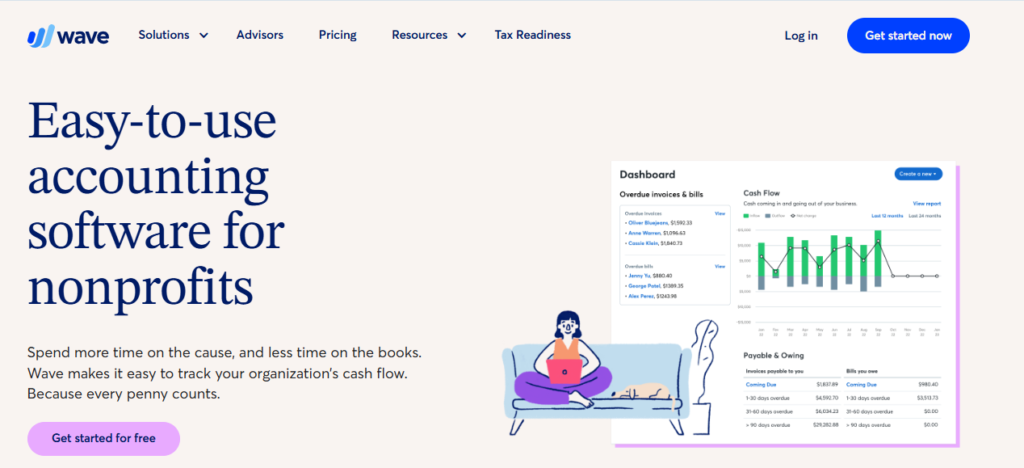
Wave is the rare accounting software that is genuinely free for its core features, not a stripped-down trial. For early-stage nonprofits, all-volunteer organizations, and fiscally sponsored projects that have no software budget, Wave eliminates the barrier to having organized financial records from day one. That matters more than most people realize during the startup phase.
Wave handles the fundamentals well: income and expense tracking, bank and credit card connections, invoicing, and basic financial reports. For a nonprofit with under $50,000 in annual revenue and straightforward finances, Wave gives you clean books without the learning curve of enterprise tools.
The honest limitation is that Wave is not a nonprofit accounting tool. There is no fund accounting, no grant management, no Form 990 reporting, and no mechanism to enforce restricted fund rules. As soon as your organization receives its first restricted grant or prepares for a formal audit, you will need to migrate. Think of Wave as the right starting point, not a permanent solution. If you are also exploring the Best Accounting Software in 2026 for general business use, Wave competes well there too.
Key Features
- Free Core Accounting: Tracks unlimited income, expenses, and account balances at no cost. Bank and credit card connections included.
- Invoicing and Payment Processing: Sends professional invoices and accepts credit card or ACH payments (processing fees apply, core invoicing is free).
- Bank Reconciliation: Automatically imports transactions and lets you match them to accounting entries for clean monthly reconciliation.
- Financial Reports: Generates profit and loss statements, balance sheets, and cash flow reports suitable for small organizations.
- Multi-User Access: Lets multiple staff or volunteers access the same account without per-seat fees.
- Receipt Scanning (Paid Add-On): Mobile app captures and categorizes receipts for expense management – available as a paid Wave Pro add-on.
Pros
- Core features are genuinely free with no time limit or user cap
- Clean, intuitive interface that non-accountants can navigate without training
- Zero setup cost makes it ideal for bootstrapped or all-volunteer organizations
- Bank feed automation reduces manual transaction entry
- Works well as a temporary solution while your organization gets established
Cons
- No fund accounting – cannot track restricted versus unrestricted funds natively
- No grant management, Form 990 support, or nonprofit-specific compliance features
- Not suitable for any organization receiving restricted grants or preparing for an audit
- Customer support is limited on the free tier — live chat requires Wave Pro
Best For: All-volunteer organizations, fiscally sponsored projects, early-stage nonprofits under $50K in revenue, and any organization that needs organized bookkeeping with zero software budget.
Starting Price: Free (core features); paid add-ons available
7. Xero
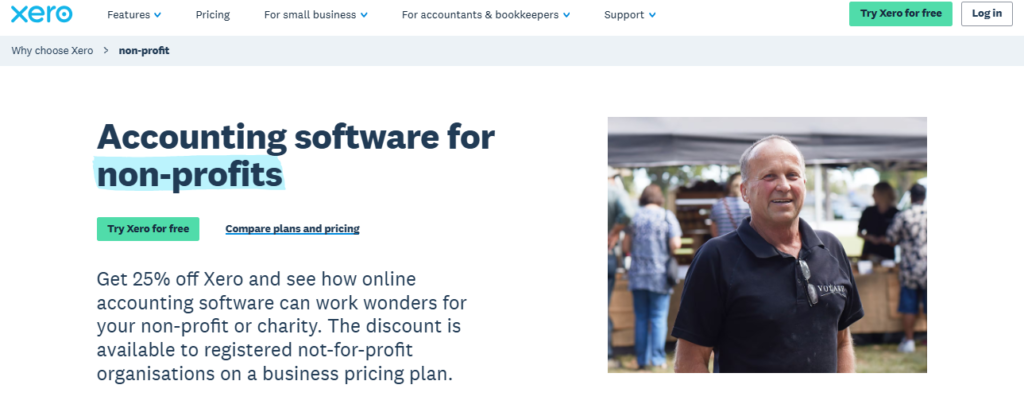
Xero has built its reputation on making accounting approachable for small organizations without accounting staff, and that strength translates well to small nonprofits. Its bank feed automation is best-in-class for a platform in this price range – transactions import and auto-categorize in near real time, which dramatically reduces manual reconciliation work for small teams.
Like QuickBooks, Xero is not a purpose-built nonprofit tool. It handles fund separation through tracking categories rather than true fund accounting. For small nonprofits managing one or two unrestricted grants or simple operational finances, this works fine. The moment you face Uniform Guidance compliance or a federal single audit, Xero’s workaround will create friction.
Xero’s pricing model is attractive for budget-conscious organizations. At $20/month for the Early plan (though the active transactions are limited), it offers a lower entry point than QuickBooks. For small nonprofits comparing Best Small Business Accounting Software options that also serve mission-driven organizations, Xero is worth a close look.
Key Features
- Bank Feed Automation: Connects to over 21,000 financial institutions globally with real-time transaction import and AI-powered auto-categorization.
- Tracking Categories for Fund Simulation: Uses two levels of tracking categories to mimic fund accounting – sufficient for simple fund structures.
- 800+ App Integrations: Connects to payroll tools (Gusto), donor management, project management, and CRM platforms through the Xero App Store.
- Hubdoc Integration (Included): Captures and auto-codes bills and receipts via email or mobile, reducing manual document entry.
- Multi-Currency Support: Handles transactions in 160+ currencies – useful for international nonprofits and NGOs.
- Collaborative Accountant Access: Grants your CPA or bookkeeper their own login with role-based permissions at no extra per-user charge for accountant access.
Pros
- Bank feed automation is among the best available for the price point
- Clean, modern interface with a shallow learning curve
- Affordable entry pricing, especially for small organizations
- Strong multi-currency support for international operations
- Hubdoc included – removes a common $15/month add-on cost
Cons
- No native fund accounting — not suitable for organizations managing multiple restricted grants
- Early plan limits monthly transactions, which can be restrictive even for small nonprofits
- Phone support is limited – primarily email and community-based help
- Lacks Form 990 preparation tools or any FASB-specific reporting
Best For: Small nonprofits under $500K in revenue with simple fund structures, all-volunteer organizations with no restricted grants, and internationally operating NGOs that need multi-currency support.
Starting Price: $20/month (Early plan)
8. NetSuite for Nonprofits
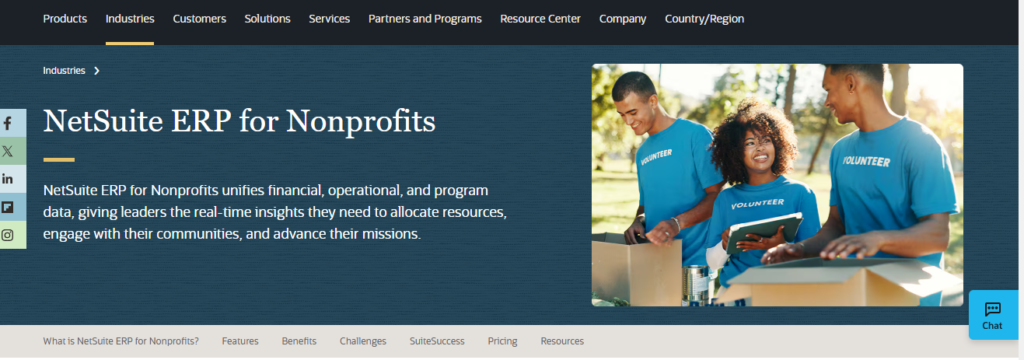
Oracle NetSuite is a full enterprise resource planning (ERP) platform, and its nonprofit edition extends that power to mission-driven organizations. If you run a federated national nonprofit with multiple chapters, subsidiaries, and international operations, NetSuite is one of the few platforms capable of consolidating all of that into a single financial system without duct tape.
NetSuite offers native fund accounting, grant management, budgeting, and 990 reporting alongside supply chain, HR, and CRM modules in one platform. For large nonprofits that have grown beyond what even Sage Intacct handles cleanly, NetSuite delivers ERP-grade capability. It is also the preferred choice for nonprofits managing both charitable operations and for-profit subsidiaries that require consolidated yet separated reporting.
The cost and implementation complexity are substantial. NetSuite implementations typically exceed $10,000 per year in subscription alone, and implementation projects often run $25,000 to $100,000+. This is a platform for organizations with dedicated IT resources and finance teams. For Real Estate Businesses exploring Best Accounting Software for Real Estate Businesses, NetSuite’s multi-entity capabilities are equally relevant.
Key Features
- Multi-Entity Consolidation: Rolls up financials from an unlimited number of subsidiaries, chapters, and international entities with intercompany eliminations.
- Native Fund Accounting and Grant Management: Tracks restricted funds, grant budgets, and compliance milestones natively within the general ledger.
- Real-Time Dashboards and KPI Reporting: Configurable role-based dashboards give executives, program directors, and board members instant visibility into their specific metrics.
- Full ERP Suite: Accounting, HR, CRM, supply chain, and project management all in one system — eliminates the need for multiple integrated platforms.
- SuiteAnalytics Advanced Reporting: Drag-and-drop report builder with access to every data point in the system. No report request backlog for the finance team.
- SuiteApp Marketplace: Over 600 third-party SuiteApps extend functionality for specific industries and use cases without custom development.
Pros
- Full ERP eliminates the need to connect multiple separate platforms
- Best-in-class multi-entity consolidation for federated organizations
- Handles both nonprofit and for-profit activities in a single system
- Scales from mid-size to global enterprise without a platform change
- Highly configurable to match unique organizational workflows
Cons
- Very high cost – typically $10,000 to $100,000+ per year depending on modules and users
- Implementations are complex, time-consuming, and require specialized consultants
- Substantial learning curve – requires dedicated admin and finance staff to operate effectively
- Pricing is entirely custom and opaque, making budget planning difficult
Best For: Large, complex nonprofits with multi-entity structures, international operations, or organizations that need a full ERP rather than standalone accounting software.
Starting Price: $10,000+/year (custom quote required)
Best Accounting Software for Nonprofits: Quick Comparison Table (2026)
Use this table to compare all 8 tools side by side before making your final decision.
| Tool | Best For | Key Strength | Integrations | Ease of Use | Fund Accounting | Platform |
|---|---|---|---|---|---|---|
| Aplos | Small to mid-size nonprofits | Built-in fund accounting + donor CRM | Stripe, QuickBooks, Salesforce | Very Easy | Native | Cloud |
| QuickBooks Nonprofit | Growing nonprofits needing broad support | 800+ integrations & accountant network | 800+ apps, payroll, Gusto | Easy | Workaround (Classes) | Cloud |
| Sage Intacct | Large orgs & federal grantees | Dimensional GL & 990 reporting | Salesforce NPSP, ADP, Bill.com | Moderate | Native | Cloud |
| Blackbaud Financial Edge NXT | Enterprise nonprofits in Blackbaud ecosystem | Deep Raiser’s Edge integration | Raiser’s Edge NXT, CRM, events | Moderate | Native | Cloud |
| MIP Fund Accounting | Mid-size nonprofits & public sector | Unlimited funds, payroll + HR in one | ADP, HR Suite, custom connectors | Moderate | Native | Cloud/On-premise |
| Wave Accounting | Early-stage or all-volunteer nonprofits | Genuinely free core features | PayPal, Stripe (add-on) | Very Easy | No | Cloud |
| Xero | Small orgs needing clean bookkeeping | Bank feed automation & reconciliation | 800+ apps, Gusto, Hubdoc | Easy | No (workaround) | Cloud |
| NetSuite for Nonprofits | Complex multi-entity nonprofits | Full ERP with grant management | Salesforce, ADP, 100+ apps | Complex | Native | Cloud ERP |
Final Verdict
Aplos is the clear winner for small to mid-size nonprofits that want true fund accounting without enterprise complexity. QuickBooks Nonprofit is the best all-around choice for growing organizations that need broad integrations and accountant support. Sage Intacct is non-negotiable for federal grantees and organizations with complex multi-fund reporting. Blackbaud Financial Edge NXT delivers maximum value only if you are already in the Blackbaud ecosystem. MIP is the right call when you need payroll and HR alongside unlimited fund tracking. Wave is the honest starting point when your budget is zero and your finances are simple. Xero wins on clean bookkeeping and bank feed automation for small organizations that do not yet manage restricted grants. NetSuite is the answer when you have outgrown everything else and need a true ERP.
How to Choose the Right Nonprofit Accounting Software for Your Organization
Picking the right tool comes down to four questions. Answer these honestly and the right choice becomes clear.
- Do you manage restricted grants? If yes, you need native fund accounting. Aplos, MIP, Sage Intacct, Blackbaud, and NetSuite all qualify. QuickBooks and Xero use workarounds.
- Are you subject to a federal single audit? If your organization receives $750,000 or more in federal awards in a year, you need Sage Intacct, MIP, or a similar platform built for Uniform Guidance compliance.
- What is your annual software budget? Wave: $0. Xero: $20/month. QuickBooks: $99+/month. Aplos: $79+/month. Sage Intacct: $15K+/year. NetSuite: $10K+/year. Set your ceiling first.
- Does your team have accounting experience? Wave, Aplos, and Xero are designed for non-accountants. Sage Intacct and Blackbaud assume financial sophistication. Factor training time and cost into your decision.
To explore more in-depth comparisons like this, visit TheListify, where we regularly publish expert-curated lists of the best tools and software for businesses across various industries. Whether you’re searching for Best CRM Tools, Best Accounting Software, Best Recruiting Software, Best Project Management Software, Best marketing tools, or productivity solutions, our detailed guides help you make informed decisions faster.
Tags: best accounting software for nonprofit organizations, Best Accounting Software for Nonprofits