
Managing a construction project is nothing like managing a software sprint or a marketing campaign. You have shifting schedules, subcontractor coordination, budget overruns, site safety logs, and real-time changes happening all at once. Most generic tools were not designed for that reality.
According to the U.S. Bureau of Labor Statistics, construction projects account for some of the highest rates of cost overrun across industries. Poor scheduling, miscommunication, and missing documentation are the top reasons jobs go over budget.
The right project management software for construction can fix most of that. It keeps your team aligned from the office to the job site, tracks costs before they spiral, and stores every document in one accessible place. But with so many options out there, picking the wrong platform is easy.
This guide breaks down the 8 best project management software for construction companies in 2026, covering tools that work for contractors, small builders, and large construction firms alike. Each tool is evaluated on scheduling depth, budgeting, field usability, and integrations so you can make a confident, informed choice.
8 Best Project Management Software for Construction in 2026
1. Procore
The All-in-One Platform Built Exclusively for Construction
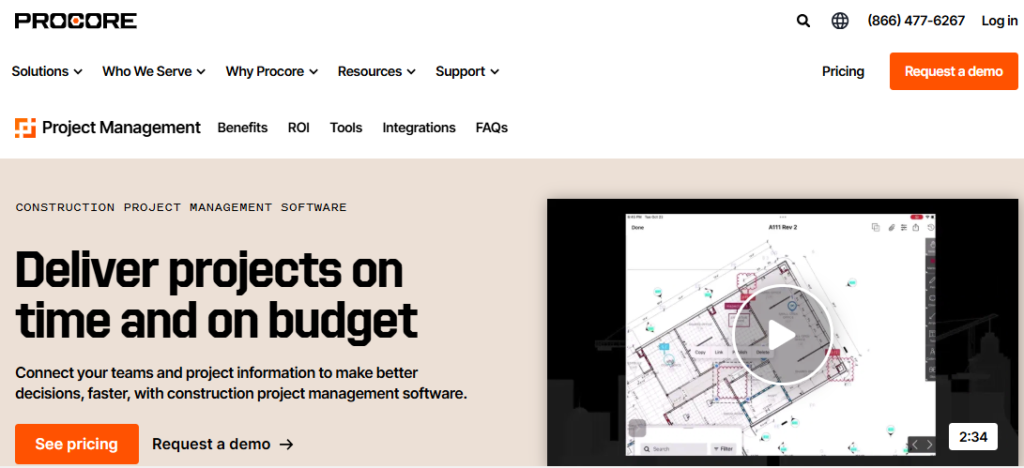
Procore is the closest thing the construction industry has to a standard. It is purpose-built for general contractors, subcontractors, and project owners who need a single platform to handle everything from preconstruction through closeout. If you run commercial projects, institutional builds, or complex multi-phase developments, Procore brings everyone into one connected workspace.
What sets Procore apart from general best project management software tools is that it was designed specifically for construction workflows from day one. You get real RFI tracking, submittal management, budget controls, change order processing, and daily logs, none of which have to be adapted from a generic template. The platform also handles document control and drawing management in a way that actually fits construction team needs.
Procore scales well with your business. Whether you manage a handful of residential builds or run a regional commercial contracting firm handling dozens of projects simultaneously, the platform handles both without forcing you to upgrade prematurely. It is particularly strong for firms that need detailed financial controls tied directly to project milestones.
Key Features
- Submittal and RFI management: Track requests for information and submittals with automated routing, approval workflows, and full audit trails to keep documentation clean and compliant
- Budget management and cost tracking: Build detailed budgets at the project level, track committed costs vs. actual spend, and flag variances before they become real problems
- Drawing and document management: Store, version-control, and share drawings directly in the platform with markup tools that work offline on mobile
- Daily log and safety reporting: Field teams submit daily reports, safety observations, and incident logs from the job site on mobile devices without needing a laptop
- Scheduling with Gantt integration: Create and update project schedules with Gantt chart views, tie tasks to budget line items, and track critical path milestones
- Over 500 integrations: Connects with Sage, QuickBooks, Xero, BIM 360, Primavera, and hundreds of other tools your firm may already use
Pros
- Purpose-built for construction with no need to adapt generic PM features
- Strong mobile app that works offline for field teams on remote sites
- Excellent document control and version management for drawings and specs
- Wide integration ecosystem covering accounting, BIM, and ERP platforms
- Scales from small contractors to large enterprise construction firms
Cons
- Pricing is not transparent and requires a custom quote, which can be a barrier for smaller firms
- Steeper learning curve compared to lighter tools, especially for field crews unfamiliar with software
- Some advanced modules like financial management are sold separately, increasing total cost
- Customer support response times can be slow during peak periods
Best For: Mid-size to large general contractors, commercial builders, and project owners managing multi-phase projects who need full document control, RFI tracking, and deep budget management in one platform.
2. Buildertrend
The Go-To Platform for Residential Builders and Remodelers
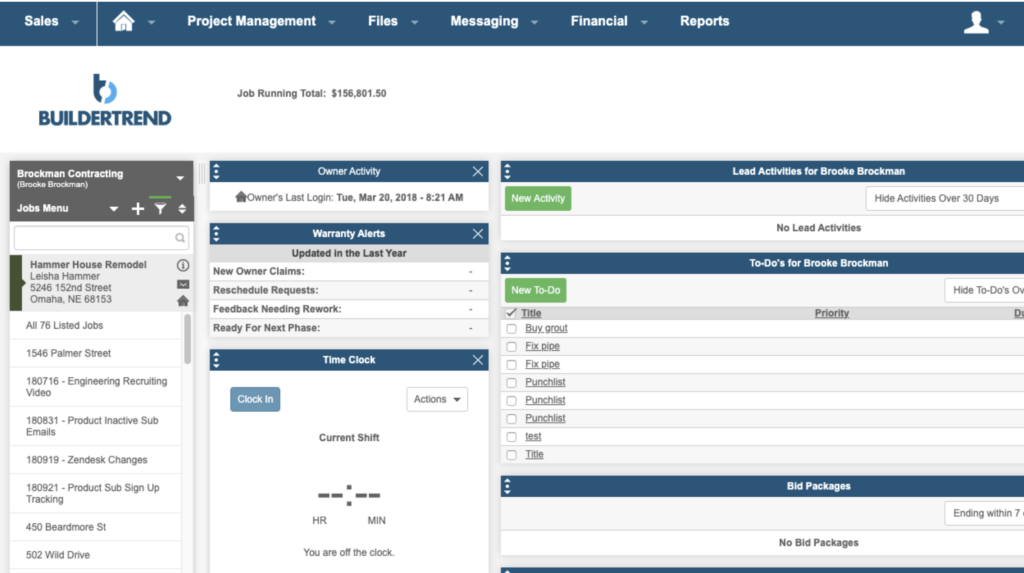
Buildertrend is the most widely used construction management platform for residential builders, remodelers, and specialty contractors. It covers the full project lifecycle from preconstruction sales through final punch list, all designed with the workflow of a home builder in mind rather than a commercial GC.
Where Buildertrend shines is in its combination of client communication and project coordination. Homeowners get a dedicated client portal where they can approve change orders, review selections, and follow project progress without calling you every day. That alone saves contractors hours each week on back-and-forth communication.
For teams already using the best project management software for construction companies, Buildertrend stands out for having one of the cleanest mobile apps in the market. Field workers can submit daily logs, upload progress photos, and request purchase approvals without leaving the site. It integrates with QuickBooks, which keeps job costing connected to your books with minimal manual entry.
Key Features
- Client portal with real-time project visibility: Give homeowners and clients a branded portal to approve selections, sign change orders, and track progress, reducing calls and disputes
- Lead and preconstruction management: Capture leads, create bid proposals, and convert them into active projects without switching tools
- Job scheduling with dependency logic: Build project timelines with task dependencies, assign crew members, and get alerts when tasks are falling behind
- Purchase order and budget tracking: Create POs, track committed costs, and reconcile against the project budget with QuickBooks or Xero integration
- Time clock and labor tracking: Field crews clock in and out from the mobile app, with time automatically allocated to job cost codes for accurate labor reporting
- Photo and document storage: Centralize all project photos, contracts, and specs in one searchable library tied to each project
Pros
- Best-in-class client portal reduces homeowner communication overhead significantly
- Strong preconstruction tools including proposals and bid management built in
- Clean, intuitive interface that residential crews adopt quickly without lengthy training
- Deep QuickBooks integration makes job costing straightforward
- Free unlimited client logins so owners and homeowners can be invited without extra cost
Cons
- Less suited to large commercial or industrial projects with complex contract requirements
- Scheduling tools are functional but less powerful than dedicated scheduling platforms
- Reporting customization is limited compared to enterprise-grade tools
- Starting price can feel steep for solo contractors or very small crews
Best For: Residential home builders, remodelers, and custom home contractors who need client-facing tools, change order management, and job costing tightly integrated with QuickBooks.
3. monday.com
Flexible Project Management That Works for Construction Teams
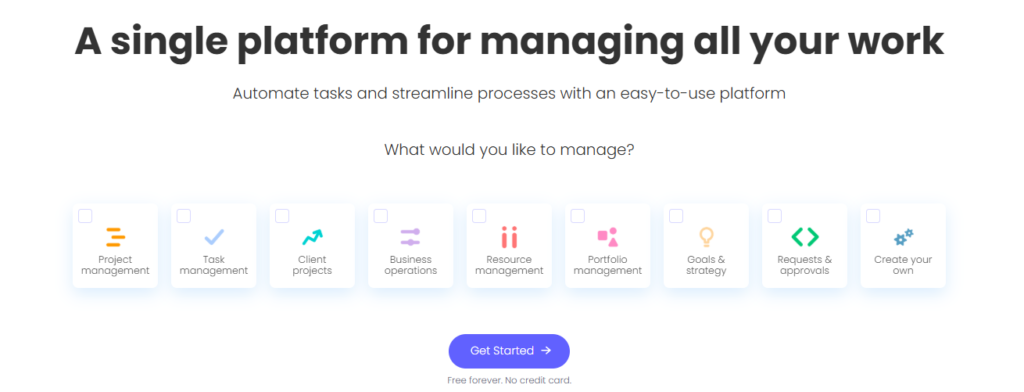
monday.com is not a construction-specific tool, but it has become one of the most popular platforms for construction project management because of how easily it adapts to complex workflows. It gives teams a visual, drag-and-drop interface that can be configured to track anything from equipment procurement to subcontractor schedules.
Construction teams use monday.com to manage tasks, timelines, stakeholder updates, and cross-team coordination in one place. It pairs well with teams already familiar with the best agile project management software concepts, since its board-based system is flexible enough to mirror sprint-style workflows or traditional Gantt charts as needed.
What makes monday.com compelling for construction is the combination of powerful automation and easy setup. You can create a workflow that automatically notifies the project manager when a milestone is completed, alerts procurement when materials fall below threshold, or sends daily status digests to the site supervisor. For firms managing multiple active sites, this level of coordination automation is a real time-saver.
Key Features
- Customizable boards and views: Build boards for any workflow type, from subcontractor coordination to RFI tracking, and switch between Gantt, calendar, kanban, and timeline views instantly
- Automations and workflow triggers: Set rules that automatically assign tasks, send notifications, or update statuses based on conditions your team defines, no coding required
- Resource and workload management: See how work is distributed across team members and subcontractors, then adjust assignments to prevent bottlenecks
- Dashboards and real-time reporting: Build project dashboards with live data widgets showing budget status, task completion, and team workload across multiple projects
- Integrations with 200+ tools: Connects with Slack, Outlook, Zoom, QuickBooks, Xero, Procore, and Salesforce among many others
- Construction-specific templates: Pre-built templates for construction scheduling, punch lists, bid management, and subcontractor tracking to speed up setup
Pros
- Extremely flexible and configurable for a wide range of construction project types
- Intuitive visual interface means faster team adoption compared to complex enterprise tools
- Strong automation capabilities that reduce repetitive coordination tasks
- Scales from small construction businesses to large firms managing multiple projects
- Excellent dashboards for executive-level reporting across a project portfolio
Cons
- Not built for construction, so some industry-specific features like submittals and RFIs require custom setup
- Can become expensive at scale when adding many users across large teams
- No native time tracking at lower plan tiers, requires integration or add-on
- Construction-specific depth is limited compared to Procore or Buildertrend
Best For: Construction companies and project managers who want a flexible, visual platform they can configure for their specific workflow, especially those managing mixed project types or coordinating across multiple stakeholders.
4. Contractor Foreman
The Best Budget-Friendly Option for Small Contractors
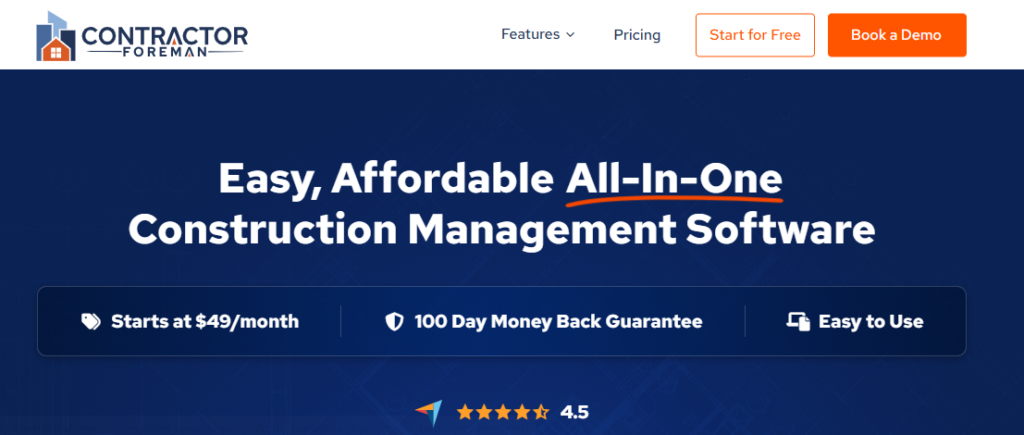
Contractor Foreman is one of the most underrated tools in the construction software space. It packs a surprisingly complete feature set into a price point that makes it accessible to smaller contractors and growing firms. If you have been putting off getting serious software because of cost concerns, Contractor Foreman is the answer most comparable to the best construction project management software for small business.
The platform covers scheduling, time tracking, estimating, invoicing, change orders, safety checklists, and client portals in a single subscription. It is not the prettiest interface in the market, but it gets the job done without requiring a dedicated software admin to keep it running. The mobile app is solid for field use, and the built-in OSHA safety forms are a practical bonus for contractors who work on federally regulated projects.
Contractor Foreman integrates with QuickBooks and Zapier, giving small teams a pathway to connect their existing accounting and workflow tools without switching everything at once. For a team of 5 to 30 people managing residential, commercial, or specialty trades work, this platform delivers serious value at a fraction of what Procore or Buildertrend would cost.
Key Features
- Estimating and proposal generation: Build detailed project estimates with labor and material costs, then convert them into professional client proposals without retyping anything
- Time tracking with GPS location: Field workers clock in through the mobile app with GPS verification, and time is automatically tied to job cost codes for accurate labor accounting
- Change order management: Create, send, and track change orders with client approvals and automatic budget impact updates
- Built-in OSHA safety forms and toolbox talks: Access over 100 OSHA forms and daily safety checklist templates designed for construction site compliance
- Client portal and messaging: Share schedules, photos, and updates with clients through a branded portal, keeping communication centralized and professional
- Purchase orders and vendor management: Create POs, track material deliveries, and manage vendor relationships directly within project workflows
Pros
- Outstanding value for the price, one of the most affordable full-featured options available
- Strong built-in OSHA safety tools rarely found at this price point
- Works for a wide range of contractor types including electrical, plumbing, HVAC, and general
- Includes unlimited users at most plan tiers, avoiding per-seat cost surprises
- QuickBooks integration keeps accounting in sync without extra manual work
Cons
- Interface looks dated compared to newer platforms and can feel cluttered on smaller screens
- Reporting and analytics capabilities are basic compared to enterprise-level tools
- Customer support is primarily email-based, which can slow down urgent issue resolution
- Less suitable for large-scale commercial GC workflows with complex multi-tier subcontracting
Best For: Small to mid-size contractors, specialty trade companies, and growing construction businesses that need a complete feature set at an affordable price without paying per-seat fees.
5. Smartsheet
Spreadsheet Familiarity with Enterprise-Grade Project Power
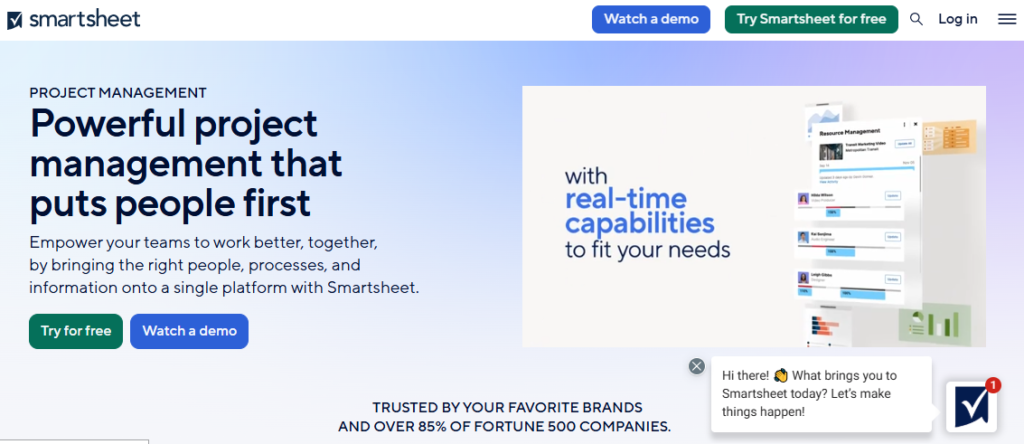
Smartsheet sits in an interesting middle ground between a traditional spreadsheet and a full project management platform. For construction teams that rely heavily on Excel but have outgrown what spreadsheets can handle, Smartsheet is the natural next step that feels familiar from day one.
Many construction firms use Smartsheet for schedule management, document tracking, and cross-team reporting because it feels like an upgraded spreadsheet that actually connects to real data. If you already evaluate options like the best project management software for cross-functional teams, Smartsheet sits at the intersection of ease and power in a way few tools match.
Where Smartsheet excels in construction contexts is resource management and automated alerts. Project managers can set up threshold-based notifications that fire when a task goes past a deadline, a budget line item is exceeded, or a submittal is not approved within a defined window. This proactive alerting keeps projects from quietly falling behind schedule while the PM is focused elsewhere.
Key Features
- Grid, Gantt, calendar, and card views: Switch between spreadsheet-style grids and full Gantt charts using the same data, making it accessible to both office staff and field leads
- Automated alerts and workflow approvals: Set up multi-step approval workflows for change orders, RFIs, and material approvals with email or app notifications built in
- Resource management with capacity planning: See how resources are allocated across all projects in your portfolio, identify overallocation, and redistribute workloads proactively
- Cross-project reporting and dashboards: Build portfolio-level dashboards that pull live data from multiple project sheets into a single executive view
- Document and file attachment management: Attach contracts, drawings, and photos directly to rows and tasks so all documentation lives with the related project data
- Salesforce, Jira, and Microsoft Teams integrations: Connects construction data with CRM, development, and communication tools across the organization
Pros
- Familiar spreadsheet interface dramatically reduces the training burden for existing Excel users
- Excellent cross-project reporting for portfolio-level visibility across multiple active jobs
- Powerful automation builder that does not require technical expertise to configure
- Strong integrations with Microsoft and Google ecosystems used by most construction offices
- Highly scalable with enterprise security, compliance controls, and SSO support
Cons
- Not built for construction, so submittals, RFIs, and punch lists require manual configuration
- Advanced features like resource management require higher-tier plans at significant cost
- Mobile app is less polished than field-first tools like Buildertrend or Fieldwire
- Can become complex to manage as the number of sheets and workflows grows
Best For: Construction project managers and office teams who are comfortable with spreadsheet-style tools and need cross-project portfolio reporting, resource management, and automated workflow approvals without abandoning familiar interfaces.
6. Fieldwire
The Field-First Tool Built for On-Site Construction Teams

Fieldwire is built from the ground up for field teams. While most project management tools start with the office and bolt on a mobile app, Fieldwire takes the opposite approach. It starts with the job site and makes field productivity the core experience, which is why it is one of the top choices for foremen, site supers, and specialty subcontractors.
The platform is centered around task management, blueprint viewing, and punch list management. Field workers can pull up the latest drawing revisions, mark issues directly on plans, create punch list items with photos, and assign them to the right trade, all from a phone or tablet. Drawing updates sync automatically so everyone is working off the same revision without manual distribution.
Fieldwire is also one of the few tools that works well for specialty contractors looking for the best construction project management software for contractors without paying for a full general contractor platform. It focuses on what field teams actually need: task visibility, plan access, and punch list efficiency, and does not bury those features under layers of financial management tools.
Key Features
- Blueprint management with version control: Upload and manage all drawing sets with automatic revision tracking so field teams always access the current version without confusion
- Task management linked directly to plans: Create tasks tied to specific locations on drawings, assign them to crew members, and track completion directly from the plan view
- Punch list management with photo capture: Build punch list items with photos, priority tags, and trade assignments that update in real-time across all connected devices
- RFI and submittal tracking: Manage requests for information and submittal reviews with approval workflows and response time tracking
- Offline functionality for remote sites: Access drawings, tasks, and forms without an internet connection, with automatic sync when connectivity is restored
- Reporting and inspection forms: Create custom field inspection forms, generate daily reports, and export structured data for project documentation
Pros
- Best-in-class drawing management with fast upload, markup, and version control
- Strong offline capability for job sites with poor connectivity
- Clean mobile interface that field crews can learn in under an hour
- Works well for subcontractors and specialty trades without requiring a full GC account
- Owned by Hilti, giving it strong enterprise backing and continued product investment
Cons
- Limited budgeting and financial management compared to Procore or Buildertrend
- Scheduling capabilities are less robust than dedicated scheduling tools
- Per-seat pricing can add up quickly on larger crews or multi-trade projects
- Less suited to office-heavy workflows like bid management or complex cost reporting
Best For: Foremen, site superintendents, specialty subcontractors, and field teams who need excellent drawing management, task tracking, and punch list tools directly on the job site with reliable offline access.
7. Zoho Projects
Affordable and Feature-Rich for Budget-Conscious Construction Teams
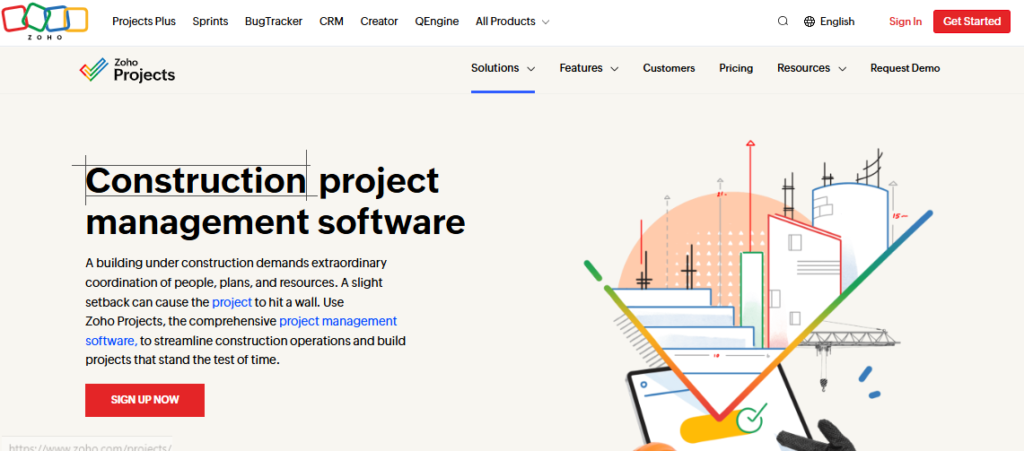
Zoho Projects is one of the most cost-effective project management platforms available, and it offers far more depth than its price tag suggests. For construction teams already in the Zoho ecosystem or those looking for a budget-friendly alternative to expensive industry-specific platforms, Zoho Projects delivers solid scheduling, task management, and reporting capabilities. It is also worth noting for those exploring the best budgeting software for construction project management, as it includes budget tracking features that many pricier tools lock behind higher tiers.
The platform supports Gantt charts, task dependencies, milestone tracking, and time logging out of the box. Construction teams can configure custom workflows to match their project phases, set automated alerts for overdue tasks, and generate project health reports without needing an admin to set things up. It is a genuinely usable tool for organizations with 5 to 100 people working across construction projects.
Zoho Projects integrates seamlessly with Zoho CRM, Zoho Books (for accounting), Zoho Invoice, and over 40 other Zoho apps. If your business already uses any part of the Zoho suite, adding Projects creates a connected operation without any integration complexity. For nonprofit organizations or small construction firms that overlap with accounting concerns, it pairs well with guidance from resources like the best accounting software for nonprofits when evaluating the broader Zoho ecosystem.
Key Features
- Gantt chart scheduling with dependency tracking: Build detailed project schedules with task dependencies, critical path visualization, and drag-and-drop rescheduling for fast updates
- Built-in budget and cost tracking: Set budgets at the project level, track actual costs against estimates, and flag variances with automated alerts to prevent overruns
- Time tracking with billable hours: Log time against tasks and projects with built-in timers, export timesheets, and push billable hours directly to Zoho Invoice for client billing
- Milestone and issue tracking: Create project milestones with dependencies, track issues and bugs with priority settings, and link them to affected tasks for full traceability
- Document management with version history: Store all project documents, drawings, and contracts with version tracking so teams always access the right file
- Reports and dashboard analytics: Generate project health reports, resource utilization charts, and custom dashboards that give managers a real-time project overview
Pros
- Exceptional value with a generous free plan and affordable paid tiers for small teams
- Deep integration with the full Zoho suite for companies using Zoho CRM, Books, or Desk
- Solid Gantt chart and dependency management without needing premium add-ons
- Strong time tracking and billing integration ideal for contractor client billing
- Clean and intuitive interface that reduces the onboarding time for new team members
Cons
- Not construction-specific, so features like RFI tracking or punch lists need custom configuration
- Mobile app is less polished than field-first tools and less suited to pure field use
- Customer support can be slow to respond during peak hours outside US time zones
- Advanced automation and workflow features require higher-tier plans
Best For: Small to mid-size construction firms, specialty contractors, and project managers who want a cost-effective all-around project management platform with solid budgeting tools and strong accounting integrations.
8. Microsoft Project
The Industry Standard for Complex Construction Scheduling

Microsoft Project has been the go-to scheduling tool for project managers across industries for decades, and it remains highly relevant in construction for teams that need serious scheduling power. It is especially popular with project managers who plan complex multi-phase builds, manage resource-heavy timelines, or work on government and institutional contracts that require a recognized scheduling format.
Where Microsoft Project genuinely outperforms most competitors is in critical path management and resource leveling. For construction firms managing large commercial builds, infrastructure projects, or program management roles overseeing multiple related projects, no tool matches its scheduling depth. It is a natural fit for project managers who also evaluate the best project management tools for freelancers and independent consultants since the standalone desktop version does not require a company subscription.
Microsoft Project integrates naturally with the rest of Microsoft 365, including Teams, SharePoint, and Excel. For firms already running their operations on Microsoft infrastructure, adding Project creates a connected scheduling environment without adding new vendor relationships. The cloud-based version also supports real-time collaboration, which is a step forward from the old desktop-only days.
Key Features
- Critical path method scheduling: Build detailed project schedules with automatic critical path calculation, lag and lead time settings, and visual highlighting of schedule-critical tasks
- Resource management and leveling: Assign multiple resource types to tasks, detect overallocations automatically, and use the built-in resource leveling tool to balance workloads
- Baseline and earned value tracking: Set project baselines at the start of a phase, track actual progress against plan, and calculate earned value metrics like SPI and CPI for progress reporting
- Portfolio and program management: Manage multiple interrelated projects from a portfolio view, prioritize resource allocation across projects, and report on combined progress
- Microsoft 365 integration: Sync with SharePoint for document storage, Teams for communication, and Excel for custom reporting, keeping all project data connected to familiar tools
- Custom reports and views: Build custom project views, filter data by resource, task type, or date range, and export formatted reports for client presentations or executive briefings
Pros
- Best critical path and scheduling depth of any tool on this list
- Widely recognized and accepted format for government and institutional project documentation
- Seamless integration with Microsoft 365 reduces data duplication across teams
- Powerful resource leveling and workload management for large multi-trade projects
- Desktop version works fully offline, useful for project managers in low-connectivity environments
Cons
- Steep learning curve for new users, especially those unfamiliar with CPM scheduling concepts
- Not construction-specific, so field management, submittals, and RFIs require separate tools
- Subscription licensing model through Microsoft 365 can be confusing and costly for smaller teams
- Mobile experience is limited compared to field-first construction tools
Best For: Senior project managers, construction schedulers, and firms managing complex multi-phase commercial, infrastructure, or government projects where critical path scheduling, resource leveling, and earned value reporting are required.
Comparison Table: Best Project Management Software for Construction 2026
| Tool | Best For | Key Strength | Budgeting | Field Use | Ease of Use | Platform Type |
|---|---|---|---|---|---|---|
| Procore | Commercial GCs | RFI + Submittals | Advanced | Strong | Moderate | Cloud/Mobile |
| Buildertrend | Residential Builders | Client Portal | Strong | Strong | Easy | Cloud/Mobile |
| monday.com | Flexible Teams | Automation | Basic | Moderate | Easy | Cloud/Mobile |
| Contractor Foreman | Small Contractors | Value for Money | Moderate | Strong | Easy | Cloud/Mobile |
| Smartsheet | Office/Portfolio Teams | Cross-Project Reports | Moderate | Limited | Moderate | Cloud/Mobile |
| Fieldwire | Field/Trade Teams | Drawing Management | Limited | Best-in-class | Very Easy | Cloud/Mobile |
| Zoho Projects | Budget-Conscious Teams | Cost Tracking | Good | Limited | Easy | Cloud/Mobile |
| Microsoft Project | Complex Scheduling | Critical Path | Advanced | Limited | Complex | Cloud/Desktop |
Final Verdict
Procore leads the market for commercial general contractors who need end-to-end construction management in one platform. Buildertrend is the clear winner for residential builders and remodelers who prioritize client communication and job costing. Fieldwire is the best field-first option for trade contractors who need drawings and punch lists on the job site without paying for features they will never use.
Contractor Foreman offers the best value for small contractors who need a full feature set without per-seat pricing. monday.com is ideal for flexible teams managing diverse project types who want strong automation and reporting. Smartsheet suits office-heavy teams that live in spreadsheets and need portfolio-level visibility. Zoho Projects wins on price for growing teams in the Zoho ecosystem. Microsoft Project remains the gold standard for complex scheduling and critical path management on large institutional projects.
How to Choose the Right Construction Project Management Software
Picking the best project management software for construction depends more on your specific workflow than on feature count. Here is a practical framework for narrowing your options.
1. Start with Your Biggest Pain Point
If your team struggles with drawings and field coordination, prioritize Fieldwire or Procore. If you lose time chasing client approvals on change orders, Buildertrend is the fix. If your schedules are out of control on large commercial builds, Microsoft Project or Procore is the right direction. Your primary problem determines your category.
2. Match the Tool to Your Project Type
Residential and remodeling firms have different needs than commercial GCs or specialty contractors. Residential builders get the most from Buildertrend. Commercial GCs and large firms fit Procore best. Specialty contractors like electricians, plumbers, and HVAC companies often do well with Contractor Foreman or Fieldwire. General PM platforms like monday.com or Smartsheet suit teams managing diverse project types.
3. Consider Your Team Size and Budget
Per-seat pricing adds up fast. Contractor Foreman and Zoho Projects offer unlimited user tiers at flat monthly rates, which is a significant advantage for growing teams. Procore and Buildertrend charge based on revenue or project volume. If budget is tight, start with Zoho Projects or Contractor Foreman and scale up only when you genuinely need more capability.
4. Check Your Existing Tool Stack
If you already use QuickBooks, make sure the tool integrates natively. If your firm runs on Microsoft 365, Microsoft Project and Smartsheet give you a tighter connection to Teams and SharePoint. Zoho Projects is the obvious choice if you are already using Zoho CRM or Zoho Books.
5. Run a Real Pilot Before Committing
Most platforms offer free trials or demos. Do not evaluate software in a vacuum. Take a real active project and run a few key workflows through the trial. See how the mobile app performs on site, how long it takes to onboard a field worker, and whether the reporting tells you what you actually need to know.
Conclusion
The best project management software for construction is the one your team will actually use, not just the one with the longest feature list. Procore and Buildertrend lead for companies with serious budget and documentation needs, while Fieldwire and Contractor Foreman win for field-focused and small contractor use cases. Smartsheet and monday.com serve teams that need flexibility and portfolio visibility. Zoho Projects and Microsoft Project cover the value and scheduling extremes.
To explore more in-depth comparisons like this, visit TheListify, where we regularly publish expert-curated lists of the best tools and software for businesses across various industries. Whether you’re searching for Best CRM Tools, Best Accounting Software, Best Recruiting Software, Best Project Management Software, Best marketing tools, or productivity solutions, our detailed guides help you make informed decisions faster.