
Choosing the best CRM for small business in 2026 is no longer just about managing contacts. It is about building stronger and more personalized customer relationships. With so many options available, finding the right fit can feel confusing.
This guide helps you compare top CRM tools for Small Business and choose what works best for your business.Top Picks, Expert Comparison, and Honest Advice for 2026
Why Small Businesses Need a CRM in 2026
Managing customer relationships through email inboxes, sticky notes, and shared spreadsheets works until it stops working. For most small businesses, that breaking point arrives earlier than expected: a follow-up falls through the cracks, a deal goes cold because no one remembered to check in, or a key contact’s history is buried in a departing employee’s inbox. A CRM for small business solves these problems by centralizing every customer interaction in one place, giving the entire team a shared, searchable record of every contact, conversation, and deal.
In 2026, the global Customer Relationship Management software market is projected to reach approximately US$109.07 billion, reflecting strong and sustained demand across industries. According to research by Statista, the market is expected to grow at a steady annual rate of 9.80% through 2030, reaching around US$158.55 billion. This growth is driven by increasing adoption of CRM solutions worldwide, with average spending per employee estimated at US$29.03 in 2026. The United States continues to dominate the market, generating the highest revenue and highlighting its leadership in CRM innovation and adoption.
The practical benefits for small businesses are clear and measurable. A well-implemented CRM reduces manual data entry, automates follow-ups, provides real-time pipeline visibility, and delivers insights on what is working. If you are exploring the best CRM tools, choosing the right solution can be one of the highest-return investments for your business in 2026.
What to Look For in a Small Business CRM
Not every CRM is built for small business realities. Enterprise platforms often require dedicated administrators, lengthy implementation projects, and budgets that small teams cannot support. The best CRM for small business balances the right feature set with simplicity, affordability, and fast time-to-value. When evaluating options, prioritize these criteria:
- Ease of adoption: The platform should be usable within days, not weeks. Look for intuitive interfaces and short learning curves that your whole team can manage without formal training.
- Transparent pricing: Avoid platforms with complex tier structures and hidden add-on costs. The best small business CRMs show clearly what you get at each price point.
- Core feature coverage: Ensure the tool covers contact management, a visual sales pipeline, email integration, task reminders, basic automation, and a mobile app as a minimum.
- AI capabilities: In 2026, AI-driven features like lead scoring, email drafting assistance, and deal health alerts are available even on entry-level plans. These meaningfully reduce admin time.
- Integration with existing tools: Your CRM should connect with your email client (Gmail or Outlook), calendar, and any industry-specific tools your team already uses daily.
- Scalable pricing: Choose a CRM that grows with you. Understand how costs change when you add users, increase contact volume, or need more advanced features.
Quick Comparison: 10 Best CRM Tools for Small Business
Use this table to compare the top CRM platforms across the key factors that matter most for small business teams.
| CRM Tool | AI Features | Best For | Ease of Use |
|---|---|---|---|
| HubSpot CRM | AI email + summaries | Startups / SMBs | Very Easy |
| Zoho CRM | Zia AI | Budget-conscious teams | Moderate |
| Pipedrive | AI Sales Coach | Sales-focused teams | Easy |
| Freshsales | Freddy AI | Startups | Easy |
| monday.com CRM | AI deal summary | Collab teams | Easy |
| Keap | Campaign automation | Solo / micro business | Moderate |
| Capsule CRM | Basic only | Micro teams | Very Easy |
| Less Annoying CRM | None | Simplicity seekers | Very Easy |
| Streak CRM | AI email assist | Gmail-only teams | Easy |
| Nutshell CRM | AI summaries | B2B SMBs | Easy |
Top 10 Best CRM for Small Business: Full Reviews
#01 HubSpot CRM [ Best Overall Free CRM for Small Business ]
Best For: Startups, solo operators, and growing SMBs
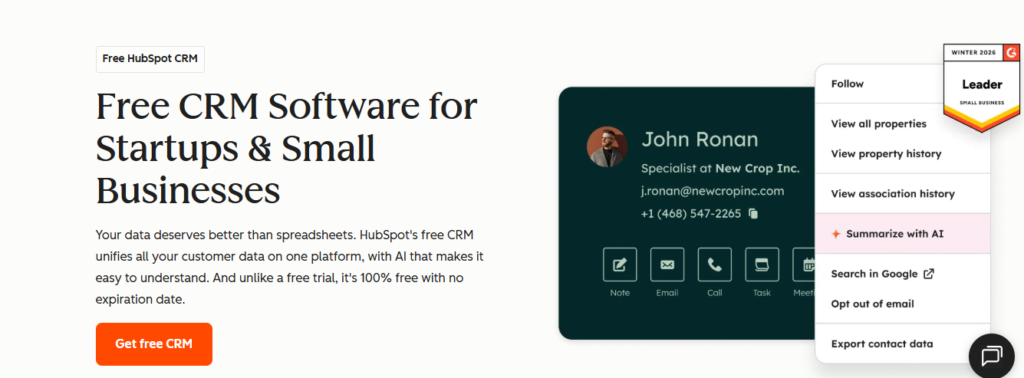
HubSpot CRM is the most widely recommended starting point for any small business that wants professional CRM tools without an upfront cost. Its free plan includes unlimited users, unlimited contact storage, a visual deal pipeline, email tracking, meeting scheduling, live chat, and a basic reporting dashboard. There is no expiry date, no credit card required, and no artificial limit on the number of seats. For small business owners trying CRM tools for the first time, HubSpot’s interface is clean, intuitive, and ready to use within hours. When the business scales, paid Sales Hub tiers add email sequences, workflow automation, and deeper analytics. HubSpot’s AI assistant helps draft emails and summarize call notes, reducing daily admin overhead for lean teams.
Key Features
- Free forever plan with unlimited users and up to 1,000,000 contact storage
- Visual Kanban deal pipeline with drag-and-drop stage management
- Built-in email tracking, meeting scheduler, and live chat widget
- AI email writing assistant and call summary generation
- Seamless upgrade path to Marketing Hub, Sales Hub Pro, and Service Hub
Pros
- The most generous free plan in the CRM market with no user cap and no expiry
- Clean, beginner-friendly interface requires little to no training for new users
- All-in-one ecosystem connects sales, marketing, and service data in one place
Cons
- Paid plans jump sharply at the Professional tier, reaching $450/month for 3 users
- Advanced features like A/B testing and sequences are locked behind paid plans
- Free reporting is limited; custom dashboards require a Starter subscription or higher
#02 Zoho CRM [ Best Value CRM for Feature-Rich Teams on a Budget ]
Best For: Cost-conscious SMBs wanting automation without enterprise pricing
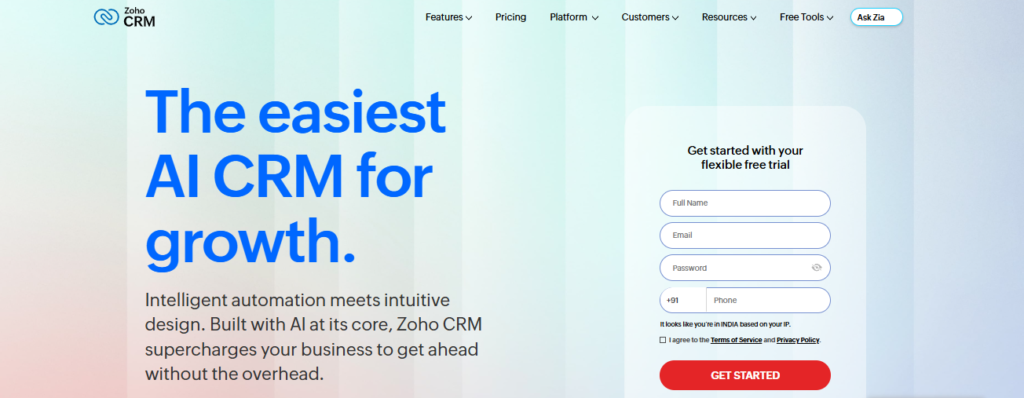
Zoho CRM delivers an impressive breadth of features at a price point that makes it one of the most cost-effective CRM platforms for small business teams in 2026. Its AI assistant Zia predicts deal win probabilities, detects anomalies in sales patterns, and suggests the optimal time to contact a lead based on past engagement data. The Blueprint module enforces structured, approval-based sales processes that are particularly valuable for businesses in regulated or compliance-sensitive industries.
Zoho CRM sits at the center of the 55-plus app Zoho suite, integrating natively with Zoho Books for invoicing, Zoho Desk for support tickets, and Zoho Campaigns for email marketing. For small businesses that want enterprise-quality features without enterprise pricing, Zoho CRM is consistently ranked among the top three picks by industry analysts in 2026.
Key Features
- Zia AI for lead scoring, anomaly detection, and deal win probability predictions
- Blueprint module for structured, step-by-step sales workflows with required approvals
- Canvas no-code layout editor for fully custom CRM interface design
- Native integration with 55+ Zoho apps including Zoho Books and Zoho Desk
- Multi-channel communication across email, phone, live chat, and social media
Pros
- Enterprise-level features at a fraction of Salesforce or HubSpot paid plan pricing
- Zia AI delivers actionable intelligence accessible to small team budgets
- Deep native Zoho suite integration reduces the need for additional software subscriptions
Cons
- Interface can feel cluttered and dated compared to more modern CRM tools
- Advanced analytics and enhanced storage require the expensive Ultimate plan
- Support response times are inconsistent and vary significantly by geographic region
#03 Pipedrive [ Best CRM for Sales-Focused Small Business Teams ]
Best For: Small sales teams that want a focused, pipeline-first CRM
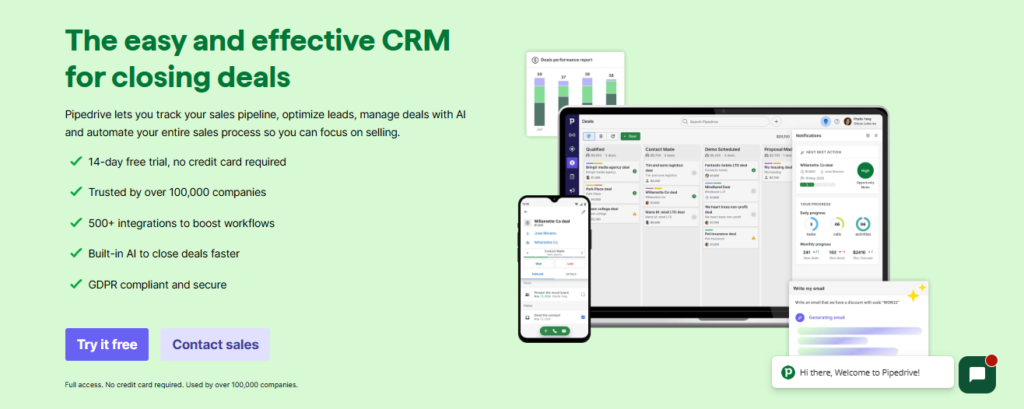
Pipedrive was designed by salespeople for salespeople, and that philosophy shapes every element of the product. It centers its entire experience around the sales pipeline rather than burying it beneath marketing and support features that small sales teams rarely need. Its activity-based selling model ensures that reps always have a clear next action assigned to every open deal, preventing opportunities from going cold.
The AI Sales Assistant provides automated coaching nudges, surfaces at-risk deals, and recommends priority actions based on historical pipeline data. With consistently fast setup times and a highly rated mobile app, Pipedrive is one of the most adopted CRM tools among small B2B sales teams globally, and it ranked as a G2 Leader in the CRM category through early 2026.
Key Features
- Visual Kanban pipeline with drag-and-drop deal management and unlimited custom stages
- AI Sales Assistant with automated coaching, risk alerts, and priority recommendations
- Workflow automation for repetitive follow-up tasks and deal stage updates
- LeadBooster add-on for live chat, web forms, and chatbot-driven lead capture
- Revenue forecasting and fully customizable reporting dashboards
Pros
- Fastest setup time of any paid CRM; most small teams are fully operational within a day
- Activity-based selling keeps every rep focused on the right action at the right time
- Highly transparent pricing tiers with no confusing feature bundles or hidden costs
Cons
- No free plan available; the Essential plan starts at $14/user/month billed annually
- Built-in marketing automation is minimal and requires third-party integrations
- Post-sale project management and complex multi-department workflows are not supported
#04 Freshsales by Freshworks [ Best CRM for Startups Needing Built-In Calling ]
Best For: Startups and lean inside sales teams on tight budgets
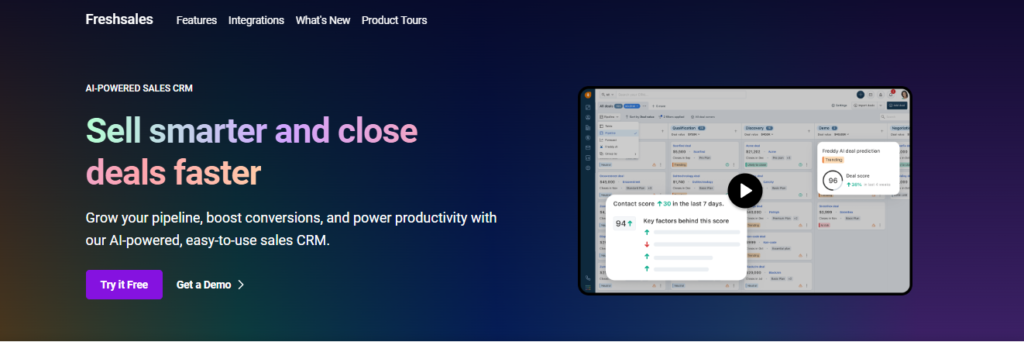
Freshsales from Freshworks stands out in the small business CRM market by bundling a built-in VoIP calling system, SMS communication, and AI-powered lead scoring into a single platform starting at $9 per user per month. Its Freddy AI engine scores leads based on engagement activity, flags deals showing signs of risk, and can auto-draft follow-up emails through the Freddy Copilot feature.
The free plan for up to three users allows early-stage startups to evaluate the full platform before committing to any paid tier. Freshsales Suite, the expanded offering, layers in marketing automation and customer chat, creating a unified revenue platform that replaces the need for several separate tools. For startups and small businesses that want professional AI-powered CRM without a large software budget, Freshsales consistently ranks among the top picks in 2026.
Key Features
- Freddy AI for predictive lead scoring, deal risk alerts, and automated email drafting
- Built-in VoIP calling and SMS with automatic logging to contact and deal records
- 360-degree customer timeline view across every email, call, and meeting touchpoint
- Freddy Copilot for AI-assisted email writing and intelligent meeting summaries
- Free plan for up to 3 users; Growth plan from $9/user/month
Pros
- Built-in telephony saves the cost and complexity of a separate calling integration
- Freddy AI brings smart deal intelligence to teams with limited budgets
- Modern, clean interface requires very little training for first-time CRM users
Cons
- Advanced custom dashboards and deeper reporting require the higher Pro plan
- Some important third-party integrations are restricted to the more expensive tiers
- Live support quality can vary noticeably on the entry-level Growth plan
#05 Monday CRM [ Best CRM for Project Management]
Best For: Small and mid-size teams using monday.com for project management
monday.com CRM brings deal tracking, contact management, and sales pipeline automation into the same board-style interface that millions of teams already use for project management. For any small business already operating on the monday.com platform, the transition to its CRM module is seamless because the product shares the same visual language, notification system, and team collaboration layer.
Its no-code automation builder supports over 200 trigger-and-action combinations, and AI-generated deal summaries give managers a fast overview of pipeline status without requiring manual reporting. While it does not match dedicated sales CRMs in areas like advanced forecasting or built-in telephony, its combination of visual flexibility and collaboration tools makes it one of the most adopted CRM platforms by small teams seeking an all-in-one workspace.
Key Features
- Fully customizable boards for contacts, leads, accounts, and deal stages
- No-code automation builder with 200+ prebuilt trigger-and-action combinations
- AI-generated deal summaries and pipeline health insights for quick manager overviews
- Native integrations with Gmail, Outlook, Slack, Zoom, and 200+ other applications
- Real-time revenue dashboards with drag-and-drop widgets and filter-based reporting
Pros
- Teams already on monday.com can begin using the CRM module with zero additional training
- Highly visual, flexible interface that adapts to how the team actually works
- CRM data connects directly to project and task boards for seamless cross-team visibility
Cons
- Revenue forecasting and advanced pipeline analytics are less capable than dedicated CRMs
- Per-seat pricing scales linearly and becomes costly as the team grows
- No built-in telephony and limited advanced email sequencing capabilities
#06 Keap [ Best All-in-One CRM for Solo Entrepreneurs and Micro Teams ]
Best For: Solo entrepreneurs, coaches, and small service businesses
Keap, the platform formerly known as Infusionsoft, is designed specifically for small service businesses, coaches, consultants, and solo entrepreneurs who need CRM and business automation without the complexity of enterprise software. Its single subscription includes contact management, a visual campaign automation builder for email and SMS, invoicing, payment processing, appointment scheduling, and a dedicated business phone line.
This all-in-one approach eliminates the need to subscribe to four or five separate tools, which is a meaningful cost and operational advantage for lean teams. Although the starting price of $299 per month appears steep, the breadth of what is included makes Keap genuinely competitive on a per-feature basis for small businesses managing the full client lifecycle from first contact to payment collection.
Key Features
- All-in-one platform covering CRM, invoicing, payments, appointment booking, and marketing
- Visual campaign builder for multi-step email and SMS automation with conditional logic
- Lead capture forms and landing pages with automatic tag-based contact segmentation
- Dedicated business phone line with integrated call and SMS logging to contact records
- Pipeline management with stage-triggered automation and structured follow-up sequences
Pros
- Replaces 4 to 5 separate software tools with a single subscription for service businesses
- Powerful automation builder accessible to non-technical small business owners
- Strong onboarding support and dedicated customer success assistance included
Cons
- Flat $299/month starting price is prohibitive for very early-stage or pre-revenue businesses
- Reporting and analytics dashboards lack depth for data-driven decision making
- Initial setup can be overwhelming without guided onboarding assistance
#07 Capsule CRM [ Best Lightweight CRM for Very Small Teams ]
Best For: Freelancers, micro businesses, and teams new to CRM software
Capsule CRM is a lightweight, no-frills contact management and pipeline tool designed for very small teams, freelancers, and micro businesses that need a clean and fast CRM without an overwhelming feature set. Its interface is intentionally simple, with an emphasis on contact organization, task reminders, and pipeline tracking that can be mastered in a single afternoon.
Capsule supports task templates called tracks to keep sales processes consistent across the team, and its mobile apps for Android and iOS work offline, making it useful for field-based service businesses. The free plan supports two users and 250 contacts, which serves solo operators and very small partnerships. While Capsule is not suited for teams needing deep automation or advanced reporting, it earns consistently high marks for usability and day-one simplicity.
Key Features
- Simple contact management with tags, notes, and activity history for every record
- Visual sales pipeline with deal tracking and win probability estimates
- Tracks feature for reusable task templates that enforce consistent sales steps
- Offline-capable mobile apps for Android and iOS for field sales and service teams
- Integrations with Gmail, Outlook, Mailchimp, Xero, and over 50 additional tools
Pros
- Among the simplest and fastest CRMs to learn; most users are comfortable within one hour
- Free plan is functional for solo operators and two-person micro businesses
- Offline mobile app is a genuine advantage for service businesses working in the field
Cons
- Automation features are minimal and require third-party tools like Zapier to extend
- Limited reporting and no built-in email sequencing on any plan
- Contact cap of 250 on the free plan is restrictive compared to HubSpot’s unlimited free tier
#08 Less Annoying CRM [ Best CRM for Simplicity and Transparent Pricing ]
Best For: Small businesses and sole traders who dislike complex CRM software
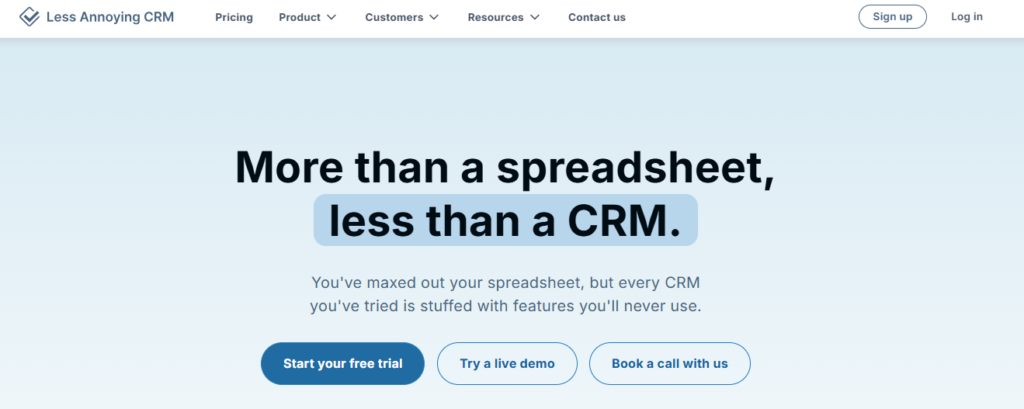
Less Annoying CRM earns its name by stripping away complexity and offering a single, flat-rate pricing model at $15 per user per month with every feature included and no upgrade tiers to navigate. It is built around a minimalist philosophy: give small businesses the essential tools of contact management, task tracking, pipeline management, and calendar integration without requiring weeks of onboarding or a dedicated administrator.
The platform is especially well regarded for its customer support, which is handled by trained human CRM coaches rather than AI chatbots or tiered ticket queues. For small business owners who have been burned by overly complex CRM tools in the past, Less Annoying CRM offers a genuinely low-friction alternative with a flat pricing structure that scales predictably as new team members are added.
Key Features
- Single flat-rate pricing at $15/user/month with all features fully included
- Contact management with pipeline tracking, notes, tasks, and calendar integration
- Daily agenda view that surfaces all tasks, events, and follow-ups for the day
- Human customer support by trained CRM coaches available on all plans
- Simple reporting with lead status tracking and pipeline activity summaries
Pros
- Flat pricing with zero upgrade tiers means no surprise billing as the business scales
- Human support by CRM coaches is a rare differentiator for small business users
- 30-day free trial gives ample time to test the platform with real business data
Cons
- No workflow automation or email sequencing tools built into the platform
- No dedicated mobile app; mobile access relies on a responsive web interface only
- No advanced analytics, forecasting, or AI-powered insights of any kind
#09 Streak CRM [ Best Gmail-Native CRM for Small Teams ]
Best For: Freelancers and small Google Workspace teams wanting a zero-app CRM
![Streak CRM [ Best Gmail-Native CRM for Small Teams ]](https://thelistify.com/wp-content/uploads/2026/04/image-116-1024x472.png "Best CRM for Small Business -Top Picks, Expert Comparison, and Honest Advice for 2026 9")
Streak CRM operates entirely within Gmail, converting the email inbox into a functional pipeline management and contact tracking system with no external application required. Users see pipeline boards, contact details, and deal history as a native sidebar alongside their email threads, which keeps the workflow inside the tool that small teams use most.
Its mail merge feature with built-in open tracking and click monitoring is particularly powerful for small teams doing direct outreach from Gmail. Streak is also more flexible than most CRM tools in supporting non-sales use cases, including recruiting pipelines, client onboarding, fundraising, and support ticket tracking. Its individual free plan makes it the most accessible entry-level CRM tool for freelancers and solo consultants who want CRM functionality without any software investment.
Key Features
- Gmail-native pipeline with drag-and-drop stage management inside the inbox
- Mail merge with open tracking, click tracking, and scheduled send from Gmail Compose
- Shared pipelines and team contacts for collaborative deal management within Gmail
- Snippet templates for fast, keyboard-shortcut-triggered email responses
- Supports multiple use cases: sales, recruiting, client onboarding, and support
Pros
- No separate application needed; the full CRM experience lives inside Gmail
- Free individual plan is genuinely capable for freelancers and solo consultants
- Flexible enough to manage pipelines for use cases beyond traditional sales
Cons
- Entirely restricted to Gmail and Google Workspace users; no Microsoft 365 compatibility
- Lacks advanced reporting, revenue forecasting, and AI-powered insights
- Not suitable for teams larger than 20 people or complex enterprise sales processes
#10 Nutshell CRM [ Best CRM for B2B Small Business Teams Wanting Unlimited Data ]
Best For: B2B small and mid-size teams wanting generous data limits and strong support
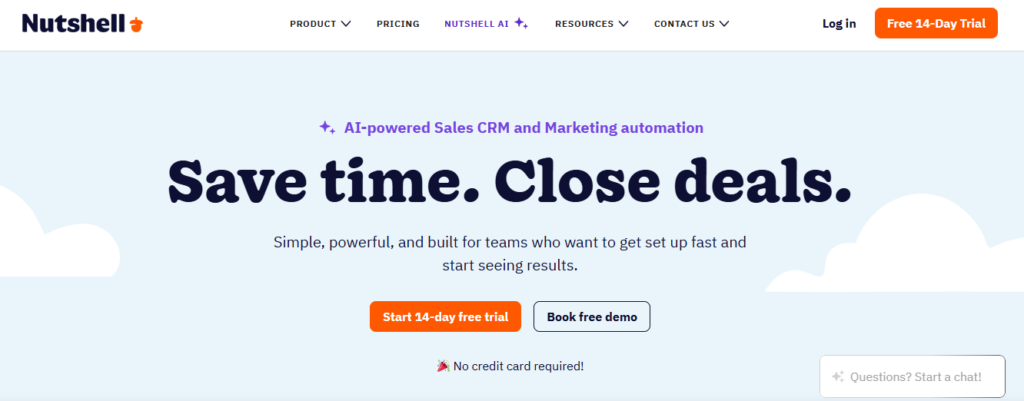
Nutshell CRM distinguishes itself in the small business CRM market with a straightforward value proposition: unlimited contacts, unlimited pipelines, and unlimited data storage across every pricing tier, including the entry-level Foundation plan. Many competing CRM tools cap contacts or storage and charge for overages as teams grow, making total cost of ownership harder to predict. Nutshell eliminates that uncertainty entirely.
It offers four distinct pipeline views including board, list, map, and chart modes to suit different team working styles. Its built-in email marketing module, Nutshell Campaigns, removes the need for a separate email tool on most plans. Customer support quality is consistently rated among the highest in the industry, with human-staffed live chat and phone support included at every pricing tier without additional charges.
Key Features
- Unlimited contacts, pipelines, and data storage included on all plans
- Four pipeline views: board, list, map, and chart for flexible team workflows
- Nutshell Campaigns: built-in email marketing with audience segmentation tools
- Sales automation with triggers, personal email sequences, and activity reminders
- Revenue forecasting and activity-based reporting with conversion funnel analytics
Pros
- Unlimited data on all tiers removes the risk of surprise overage charges as the team grows
- Fast time-to-value; most teams are fully operational within a single business day
- Human support via live chat and phone is included at every pricing tier at no extra cost
Cons
- Third-party integration library is smaller than what Salesforce or HubSpot ecosystems offer
- AI features are available but are newer and less mature than enterprise CRM platforms
- Mobile app experience is more limited compared to the desktop web application
How to Choose the Best CRM for Your Small Business
With ten strong options reviewed above, narrowing down the right choice comes down to matching the platform to your specific situation. Use the guidance below to identify the best fit:
- You want a free CRM with no user limit: HubSpot CRM is the clear starting point. Its free plan has no user cap, no expiry date, and covers all the core CRM functions a small team needs from day one.
- You want the most features for the lowest cost: Zoho CRM delivers enterprise-level tools at SMB pricing. Its $14/user/month Standard plan includes Zia AI, Blueprint workflows, and native Zoho suite integration.
- Your team lives in Gmail: Copper CRM or Streak CRM are purpose-built for Google Workspace. Both eliminate data entry by capturing email and calendar activity automatically within Gmail.
- Your priority is a clean, fast sales pipeline: Pipedrive is the best-in-class choice for sales-focused teams. Its activity-based model keeps reps on track, and most teams are fully operational within one business day.
- You need built-in calling without extra subscriptions: Freshsales from Freshworks includes VoIP calling and SMS from $9/user/month, making it ideal for inside sales startups that want professional communication tools at startup pricing.
- You want one tool to run your entire small business: Keap bundles CRM, email marketing, invoicing, payment processing, and appointment scheduling into one subscription designed specifically for solo operators and micro teams.
- You want simplicity above all else: Less Annoying CRM charges a flat $15/user/month with every feature included and zero upgrade tiers. Its 30-day free trial and human support coaches make it the friendliest entry point for CRM newcomers.
To explore more in-depth comparisons like this, visit TheListify, where we regularly publish expert-curated lists of the best tools and software for businesses across various industries. Whether you’re searching for CRM platforms, marketing tools, or productivity solutions, our detailed guides help you make informed decisions faster.
Frequently Asked Questions: CRM for Small Business
What is a CRM for small business?
A CRM for small business is a software platform that helps small teams manage customer contacts, track sales pipelines, automate follow-up tasks, and generate performance reports. Unlike enterprise CRM systems that require dedicated administrators and complex configurations, small business CRM tools are designed to deliver value quickly, with simple interfaces and affordable pricing plans that scale as the team grows.
Which CRM is best for a very small team or solo operator?
For solo operators and very small teams, HubSpot CRM, Streak CRM, and Capsule CRM are the top recommendations. HubSpot offers an unlimited-user free plan with no expiry date. Streak operates entirely inside Gmail with a free individual plan. Capsule provides a clean two-user free tier. Less Annoying CRM charges a flat $15 per user per month with every feature included, making it highly predictable for micro businesses.
Is there a free CRM that is genuinely useful for small businesses?
Yes. HubSpot CRM provides a genuinely capable free plan with unlimited users, unlimited contacts, deal pipeline management, email tracking, a meeting scheduler, and live chat. Zoho CRM is free for up to three users. Freshsales is free for up to three users and includes built-in calling. Streak CRM is free for individual Gmail users. These free CRM tools cover the core needs of most early-stage small businesses without any financial commitment.
How do I choose the right CRM for my small business?
Start by identifying your biggest pain point: disorganized contacts, missed follow-ups, poor pipeline visibility, or lack of reporting. Then shortlist two or three CRM platforms that address that problem specifically. Evaluate the free trial, the quality of mobile access, how the platform integrates with tools you already use such as Gmail or Outlook, and how the pricing scales as your team grows. The best CRM for small business is the one your team will actually use every day.
What features matter most in a small business CRM?
The most important features for a small business CRM include contact and account management, a visual sales pipeline, email integration with activity tracking, task and follow-up reminders, basic workflow automation, mobile app access, and integrations with the tools the team already uses. In 2026, AI-powered features such as lead scoring, email drafting assistance, and deal health alerts have become valuable additions even for small business plans.
Can CRM software actually improve sales for small businesses?
Yes, and the impact is measurable. Small businesses that adopt CRM software consistently report shorter sales cycles, fewer missed follow-ups, and better visibility into which deals are most likely to close. The automation features alone, such as automated follow-up reminders and email sequences, ensure that no lead goes uncontacted due to a busy schedule. For small teams where every sale matters, CRM tools are one of the highest-return technology investments available.