
Choosing a free accounting app can be complicated due to limitations like bank reconciliation and device restrictions. Different users, such as consultants and retailers, have distinct needs. This guide reviews 9 free accounting software options, including cloud services, desktop programs, and open-source systems, distinguishing between general ledger capabilities and invoicing tools. It highlights practical limitations, regional availability, and conditions for paid upgrades, aiming to help users select a suitable option without unexpected costs.
What Is Free Accounting Software?
Free accounting software records your income and expenses, sends invoices, and shows you what you owe and what you are owed. Most tools also connect to a bank feed, sort transactions into categories and produce reports like profit and loss. Some are open source and cost nothing. Others give you a limited free plan or a short trial, and they charge for more.
Freelancers, sole traders, small shops and new startups get the most from these tools. If you have few invoices and no payroll, a free plan can carry you for years. If you hire staff or hold inventory, you will likely hit a paywall sooner.
So how to choose free accounting software for small business? Check these five things first:
- Is the plan free for good, or only a trial?
- How many invoices, bills or users does it allow?
- Does it link to your bank?
- Can you export your data if you leave?
- Does it handle your local tax rules?
For more options beyond this list, see our guide to accounting software for freelancers.
Top 9 Best Free Accounting Software Picks in 2026
We picked tools that offer a free plan, a free trial, or a free open source download, then ordered them by how much a small business can do before paying. Tools with a lasting free tier and few limits rank higher. Tools that lean on trials or tight caps sit lower, even when the paid product is strong.
1. Wave

Wave – Free accounting for freelancers and micro-businesses
Wave earns the top spot because its core accounting costs nothing. You get income and expense tracking, unlimited invoicing and receipt scanning without a monthly fee. For a freelancer with a handful of clients, that covers most of what a paid plan would.
The big difference from the paid tools further down this list is how Wave makes money. It charges for payment processing and add-ons like payroll in some regions, not for the software itself. GnuCash is also free, but it runs on your desktop and expects you to know bookkeeping. Wave runs in the browser and works for people who have never opened a ledger.
Is free accounting software good enough for a small business? For a solo operator with simple books, yes, and Wave is the best proof. Once you hire staff, track stock or need deep reports, you will outgrow it. If that sounds like your path, compare it with other picks for small business accounting before you commit.
✅ Key Features
- Unlimited invoicing: Send as many invoices as you need without paying per client or per document.
- Receipt scanning: Snap a photo of a receipt so the expense is logged without manual typing.
- Core accounting: Track income and expenses in a ledger that works for simple books.
- Bank connections: Import transactions so you spend less time entering them by hand.
- Online payments: Let clients pay invoices by card or bank transfer, with fees charged only when you get paid.
- Financial reports: Pull basic reports such as profit and loss to see how the business is doing.
✅ Pros
- The core accounting software has no monthly fee, so a new freelancer can start with zero overhead.
- The interface is easy to learn, so you can send a first invoice on day one.
- Unlimited invoicing means a growing client list never raises your software bill.
- Receipt scanning cuts down the shoebox-of-paper problem at tax time.
- You only pay for payments you actually collect, which keeps costs tied to income.
❌ Cons
- Payment processing fees apply, so collecting by card costs more than taking a bank transfer.
- Inventory tracking is not a focus, so product sellers with stock to manage will hit a wall.
- Reporting and customization are basic compared with Xero or QuickBooks Online.
- Features and paid add-ons can vary by country, so check what is offered where you live before you sign up.
🎯 Best For: Freelancers, consultants and solopreneurs with a small client list who want to send invoices and track expenses at no cost. It is a poor fit for teams that need inventory, complex reporting or close work with an accountant.
2. Zoho Books
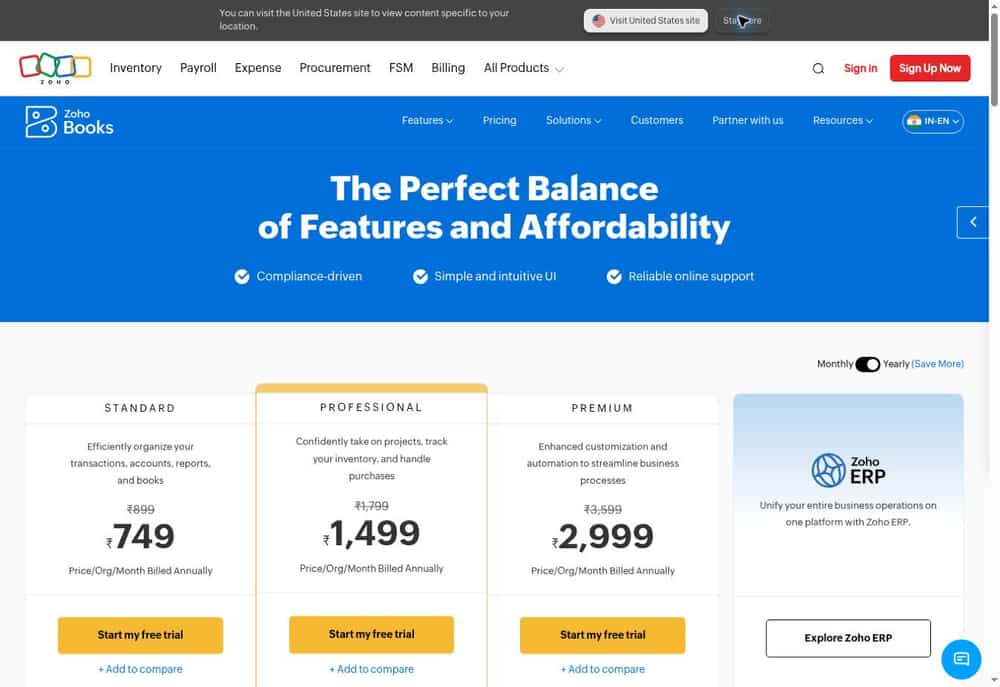
Zoho Books — Free cloud accounting for eligible small businesses in India
Zoho Books can fit a freelancer or small company that wants cloud-based invoices, accounting records and reports without maintaining a local installation. Its India pricing page includes a Free tier, with eligibility rules and feature limits that should be assessed before signup.
The local edition matters. Indian tax workflows and plan eligibility differ from what a US pricing screenshot suggests. Check the current free-plan turnover criteria, invoice caps and user allowance rather than assuming every paid feature or Zoho integration comes with the Free plan.
Free pricing: Free tier for qualifying businesses in India, subject to local eligibility and usage limits.
Best for: India-based small firms that meet the Free plan criteria.
Official website: Zoho Books.
✅ Key Features
- Sales invoices
- Expense records
- Customer and vendor records
- Basic financial reports
- Banking workflow features depending on tier
- India-specific tax options depending on edition and tier
✅ Pros
- Cloud access
- India-focused edition
- Structured bookkeeping workflow
- Free option for eligible businesses
- Paid upgrade path
❌ Cons
- Free tier has eligibility and usage limits
- Some automation and collaboration require paid plans
- Regional editions differ
3. ZipBooks
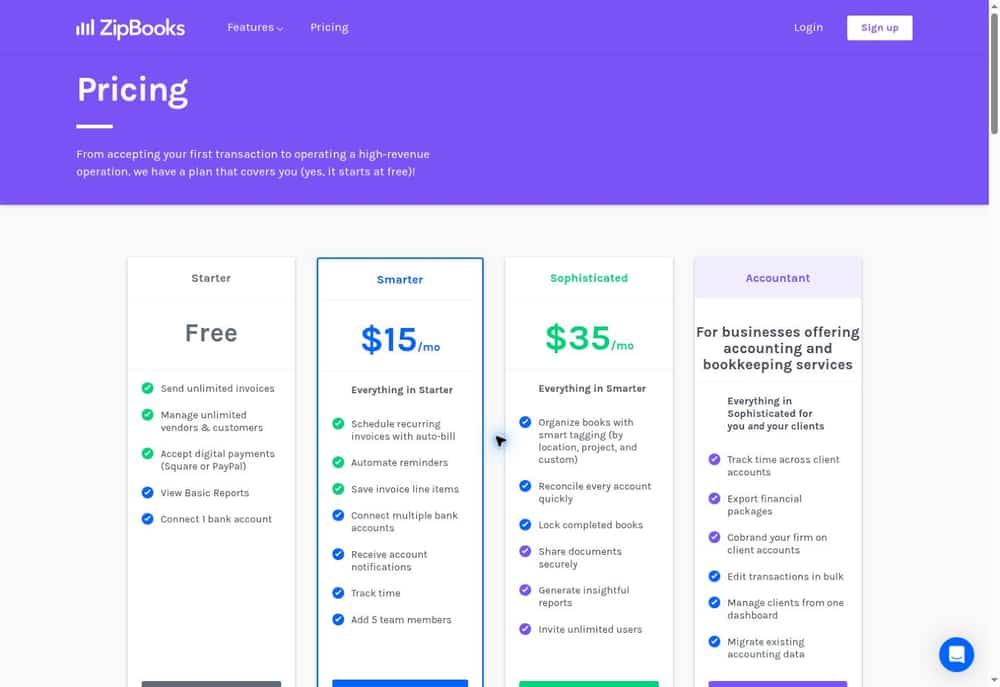
ZipBooks — Hosted invoicing and simple books with a free Starter plan
ZipBooks offers a low-friction entry for consultants who want to send invoices, register clients and connect a single bank account. The Starter plan includes unlimited invoices and customers, digital payment acceptance and basic reports.
That convenience has a ceiling: time tracking, recurring billing, multiple bank connections and advanced bookkeeping sit in paid tiers. A freelancer with only one financial account may tolerate the limitation; a shop operating multiple bank accounts might outgrow it fast.
Free pricing: Starter free; Smarter and Sophisticated paid.
Best for: Solo operators who primarily invoice and need limited banking.
Official website: ZipBooks.
✅ Key Features
- Unlimited invoices on Starter
- Unlimited vendors and customers
- One bank connection on Starter
- Basic reports
- Square or PayPal digital payments
- Recurring invoices and time tracking on paid plans
✅ Pros
- Free unlimited invoices
- Customer list has no stated Starter cap
- One bank connection available
- Digital payment options
- Hosted setup
❌ Cons
- Only one bank connection free
- Time tracking is paid
- Advanced reports and reconciliation require upgrades
4. Manager
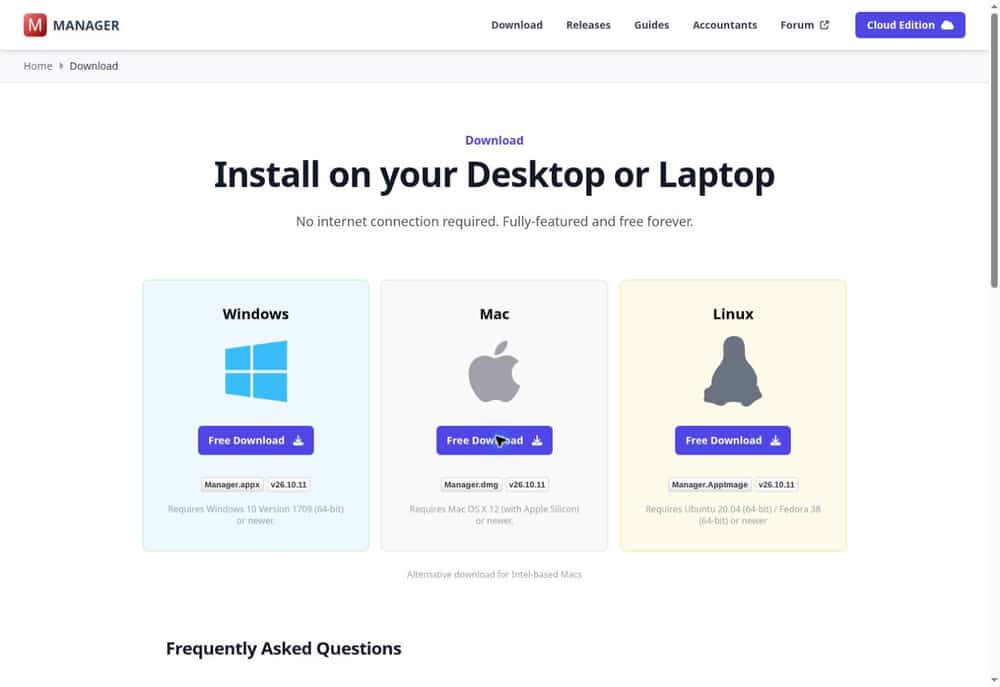
Manager — Free offline desktop accounting with no recurring subscription
Manager’s desktop edition is worth examining if you prefer a locally stored accounting file to another hosted service. It provides substantial bookkeeping functionality at no software subscription charge and supports an offline, single-user workflow.
The trade-off is operational rather than financial: the owner is responsible for backups, updates and getting files to an accountant. Shared server access and more elaborate team workflows are outside the free desktop model. A business that works on one computer may see those restrictions as acceptable.
Free pricing: Desktop edition free; server and cloud editions priced separately.
Best for: Owners seeking comprehensive single-computer bookkeeping.
Official website: Manager.
✅ Key Features
- General ledger
- Invoices and bills
- Bank and cash entries
- Financial statements
- Inventory-related modules
- Offline desktop records
✅ Pros
- No recurring fee for desktop edition
- Works offline
- Broad accounting modules
- Direct local-file control
- Good for single-user bookkeeping
❌ Cons
- Desktop collaboration is limited
- Backups and updates are your responsibility
- Not hosted multi-user software
5. GnuCash

GnuCash — Open-source desktop double-entry accounting
GnuCash is a mature free desktop accounting application for people comfortable with bookkeeping terminology. It emphasizes ledgers and double-entry records instead of a guided client-billing experience. Individuals and tiny businesses can use it to keep a more rigorous account of transactions.
That rigor comes with a learning curve. Entering transactions and maintaining backups takes discipline, and there is no turnkey hosted collaboration service included. For someone moving beyond a spreadsheet and willing to learn accounts and reconciliation, its no-license-cost model is compelling.
Free pricing: Free, open-source desktop software.
Best for: Users comfortable maintaining desktop double-entry books.
Official website: GnuCash.
✅ Key Features
- Double-entry accounts
- Income and expense tracking
- Scheduled transactions
- Account reconciliation
- Financial reports and graphs
- Basic business invoicing functionality
✅ Pros
- Open-source code
- No software subscription
- Strong ledger foundations
- Offline control
- Reporting included
❌ Cons
- Steeper accounting learning curve
- Limited modern collaborative workflow
- Manual maintenance and backup obligations
6. ZarMoney

ZarMoney – Budget cloud accounting with inventory and multi-currency support
ZarMoney is a cloud accounting tool that packs invoicing, bills, banking, inventory and reporting into one low-cost plan. It earns its spot because it covers jobs that many free tools skip, like stock tracking and foreign currency. Check the current plan page before you sign up, since free and entry-level terms can change.
The best fit is a small business that sells physical goods or bills clients abroad. Wave is easier for a freelancer with simple needs, but it is built around service work and has no real inventory tools. ZarMoney is the better pick when you need to track stock levels and invoice in more than one currency from the same account.
If you run a property business, you may want more specialized tools, so see our guide to real estate accounting software. For a general small shop, ZarMoney is a sensible low-cost starting point. It is not the simplest option for first-timers, so beginners asking what is the easiest free accounting software for beginners should look at Wave first.
✅ Key Features
- Inventory tracking: Lets you watch stock levels and item costs without a separate spreadsheet.
- Multi-currency support: Lets you invoice and record bills in other currencies from one account.
- Invoicing and estimates: Helps you bill customers and send quotes from the same system.
- Bill and expense management: Keeps supplier payments and spending in one place so you can see what you owe.
- Bank connections and reconciliation: Cuts manual entry by matching bank activity to your records.
- Financial reports: Gives you profit and loss and balance sheet views to check how the business is doing.
✅ Pros
- It handles inventory and multiple currencies in one tool, which saves you from paying for add-ons.
- The low entry cost suits a business with a tight software budget.
- It runs in the browser, so you can work from any computer without installing anything.
- The feature list is wide enough that a small shop can grow into it.
- You can test it on a small set of real transactions before moving all your books.
❌ Cons
- Free access is limited, so you may need a paid plan once you need more users or features.
- The interface is less polished than Wave or Xero, which can slow down first-time users.
- Its app ecosystem is far smaller than Xero or QuickBooks Online, so fewer tools connect to it.
- Fewer accountants know it, so sharing books with your bookkeeper may take extra setup.
🎯 Best For: Small product-based businesses that need inventory tracking and foreign currency invoicing on a tight budget. A small online store that buys from overseas suppliers is a good example.
7. Akaunting
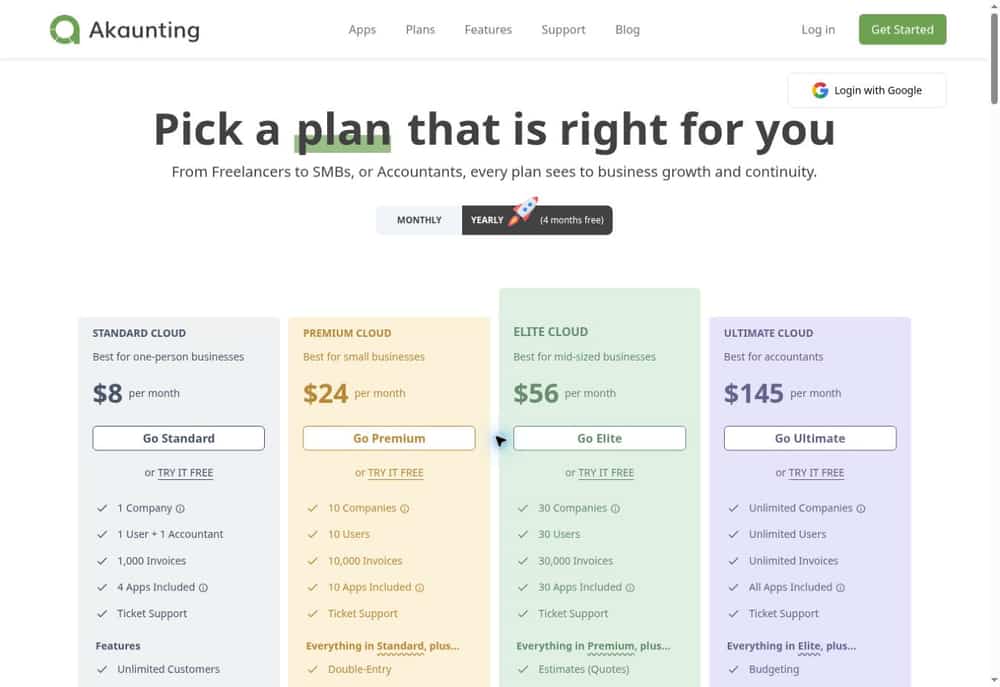
Akaunting — Open-source small-business finance with optional paid apps
Akaunting’s self-hosted edition provides a financial dashboard and entry-level invoicing and expense workflows. It appeals to businesses wanting a modern-looking web interface without committing to a hosted monthly subscription.
However, the free on-premise plan should not be mistaken for every feature visible in the broader Akaunting ecosystem. Paid apps, plan limits and implementation requirements can restrict more complete accounting workflows. Check the exact ledger and reporting needs before relying on it for full statutory books.
Free pricing: Free on-premise Standard option with limitations; hosting and add-ons extra.
Best for: Small teams prioritizing basic billing and expense oversight.
Official website: Akaunting.
✅ Key Features
- Invoice records
- Expense tracking
- Customer management
- Vendor management
- Financial dashboard
- Optional apps to extend capabilities
✅ Pros
- Open-source/self-managed option
- Accessible web interface
- Covers basic billing workflows
- Expense visibility
- Modular expansion
❌ Cons
- Many extensions can cost extra
- Free package may not satisfy full-ledger needs
- Self-hosting demands maintenance
8. FreshBooks

FreshBooks – Invoicing-first accounting software for freelancers and service businesses
FreshBooks is cloud accounting built around getting clients billed and paid. It is not free, but it offers a free trial, so you can send real invoices before you spend anything. That trial is the reason it makes this list.
The main difference from Wave is where the effort goes. Wave gives you free core accounting and unlimited invoicing. FreshBooks charges a subscription, but its billing, time tracking and client tools feel more polished and need less setup. If you bill by the hour or by project, that polish can save you real time each week.
It suits people who find bookkeeping screens confusing. You do not need accounting training to use it, and that is why it is a strong paid upgrade once a free tool starts to feel clumsy. Pricing and plan limits change, so check the current client cap on any plan before you commit. If you also plan to promote your services, our list of marketing tools for small business pairs well with it.
✅ Key Features
- Invoicing: Create and send professional invoices quickly so clients see what they owe without delay.
- Recurring billing: Set up repeat invoices for retainer clients so you stop rebuilding the same bill each month.
- Online payments: Let clients pay by card or bank transfer from the invoice, which shortens the wait for cash.
- Time tracking: Log billable hours and turn them into invoice lines so no work goes unbilled.
- Expense tracking: Capture receipts and sort costs by category so tax time is less painful.
- Estimates and proposals: Send a quote and convert it to an invoice once the client agrees.
✅ Pros
- The interface is clean and easy to learn, so a non-accountant can send a first invoice on day one.
- The free trial lets you test real client billing before you pay.
- Time tracking sits inside the same tool, so hourly billers avoid a separate app.
- Clients get a simple payment experience, which helps invoices get paid faster.
- Reports are easy to read, so you can see who owes you money at a glance.
❌ Cons
- It has no permanent free plan, so it costs more than Wave, GnuCash or ManagerIO.
- Plans may limit how many billable clients you can have, which can push growing firms into a higher tier.
- It is weaker on inventory and deep reporting than QuickBooks Online or Xero.
- Payroll is not a core strength, so anyone searching for the best free accounting software with payroll should look elsewhere.
🎯 Best For: Freelancers, consultants and small service firms that bill clients every month and want a simple, polished invoicing tool. It works best when getting paid on time matters more than advanced accounting.
9. Xero

Xero – Full-featured cloud accounting with a huge app ecosystem
Xero is cloud accounting software built for small businesses that have outgrown spreadsheets and basic invoicing tools. It is not free, but it offers a free trial, so you can test real bank feeds and reports before you pay. If you searched for the best free accounting software with unlimited invoices, treat Xero as a step up, not a free pick.
Its main edge is the app marketplace. Where Wave keeps everything in one simple package, Xero lets you add apps for payments, inventory, payroll, expenses and reporting. That makes it a better fit once your needs get specific.
Xero also works well when an outside accountant is involved. You can invite your bookkeeper or accountant to your books, so they see the same numbers you do. For a team that sends a monthly package to an accountant, that saves a lot of back and forth.
✅ Key Features
- Bank feeds: Transactions flow in from connected accounts, so you spend less time typing entries by hand.
- Bank reconciliation: Suggested matches help you tie bank lines to invoices and bills quickly.
- Invoicing and bills: You can send invoices, track what customers owe and schedule what you owe suppliers.
- App marketplace: Third-party add-ons cover gaps like inventory, payroll and point of sale.
- Multi-user access: You can invite staff, a bookkeeper and an accountant to work in the same file.
- Reporting: Standard financial reports show profit, cash position and who owes you money.
✅ Pros
- The free trial lets you test the setup with your own bank data before you commit.
- The app ecosystem means you can add features later instead of switching software.
- Accountants and bookkeepers often know it well, which makes onboarding them easier.
- The interface is clean, so new users can find invoices and bank reconciliation without much training.
- Cloud access means you and your team can work from any device with a browser.
❌ Cons
- There is no permanent free plan, so you must pay once the trial ends.
- Add-on apps often carry their own fees, which can raise your total monthly cost.
- Features vary by plan and region, so check that your needs are covered before you subscribe.
- A freelancer with a few invoices a month will likely find it more than they need.
🎯 Best For: Growing small businesses that work with an accountant and want to add tools like inventory or payroll over time. It is less suited to solo freelancers who only need free invoicing.
Best Free Accounting Software Comparison Table (2026)
| Software | Free Plan Availability | Best For | Key Features | Main Limitation |
|---|---|---|---|---|
| Wave | Free core accounting plan | Freelancers and solopreneurs | Invoicing, expense tracking, financial reports | Limited inventory and advanced reporting |
| Zoho Books | Free for eligible businesses | Small businesses in India | Invoicing, expense tracking, tax workflows, reports | Eligibility and usage limits |
| ZipBooks | Free Starter plan | Freelancers and consultants | Unlimited invoices, basic reports, one bank connection | Advanced features require upgrades |
| Manager | Free desktop edition | Offline small-business accounting | General ledger, inventory, financial statements | Limited collaboration; manual backups |
| GnuCash | Completely free, open source | Users familiar with bookkeeping | Double-entry accounting, reconciliation, reports | Steeper learning curve |
| ZarMoney | Free access unclear; verify current terms | Inventory-based businesses | Inventory, multi-currency, invoicing, banking | Primarily paid software |
| Akaunting | Free self-hosted option | Small businesses wanting control | Invoicing, expense tracking, financial dashboard | Hosting and extensions may cost extra |
| FreshBooks | Free trial only | Service businesses and freelancers | Invoicing, time tracking, recurring billing | Subscription required after trial |
| Xero | Free trial only | Growing businesses | Bank reconciliation, reporting, integrations | No permanent free plan |
Final Verdict
If you want the cheapest start, pick Wave. It is the easiest of the free tools, and a freelancer can send a first invoice on day one. If you want the best free open source accounting software, the choice depends on your skills. Choose GnuCash for private, single-user books on your own computer, or Akaunting if you have someone who can host it and you need several people logged in.
If you sell physical goods and do not want to pay yet, look at ManagerIO or ZarMoney. ManagerIO gives you more at no cost but asks for an afternoon of setup. Zoho Books is the better fit if you already live in Zoho apps.
Once free tools feel tight, pay for something better. FreshBooks suits people who bill clients every month, Xero suits teams that add apps over time, and QuickBooks Online makes sense when you have payroll, stock and an accountant who already uses it.
Frequently Asked Questions
Free software can be useful, but the answers depend on the type of business and the records it must produce.
Is free accounting software really free?
Some cloud Starter plans have no subscription fee, while desktop and open-source editions have free licenses. Processing fees, hosting, upgrades and implementation may still cost money.
Which free accounting software is best for freelancers?
For eligible US and Canadian freelancers, Wave is worth assessing for both invoices and basic bookkeeping. Invoice Ninja is good for billing up to five clients, but it is not a substitute for a full ledger.
Can free software handle double-entry bookkeeping?
Yes. GnuCash and Manager offer ledger-based bookkeeping, while some free invoice products do not. Confirm reporting and reconciliation requirements before choosing.
Is open-source accounting software secure?
It can be maintained securely, but self-hosting means you must manage patches, backups, access controls and server configuration. A free license does not include managed security.
Can I use these tools for Indian taxes?
Check the India-specific product edition and current tax functionality. Zoho Books India is one candidate, but eligibility and features vary by plan. Consult a qualified adviser for compliance requirements.
When should I upgrade from a free plan?
Upgrade when bank imports, collaboration, client caps, detailed reports or integrations save more time than their cost—or when free-tier restrictions prevent accurate records.