
A project rarely falls behind because nobody made a task list. More often, the list lives in one place, the deadline in another, and the latest decision somewhere deep in a message thread. Free project management software can bring those pieces together before your team is ready for another subscription.
The difficulty is choosing a plan that stays useful after the initial setup. Some products limit collaborators; others restrict projects, attachments or the views you need to plan work. A generous feature list can hide a very small allowance.
This guide compares ten options with ongoing free plans, using official pricing and product documentation reviewed on October 18, 2026. You will find the practical limits, suitable use cases and upgrade triggers. The recommendations are based on published capabilities, with no claim of hands-on testing.
What Is Free Project Management Software?
Free project management software helps organize tasks, responsibilities and progress without a recurring charge for its entry plan. Depending on the product, it may also provide shared documents, calendars, milestones or boards.
A free tier differs from a free trial: the tier can continue within its limits, while a trial temporarily unlocks another plan. Neither guarantees that every integration, AI feature or attachment allowance is free. For a small team, the useful question is whether the ongoing tier covers the work you actually do.
How We Evaluated These Tools
The ordering is an editorial shortlist by use case, not a measured performance ranking. Examples are hypothetical. We did not create test accounts, benchmark speed or independently measure customer outcomes. Conflicting or missing allowances remain visible, particularly for GoodDay and Wrike. The listed features refer to the free offering unless a limitation explicitly says otherwise.
Top 10 Best Free Project Management Software Options
Start with the number of people and projects you need to accommodate, then compare the workflow. All ten vendors offer an ongoing free option; their boundaries differ.
1. Trello
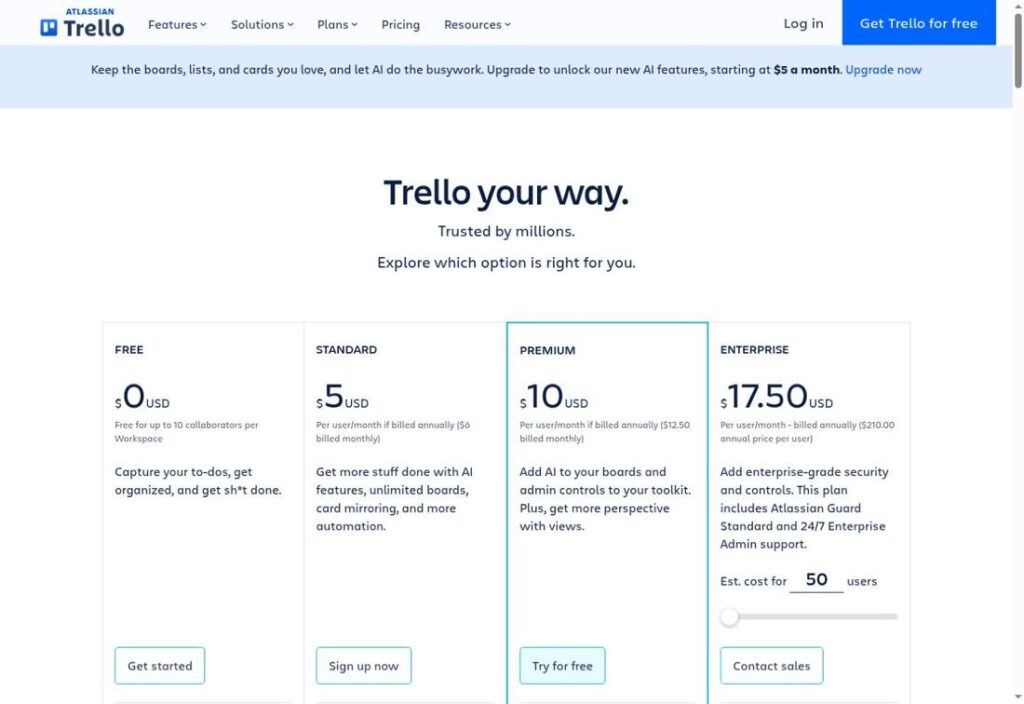
Best for a straightforward visual workflow
Trello gives a small team a shared place to move work from incoming to finished. For an editorial calendar, a card can represent one article, with its owner and deadline visible alongside the current stage.
Its free allowance suits a focused operation: ten collaborators and ten boards per Workspace. Keep large design files elsewhere, because attachments are limited to 10 MB each. Power-Ups can extend the board, but some require separate subscriptions.
Pricing
Free plan: $0 within the stated allowances. 10 collaborators; 10 boards. Storage: 10 MB/file.
Key Features
- Unlimited cards
- Up to ten boards
- Assignees and due dates
- Inbox for incoming work
- 250 monthly Workspace command runs
- Unlimited activity log
Pros
- Clear stage-based organization
- Room for ten collaborators
- No card-count ceiling
- Basic automation included
- Mobile access
Cons
- Ten-board ceiling
- 10 MB per attachment
- Custom fields require Standard
- Native timeline and dashboard views require Premium
Best For
Small teams moving work through a few clear stages.
Official website: Trello
2. ClickUp
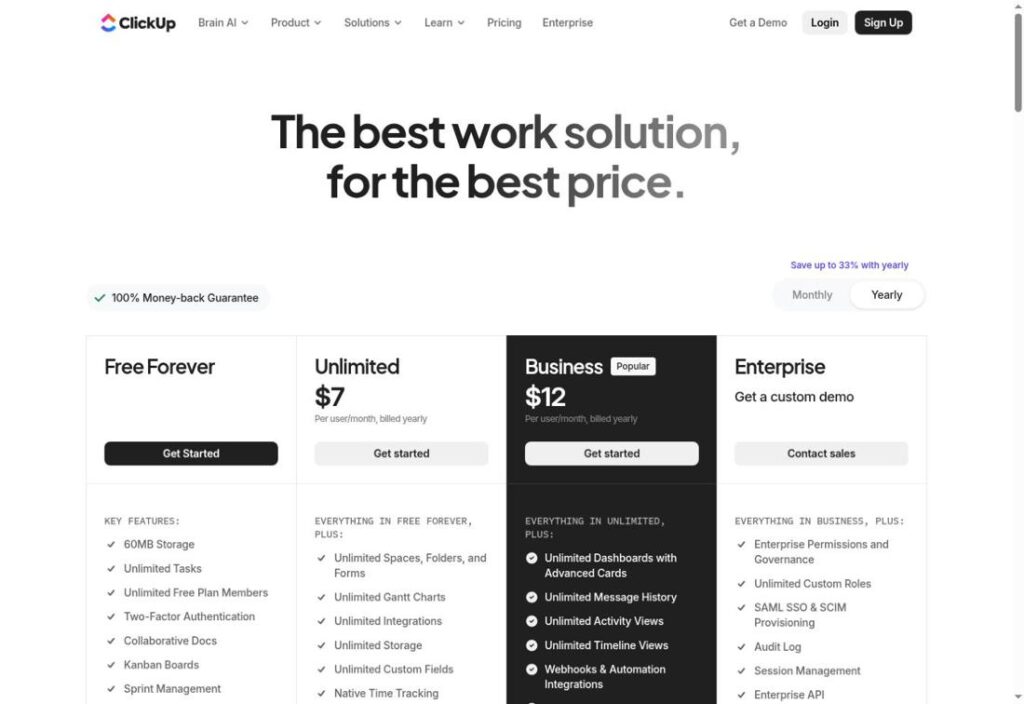
Best for broad task organization without a seat cap
ClickUp is worth considering when everyone needs access but only a few types of work need organizing. A volunteer team could keep event tasks, a shared brief and a calendar together without buying a seat for each participant.
Storage is the sharper constraint: Free Forever lists 60 MB for attachments. Use the free core deliberately, because some advanced features are trials or have usage limits; seeing an option in the interface does not establish unlimited access.
Pricing
Free plan: $0 within the stated allowances. Unlimited members; 1 form. Storage: 60 MB total.
Key Features
- Unlimited tasks
- Collaborative Docs
- Kanban boards
- Calendar view
- Sprint management
- One intake form
Pros
- Unlimited free members
- No task-count ceiling
- Briefs beside work
- Several planning formats
- Basic request collection
Cons
- 60 MB attachment storage
- One form
- Advanced features may have trial limits
- Upgrades cover the Workspace membership
Best For
Teams prioritizing shared access over large file storage.
Official website: ClickUp
3. Asana
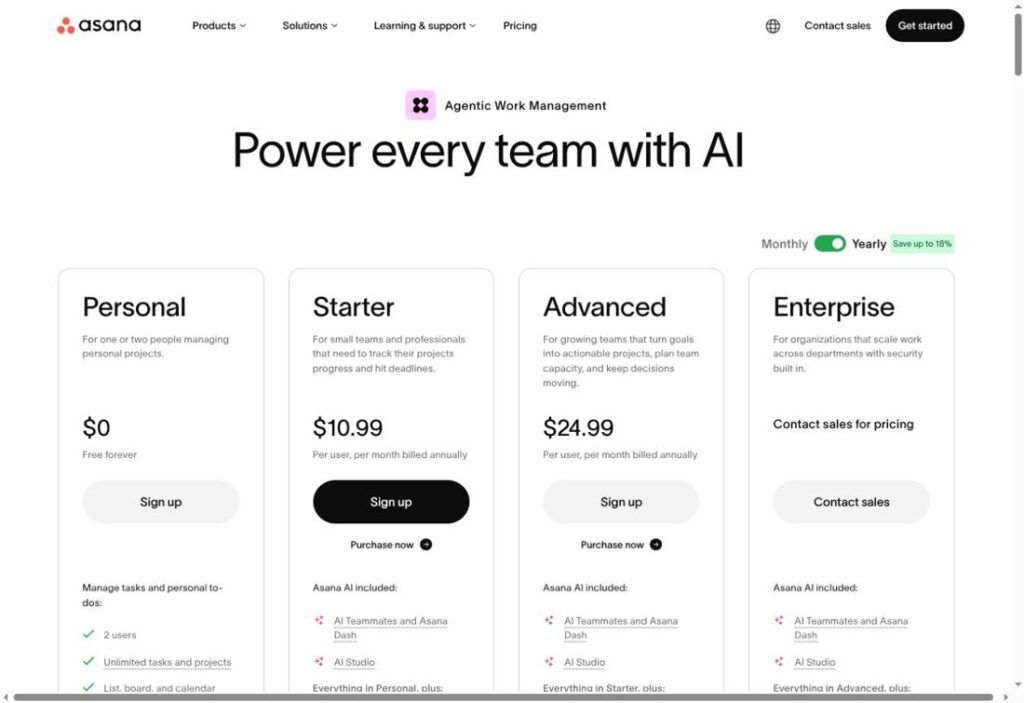
Best for one or two people managing several projects
Asana Personal is a practical shortlist entry for a consultant and an assistant juggling separate assignments. Unlimited projects let them keep client work distinct, while list, board and calendar views offer different ways to check what needs attention.
The current free plan supports two users. That makes it a small-workspace choice, even if older comparisons describe a larger allowance. File storage is unlimited overall, with a 100 MB limit per file.
Pricing
Free plan: $0 within the stated allowances. 2 users; unlimited projects. Storage: 100 MB/file.
Key Features
- Unlimited tasks
- Unlimited projects
- List view
- Board view
- Calendar view
- Project status updates
Pros
- Separate multiple projects
- Three everyday views
- No task-count ceiling
- Generous per-file allowance
- Shared progress updates
Cons
- Two-user ceiling
- Larger teams need a paid plan
- Free time tracking relies on integrations
Best For
Individuals and pairs with multiple ongoing assignments.
Official website: Asana
4. Zoho Projects
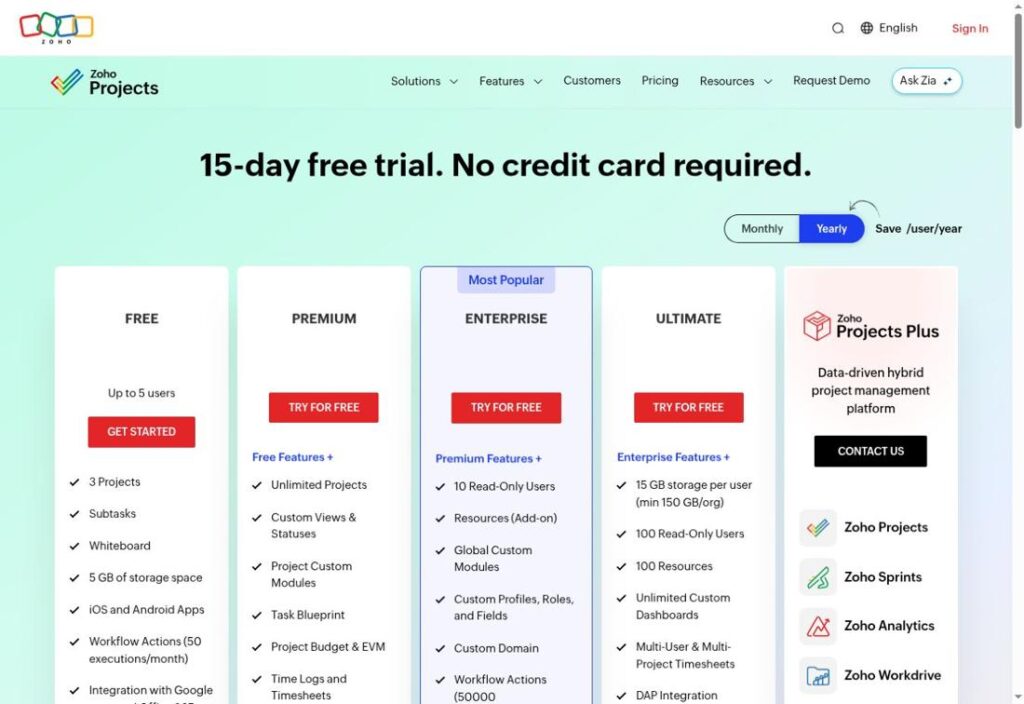
Best for five people working on a few projects
Zoho Projects offers a useful trade-off for a compact team: five users and 5 GB of storage, but only three projects. An operations group coordinating an office move, an onboarding update and a website refresh could fit that structure.
Subtasks help break larger deliverables into manageable pieces, and a whiteboard provides space to sketch a plan. The project ceiling matters more than feature breadth if your business creates a separate workspace for every client.
Pricing
Free plan: $0 within the stated allowances. 5 users; 3 projects. Storage: 5 GB.
Key Features
- Three project spaces
- Subtasks
- Whiteboard
- iOS and Android apps
- 50 workflow executions monthly
- Google apps and Office 365 integrations
Pros
- Five-user allowance
- 5 GB storage
- Work breakdown support
- Light automation
- Connections to common office tools
Cons
- Three-project ceiling
- Limited automation allowance
- Time logs and timesheets listed in Premium
Best For
Small operations teams with a limited project portfolio.
Official website: Zoho Projects
5. Jira
Best for small teams planning development work
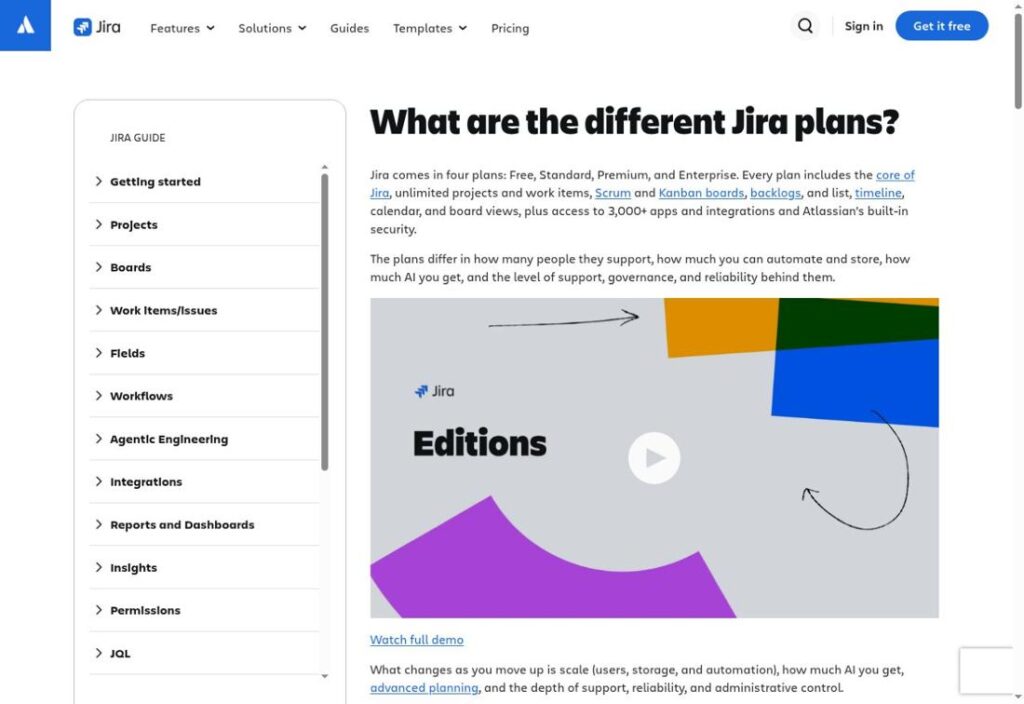
Jira Free gives a development team a backlog and boards for turning requests into planned work. For a small product release, bugs and improvements can sit in the same planning system instead of being scattered across chat threads.
The free plan supports ten users and includes 2 GB of storage. It is a sensible candidate when the team already thinks in work items and sprints. Agree on a small set of statuses before creating elaborate workflows that nobody maintains.
Pricing
Free plan: $0 within the stated allowances. 10 users; unlimited projects. Storage: 2 GB.
Key Features
- Unlimited projects
- Unlimited work items
- Scrum boards
- Kanban boards
- Backlog management
- Timeline view
Pros
- Ten-user allowance
- No project-count ceiling
- Supports sprint planning
- Separates backlog from active work
- Multiple planning views
Cons
- 2 GB storage
- Community support
- Advanced access controls need an upgrade
- Rovo AI is not included on Free
Best For
Small development teams organizing releases and backlogs.
Official website: Jira
6. Notion
Best for personal projects with substantial documentation
Notion suits a solo professional whose project consists as much of notes and decisions as tasks. A researcher could keep reading notes near a database of interview preparation, writing and review work.
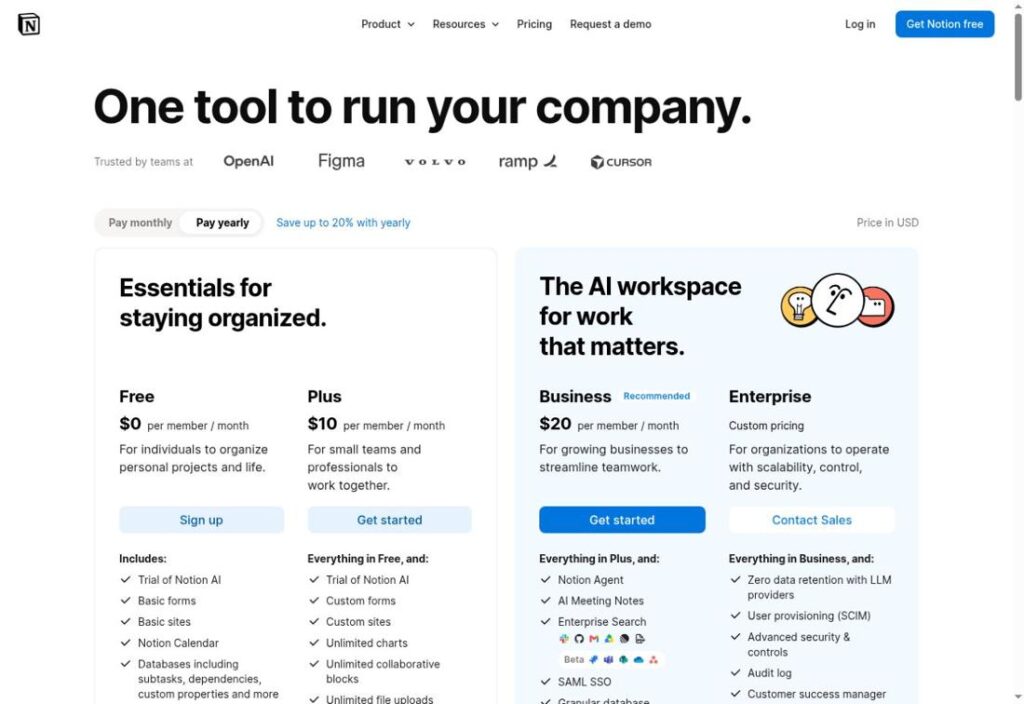
Its unlimited free pages and blocks apply to individuals; workspaces with multiple members have a block limit. Attachments are capped at 5 MB each, and the seven-day page history deserves attention if you regularly revise important material.
Pricing
Free plan: $0 within the stated allowances. Unlimited solo blocks; team limits. Storage: 5 MB/file.
Key Features
- Project databases
- Subtasks
- Dependencies
- Custom database properties
- Basic forms
- Notion Calendar
Pros
- Unlimited individual content
- Notes and work together
- Adaptable record structure
- Simple information collection
- Calendar coordination
Cons
- Team content is limited
- 5 MB per upload
- Seven-day history
- AI access is a trial
Best For
Solo researchers, writers and planners.
Official website: Notion
7. Freedcamp
Best for core collaboration without user or project caps
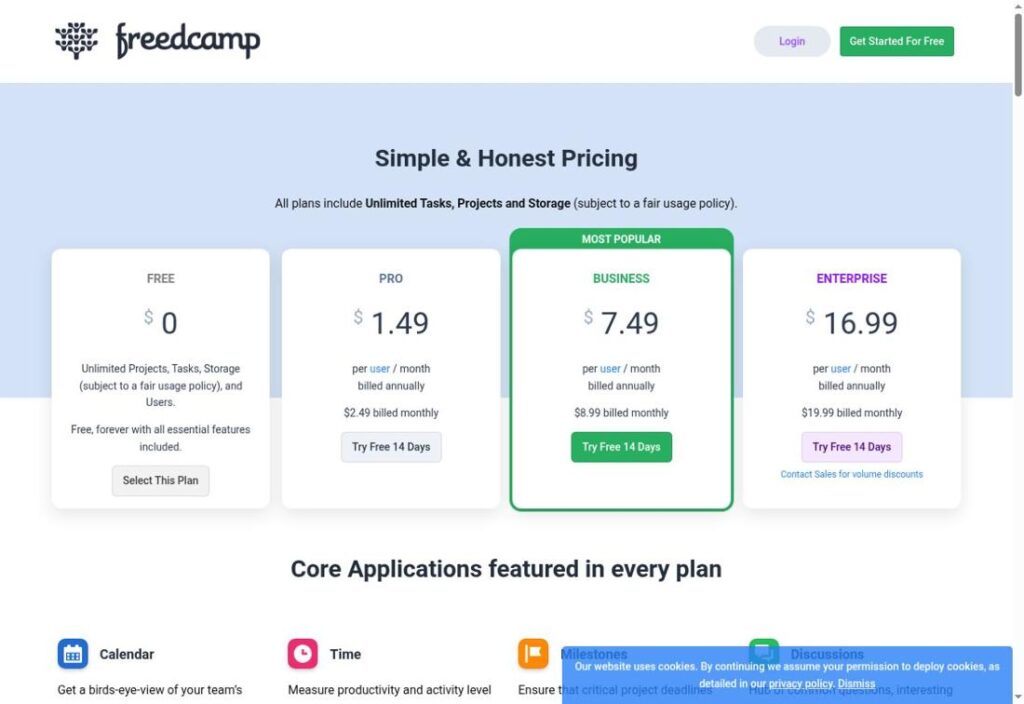
Freedcamp is a strong candidate when basic coordination must stay available to a changing group. Its free plan lists unlimited users, tasks and projects, with storage subject to a fair-use policy.
For a community event, tasks, milestones and discussions can keep commitments together without charging for each organizer. Check the paid boundaries before importing your workflow: email-in and direct cloud-drive integrations are not part of the free core.
Pricing
Free plan: $0 within the stated allowances. Unlimited users/projects/tasks. Storage: Fair use; 10 MB/file.
Key Features
- Tasks
- Calendar
- Milestones
- Discussions
- Files
- Time tracking
Pros
- Unlimited users
- Unlimited projects
- Unlimited tasks
- Built-in time records
- Milestones alongside discussion
Cons
- 10 MB per file
- Storage subject to fair use
- Cloud-drive integrations require Pro
- Reports require Business
Best For
Groups needing broad participation and basic coordination.
Official website: Freedcamp
8. Wrike
Best for basic task tracking in boards and tables
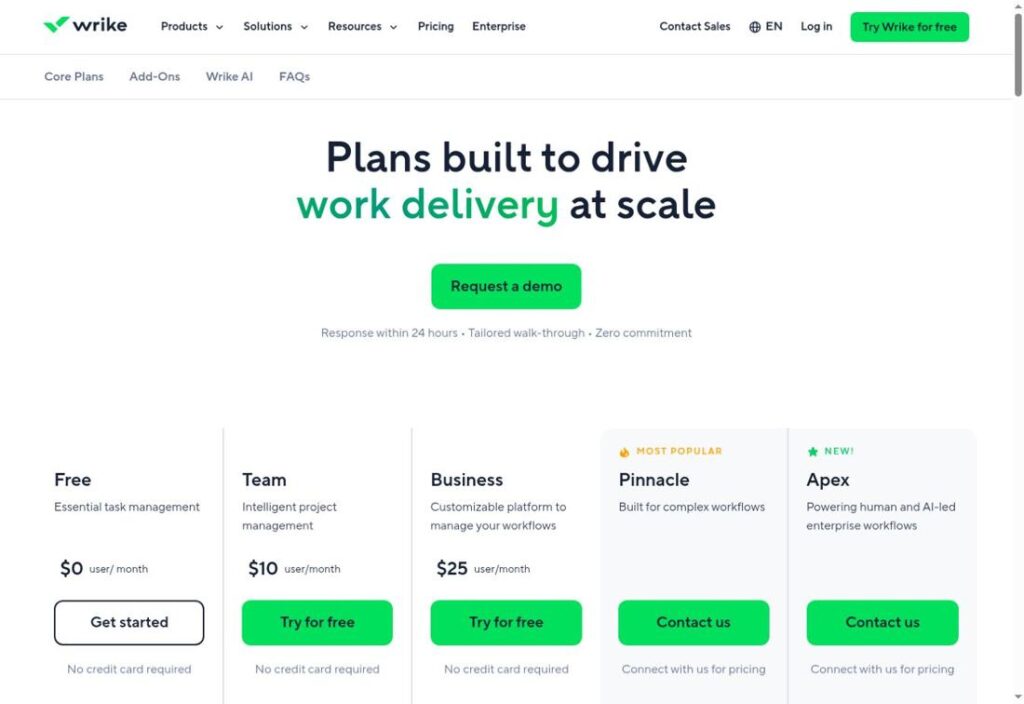
Wrike Free is worth a look when colleagues want a board for progress and a table for reviewing details. A small administrative project could use assignments and attachments to make the next action easier to find.
Keep expectations focused on the free task-management core. Interactive Gantt charts and shareable dashboards appear in the paid Team plan. The reviewed public page did not clearly establish Free user and storage limits, so confirm both before importing a large workspace.
Pricing
Free plan: $0 within the stated allowances. Confirm user/project allowances. Storage: Confirm allowance.
Key Features
- Project organization
- Task management
- Resource assignments
- File attachments
- Board view
- Table view
Pros
- Two work-review formats
- Files beside tasks
- Visible responsibility
- Desktop and mobile apps
- Ongoing free version offered
Cons
- Free capacity limits need confirmation
- Gantt charts require an upgrade
- Shared dashboards require an upgrade
Best For
Teams evaluating board-and-table task coordination.
Official website: Wrike
9. monday.com
Best for a compact two-person tracker
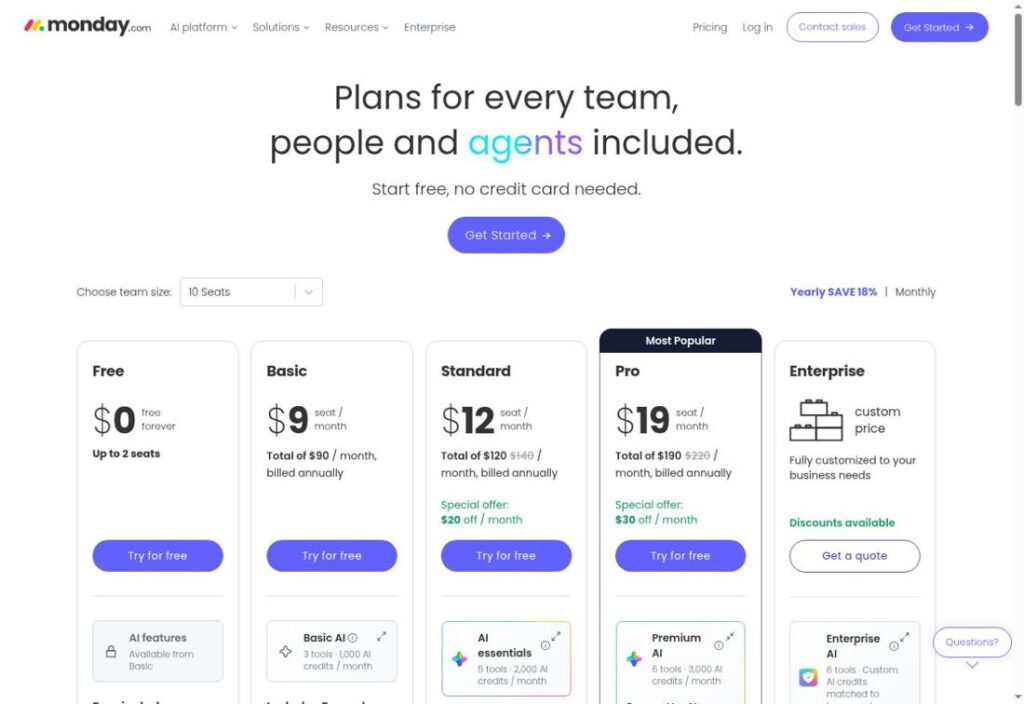
monday.com’s free plan fits a narrow workflow: two seats, three boards and three Docs. A freelance designer and coordinator could use it to track requests without creating a workspace for every small assignment.
The support guide also sets a starting allowance of 200 items, with referral-based increases. Treat that as a real capacity constraint. A visually appealing tracker loses its advantage if you must constantly remove useful records to stay inside the free allowance.
Pricing
Free plan: $0 within the stated allowances. 2 seats; 3 boards; starts at 200 items. Storage: Check account allowance.
Key Features
- Three boards
- Three collaborative Docs
- 200-plus templates
- Eight column types
- Kanban view
- iOS and Android apps
Pros
- Templates provide a starting structure
- Configurable board columns
- Docs alongside records
- Two-person collaboration
- Mobile access
Cons
- Two seats
- Three-board ceiling
- Starts at 200 items
- AI features begin on paid Basic
Best For
Individuals or pairs maintaining a small tracker.
Official website: monday.com
10. GoodDay
Best for trying custom workflows with a small team
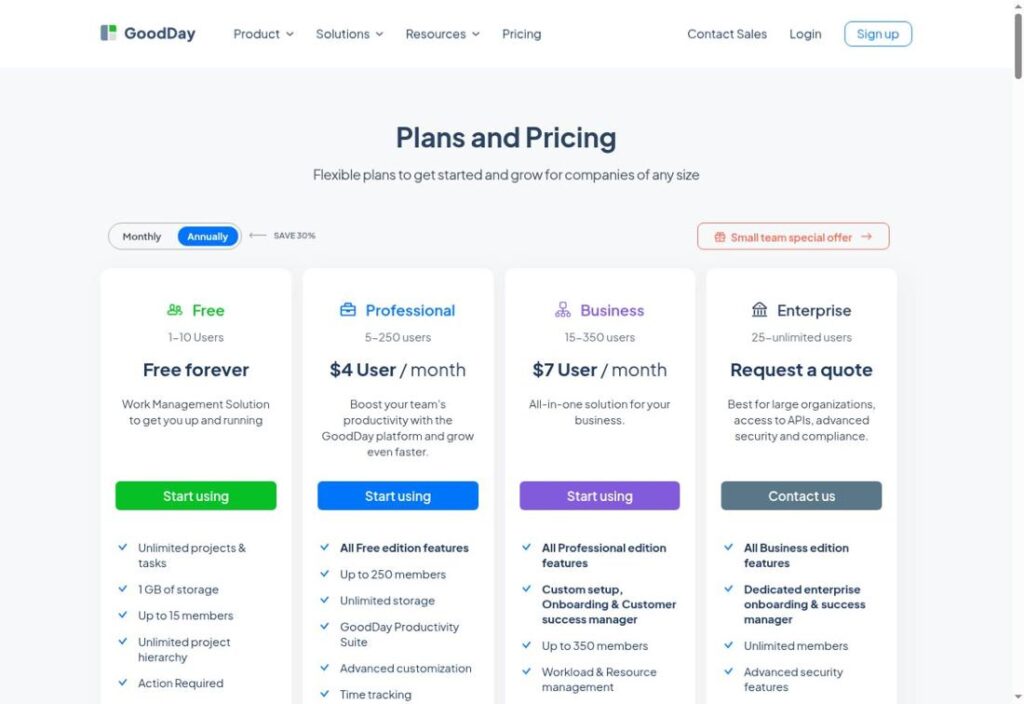
GoodDay’s free feature list includes custom workflows, dashboards and basic analytics alongside unlimited projects and tasks. That combination makes it worth evaluating for a team that needs different stages for requests, planned work and delivery.
There is an unresolved capacity issue: the pricing header says one to ten users, while a bullet says up to fifteen members. Confirm eligibility before choosing it for eleven or more people. The page lists 1 GB of storage and places Gantt views and time tracking in Professional.
Pricing
Free plan: $0 within the stated allowances. 10 vs 15 users: confirmation needed. Storage: 1 GB.
Key Features
- Unlimited projects and tasks
- Project hierarchy
- Custom workflows
- Dashboards
- Basic analytics
- Activity stream
Pros
- No project-count ceiling
- No task-count ceiling
- Adaptable work stages
- Basic progress visibility
- Templates included
Cons
- Conflicting user allowances
- 1 GB storage
- Gantt views require Professional
- Time tracking requires Professional
Best For
Small teams willing to verify capacity before adoption.
Official website: GoodDay
Free Project Management Software Comparison
These are the allowances found in the reviewed official sources. Unconfirmed means the reviewed evidence did not settle the limit; it does not mean unlimited.
| Tool | Free users and scope | Storage or upload limit | Recommended use |
|---|---|---|---|
| Trello | 10 collaborators; 10 boards | 10 MB/file | a straightforward visual workflow |
| ClickUp | Unlimited members; 1 form | 60 MB total | broad task organization without a seat cap |
| Asana | 2 users; unlimited projects | 100 MB/file | one or two people managing several projects |
| Zoho Projects | 5 users; 3 projects | 5 GB | five people working on a few projects |
| Jira | 10 users; unlimited projects | 2 GB | small teams planning development work |
| Notion | Unlimited solo blocks; team limits | 5 MB/file | personal projects with substantial documentation |
| Freedcamp | Unlimited users/projects/tasks | Fair use; 10 MB/file | core collaboration without user or project caps |
| Wrike | Confirm user/project allowances | Confirm allowance | basic task tracking in boards and tables |
| monday.com | 2 seats; 3 boards; starts at 200 items | Check account allowance | a compact two-person tracker |
| GoodDay | 10 vs 15 users: confirmation needed | 1 GB | trying custom workflows with a small team |
How to Choose a Free Plan That Fits
Count everyone who needs to edit work, including occasional collaborators. Then count the projects or boards you need to keep separate. A plan that accommodates your staff but forces unrelated clients into one project may create more administration than it saves.
Next, sketch one real workflow: an incoming request, a named owner, a deadline, a review step and completion. Recreate it in two shortlisted products using non-sensitive sample information. Ask a colleague to find their next action without a spoken explanation. Check whether the useful feature you just tried remains available after the introductory trial.
Attachments deserve a separate check. A per-file limit and a total storage limit affect different workflows. Test a representative file rather than assuming a large overall allowance accommodates every upload. Confirm external sharing permissions and export options before moving your working records.
Solo professionals should also consider how much documentation and client coordination they need; our guide to project management tools for freelancers explores that context. If a required workflow already exceeds the free allowance, use the broader project management software comparison to expand your shortlist, then verify the current vendor terms.
Finally, price the first likely upgrade for your whole team. Check billing frequency, minimum seats, add-ons and which users become billable. Free software is useful when its limits match the work, not when avoiding a subscription creates hours of manual maintenance.
Frequently Asked Questions
Which free project management tool should a small team try first?
For a simple stage-based workflow, start by evaluating Trello. If broad participation is more important, compare ClickUp and Freedcamp. This is a fit-based shortlist: check attachments, permissions and project structure before choosing.
Is a free plan different from a free trial?
Yes. A free plan provides ongoing access within its limits. A trial temporarily exposes features from another tier. Look at the plan name and downgrade behavior before building a process around a feature you may lose.
Which options suit a freelancer?
Notion is worth considering when notes and planning belong together. Asana suits an individual or pair coordinating multiple assignments. The right choice depends on whether your daily work revolves around documents, a task list or movement through stages.
Can a free plan handle a team of ten?
Trello and Jira publish ten-person allowances, while ClickUp and Freedcamp advertise unlimited free members or users. Other limits still apply. GoodDay’s conflicting published allowance should be clarified before planning a larger rollout.
Do free project management plans include AI?
Do not assume ongoing AI access follows from free task management. Some vendors offer only a trial or place AI on paid plans. Choose the core workflow first, then verify the specific AI allowance separately.
When is a paid plan worth considering?
Consider paying when a concrete restriction repeatedly blocks necessary work: another editor, a required view, file capacity, access controls or reporting. Compare the cost of the whole upgrade with the effort spent working around that restriction.
Final Verdict
Trello is our starting shortlist choice for a small team with a simple visual workflow. ClickUp deserves consideration when free member access matters more than attachment storage, and Freedcamp when broad participation and core coordination are the priority. Jira fits development planning; Notion fits documentation-heavy individual work. Asana, Zoho Projects and monday.com serve more tightly bounded workspaces. Evaluate Wrike and GoodDay with their unresolved capacity questions in view.