

You finish a client project, send the invoice and move on to the next deadline. Then a payment arrives short, a software receipt goes missing, and you cannot tell whether last month was profitable or merely busy. That is where the best accounting software for freelancers earns its keep: it connects the work you bill with the money you actually keep.
The right choice depends on more than price. An hourly consultant needs reliable time records; a designer with international clients may need multiple currencies; a USA sole trader or Indian freelancer needs the correct local edition. A free tool can be enough, but only if its limits match your workload.
This guide compares twelve options using official product information, focusing on practical fit, regular subscription costs and the features that trigger an upgrade.
What Is Accounting Software for Freelancers?
Accounting software records business transactions and helps you understand income, expenses, amounts owed and financial position. Some products provide a full ledger and reconciliation; others focus on invoices, receipts and client billing. Those differences matter when an accountant needs complete books rather than a list of payments.
For broader categories, see our accounting software comparison. This guide concentrates on solo service businesses and includes Bonsai as a clearly labeled client-management alternative that may sit alongside dedicated accounting software.
How We Selected These Tools
We reviewed official pricing, feature and support pages on October 24, 2026. We compared invoicing, expense records, accounting depth, collaboration, billing limits and likely upgrade costs. The examples below describe plausible freelance workflows; they are not claims of hands-on testing. “Best for” labels are editorial judgments about fit, not measured rankings.
Prices refer to the stated country and billing term. We use regular subscription rates where verified, rather than temporary discounts. Annual-billed monthly equivalents require annual payment; taxes, processing, payroll and optional apps can add costs. Features listed across a product family are labeled where they require higher plans. Screenshots show public official websites, which may display promotions or different selected billing periods.
Top 12 Accounting Software Options for Freelancers
Start with the work you need to record and the reports your accountant expects. A useful shortlist may contain two products from different categories: one to manage clients and one to keep the books.
1. FreshBooks
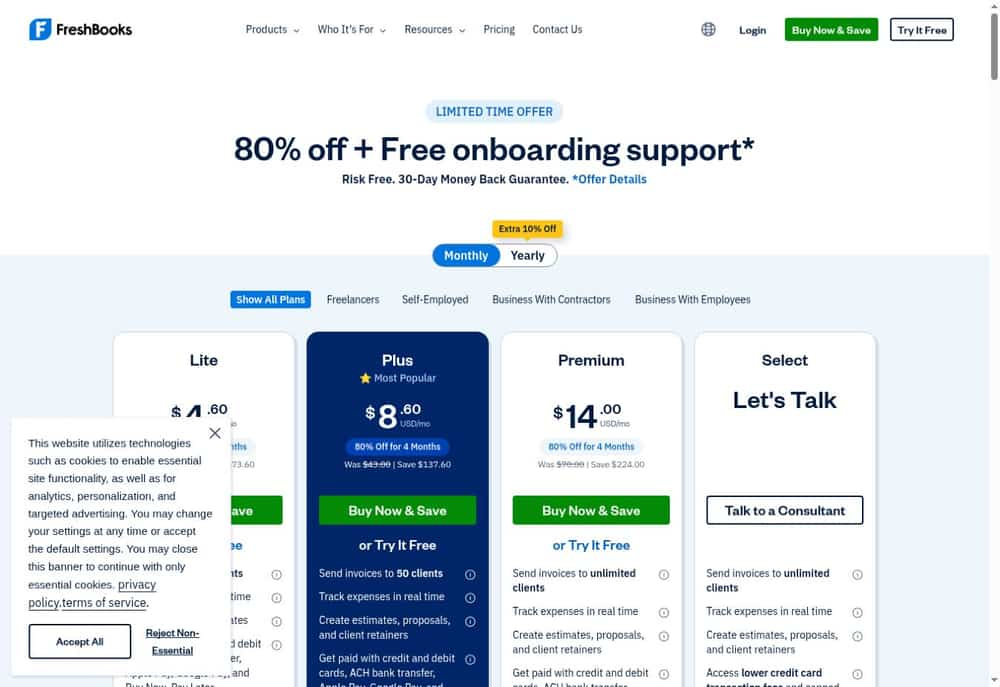
FreshBooks — Client billing with a path to fuller bookkeeping
A designer billing a few retained clients needs invoices, expenses and billable time to stay together. FreshBooks organizes that service-business workflow, with estimates at the front and payment collection at the end. Its accounting tools become more useful as the books grow beyond a simple record of money received.
Choose the tier around your client list and reporting needs. Lite allows five billable clients; Plus raises that to 50 and adds accountant access and bank reconciliation. A low introductory offer can make the difference look small, but the regular subscription is what matters over a full year.
Pricing
US: Lite $23/month; Plus $43/month; Premium $70/month at regular monthly rates.
Key Features
- Customized invoices
- Estimates for proposed work
- Expense tracking
- Billable time tracking
- Bank reconciliation on Plus and above
- Project profitability on Premium and above
Pros
- Billing and time records together
- Useful estimate-to-invoice workflow
- Online payment options
- Accountant collaboration on Plus
- Upgrade path for larger client lists
Cons
- Lite’s five-client cap is restrictive
- Fuller accounting requires Plus or higher
- Extra team members and payment processing add cost
Best for: Service freelancers who invoice clients regularly.
Official source: FreshBooks plans and product details.
2. Wave
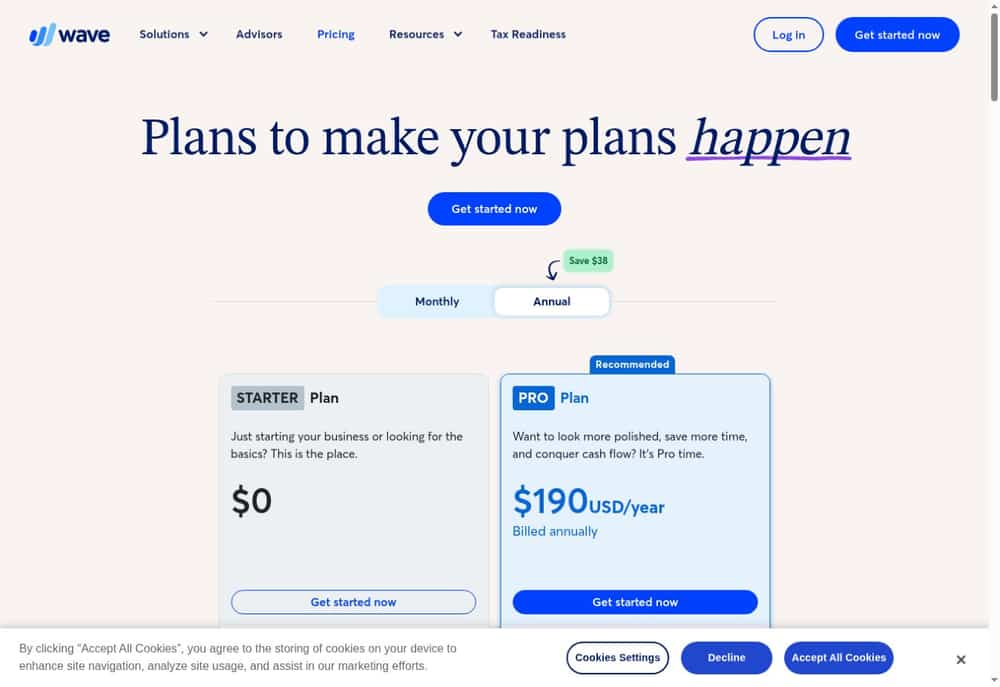
Wave — A free starting point for straightforward bookkeeping
For a freelancer sending a handful of invoices, a large accounting subscription may be hard to justify. Wave’s Starter plan provides a way to keep invoices, customer records and bookkeeping entries together without a recurring software charge. The reporting view helps separate money collected from the state of the business.
The trade-off is how much administration you want to automate. Pro adds bank transaction imports, categorization and receipt capture. Before choosing the free plan, check the invoice-delivery conditions and your bank’s compatibility rather than assuming that every task can run automatically.
Pricing
US: Starter $0; Pro $19/month or $190/year. Canadian pricing differs; payment services cost extra.
Key Features
- Invoices and estimates
- Customer and vendor records
- Bookkeeping transaction entries
- Profit-and-loss reporting
- Automatic bank imports on Pro
- Receipt capture on Pro
Pros
- No subscription for Starter
- Unlimited basic bookkeeping records
- Invoices alongside financial records
- Mobile invoicing
- Paid automation available when needed
Cons
- Bank imports require Pro
- Payment processing is separate
- Availability and bank support need local checking
Best For and Official Website
Best for: Freelancers prioritizing low fixed software costs.
Official source: Wave plans and product details.
3. Zoho Books
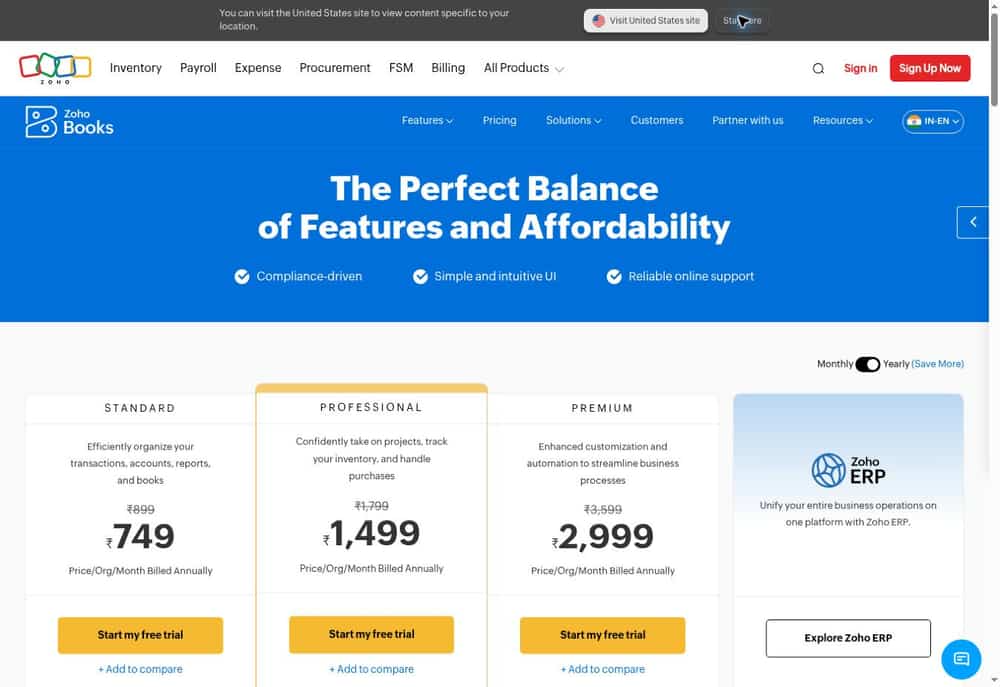
Zoho Books — Localized accounting with room for project work
Zoho Books deserves attention when local accounting requirements matter as much as invoicing. The India edition brings sales records, expenses, banking and GST-related workflows into one system. A freelancer can start with day-to-day records and add more detailed project accounting as work becomes more complex.
For hourly engagements and retainers, look closely at Professional rather than assuming Standard includes those capabilities. The India Free plan has a ₹25 lakh annual revenue eligibility ceiling and a 1,000-invoice annual limit. Other countries have different editions, prices and rules.
Pricing
India: eligible Free plan; Standard ₹899/month or ₹749/month billed annually. Professional ₹1,799/month or ₹1,499/month annually; taxes extra.
Key Features
- Invoices and quotes
- Bills and expenses
- Bank reconciliation
- Customer payment reminders
- GST reporting workflows in India
- Timesheet billing on Professional
Pros
- India-specific accounting support
- Free option for eligible businesses
- Accountant access on Free
- Customer self-service portal
- Project accounting upgrade path
Cons
- Free revenue and document limits
- Retainers and project profitability require Professional
- Regional editions are not interchangeable
Best for: India-based freelancers needing GST-oriented records.
Official source: Zoho Books plans and product details.
4. QuickBooks Solopreneur
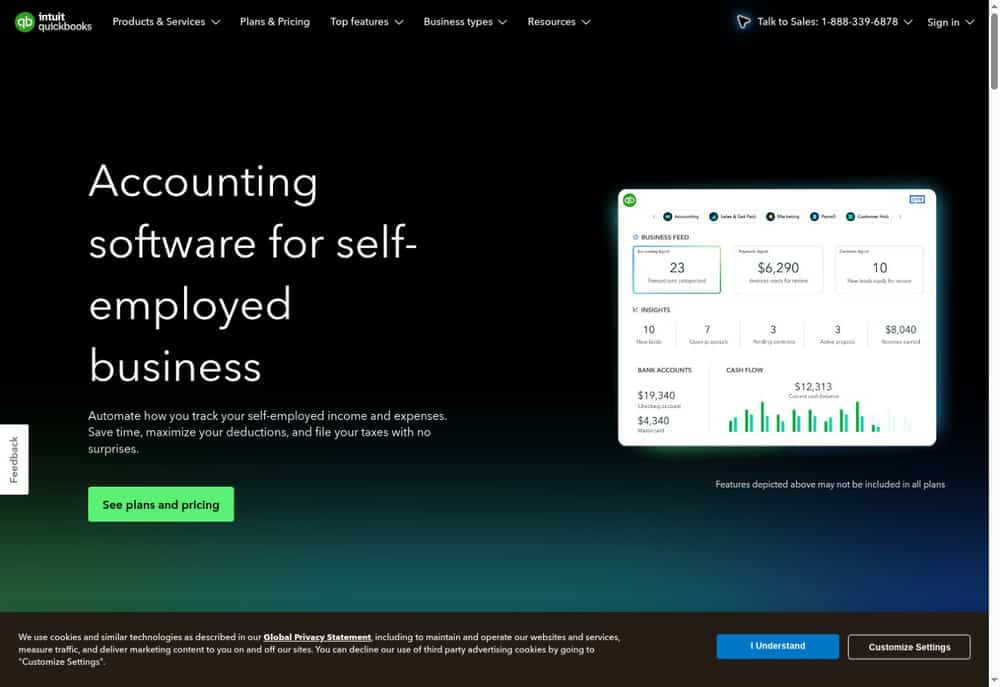
QuickBooks Solopreneur — US-focused finances for a business of one
A consultant driving to client sites may care more about receipts and mileage than stock control. QuickBooks Solopreneur puts those everyday records alongside income and expense tracking. Intuit’s documentation positions its tax workflow around US Schedule C filers, so international readers should not treat it as a local tax solution.
Pay attention to access as well as automation. The current Free and Lite cards exclude accountant access; Simple Start includes it. The free allowance is also narrow: two invoices and receipts each month and five mileage trips, with an invoice exception for eligible users who enable QuickBooks Payments.
Pricing
US sales page: Free $0; Lite regular $20/month. Simple Start, a separate upgrade with accountant access, is $38/month. Filing and payment fees can be extra.
Key Features
- Income and expense tracking
- Business/personal transaction categorization
- Invoice creation
- Receipt capture
- Mileage tracking
- Profit-and-loss reporting
Pros
- Focused on one-person operations
- Mileage records in the same workflow
- Receipt-to-transaction organization
- US self-employed orientation
- Free entry tier for light use
Cons
- No accountant access on Free or Lite
- Free usage caps are low
- Tax filing is not an unlimited included service
Best for: US solo operators with straightforward income and expenses.
Official source: QuickBooks Solopreneur plans and product details.
5. Xero
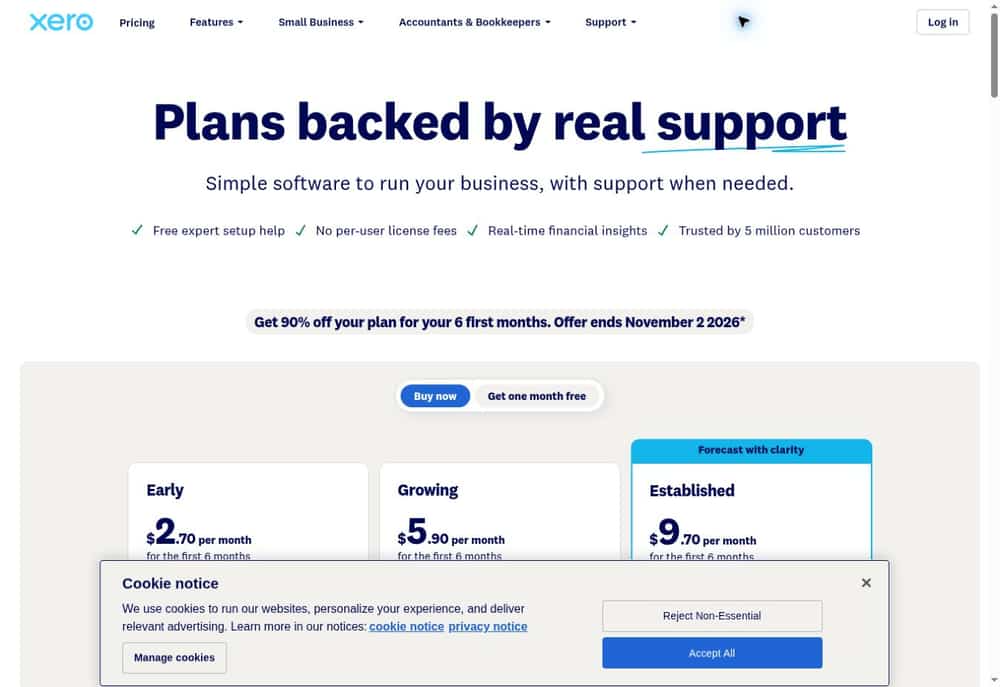
Xero — Shared cloud accounting for a growing freelance business
Xero makes sense when accounting is becoming a shared responsibility. You may still deliver the client work yourself while a bookkeeper handles reconciliation and reporting. Its US pricing advertises no per-user license fees, which changes the comparison with products that charge for each collaborator.
Volume determines whether Early is enough: it permits 20 invoices and five bills. Project time and costs, along with multiple currencies, sit in Established. A freelancer working with overseas clients should therefore compare the relevant tier, rather than budget from the entry price alone.
Pricing
US regular monthly rates: Early $27, Growing $59, Established $97. Taxes, payment fees and add-ons may apply.
Key Features
- Invoices and quotes
- Supplier bill records
- Bank reconciliation
- Document capture
- Financial reports
- Project time and cost tracking on Established
Pros
- No per-user license fees
- Shared financial records
- Document capture alongside transactions
- Clear higher-volume upgrade path
- Multi-currency option on Established
Cons
- Early invoice and bill limits
- Projects require the higher US tier
- Payment and add-on fees are separate
Best for: Freelancers collaborating regularly with a bookkeeper.
Official source: Xero plans and product details.
6. FreeAgent
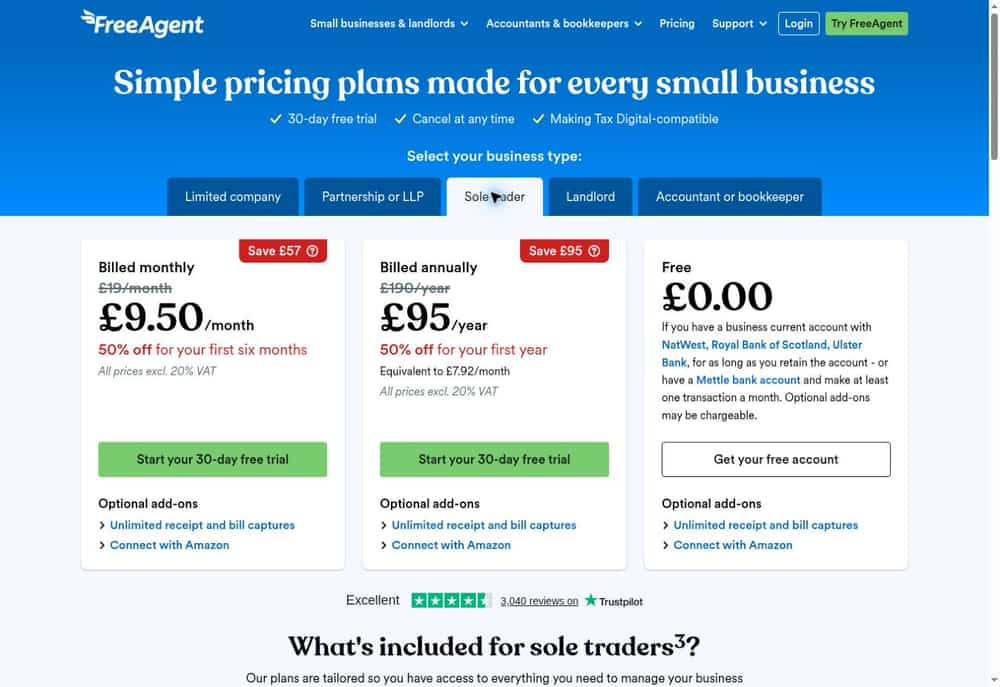
FreeAgent — UK sole-trader bookkeeping with tax workflows
FreeAgent’s appeal is the connection between routine bookkeeping and the UK sole-trader workflow. A freelance consultant can record expenses, send invoices and organize project activity without moving every piece into a separate system. Its onboarding materials also cover bank feeds and transaction categorization.
Check the business-type tab when comparing prices: sole trader, limited company and partnership are different offers. Bank-linked access can change the cost substantially, but eligibility matters. Mettle’s offer, for example, requires at least one transaction each month; optional add-ons can still be chargeable.
Pricing
UK sole trader: regular £19/month or £190/year, excluding VAT. Eligible NatWest, Royal Bank of Scotland, Ulster Bank and Mettle customers can qualify for free access under stated conditions.
Key Features
- Invoices and estimates
- Expense records
- Bank feeds
- Transaction categorization
- Project management
- UK tax submission workflows
Pros
- Sole-trader-specific pricing
- Connected bookkeeping and tax records
- Potential free bank-linked access
- Project context for client work
- Monthly or annual billing
Cons
- UK workflow is not universal
- Free access has bank conditions
- Some capture features are optional add-ons
Best for: UK freelancers wanting connected records and filing workflows.
Official source: FreeAgent plans and product details.
7. Sage Accounting
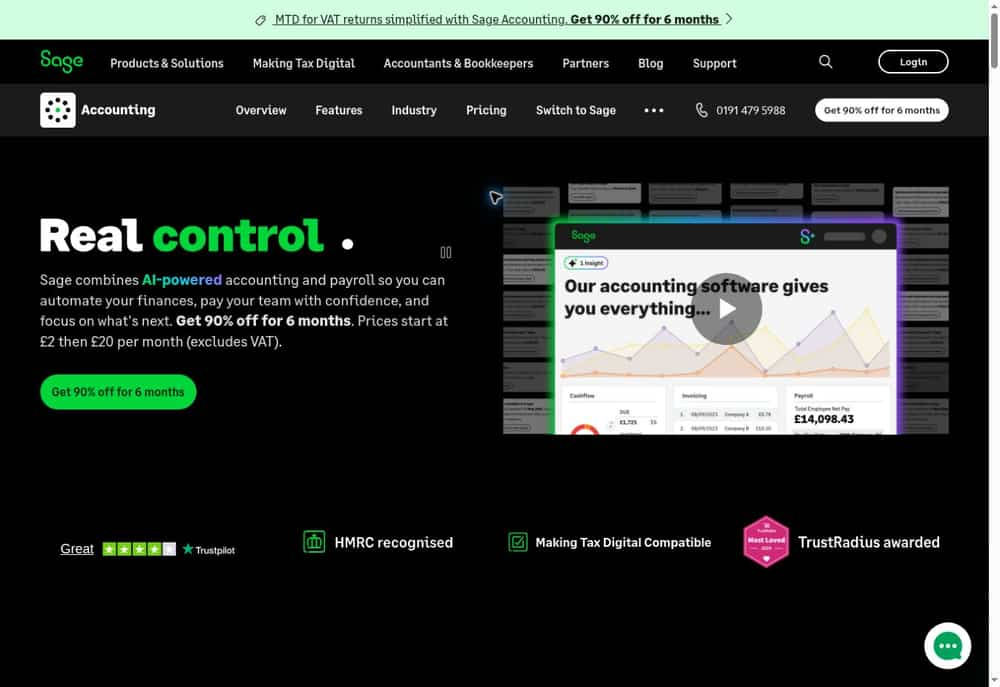
Sage Accounting — UK accounting for VAT-oriented freelance businesses
Sage Accounting is worth comparing when a freelance business needs more structured UK bookkeeping. Invoices, bank reconciliation and VAT workflows sit within the same product family. For a contractor who has outgrown a simple cash record, that offers a more relevant starting point than an enterprise finance suite.
The plan names matter. Standard is positioned for supplier, CIS and accrual-accounting needs; Plus adds multiple currencies and inventory. Non-VAT-registered sole traders should also inspect the separate Sage Sole Trader product before paying for Accounting simply because both carry the Sage name.
Pricing
UK regular monthly rates excluding VAT: Start £20, Standard £43, Plus £59. Sage Sole Trader is a separate product with a free option.
Key Features
- Sales invoicing
- Tracking customer balances
- Bank reconciliation
- VAT calculation and submission
- Cash-flow forecasting on Standard
- Multiple currencies on Plus
Pros
- UK-focused VAT workflow
- Invoices and bank records together
- Clearly separated growth tiers
- Supplier-oriented Standard option
- Multi-currency upgrade available
Cons
- Start is limited to one user
- Advanced requirements increase the subscription
- UK prices do not establish availability elsewhere
Best for: UK freelancers who need invoicing and VAT workflows.
Official source: Sage Accounting plans and product details.
8. Bonsai
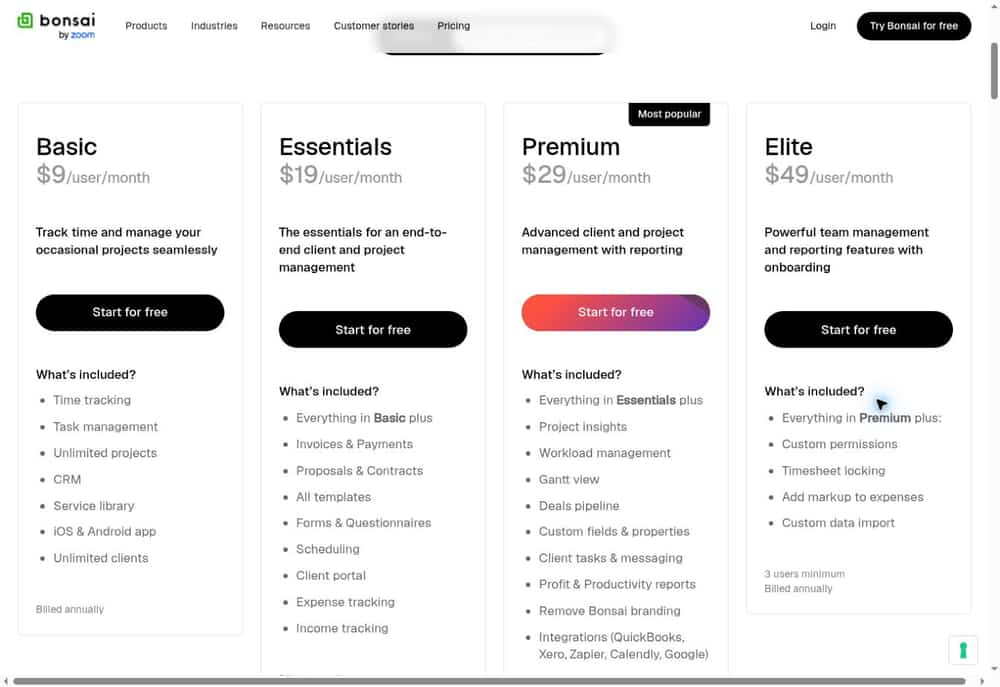
Bonsai — Client operations and billing alongside your accounting system
A freelance developer often needs to agree the scope before there is anything to invoice. Bonsai connects that earlier work—proposals, contracts and project activity—with billing. It belongs on this shortlist as a client-operations and financial-tracking option, rather than as a like-for-like replacement for every ledger platform.
Essentials is the practical starting point if invoices are part of the requirement. Basic concentrates on projects and time. For more formal accounting, check the Premium-tier QuickBooks and Xero integrations and decide which system will hold the authoritative books. Buying both products may be sensible, but it changes the budget.
Pricing
Essentials $25/user/month, or $19/user/month billed annually. Basic costs less but excludes invoicing. Tax tools and processing may cost extra.
Key Features
- Time tracking
- Client CRM
- Proposals and contracts on Essentials
- Invoices and payments on Essentials
- Expense and income tracking on Essentials
- Accounting integrations on Premium
Pros
- Scope-to-billing continuity
- Client portal on Essentials
- Project and client context together
- Reusable business templates
- Connection path to dedicated accounting
Cons
- Basic excludes invoicing
- Not an assumed full-ledger replacement
- Per-user pricing and optional tax costs
Best for: Freelancers wanting proposals, projects and invoices together.
Official source: Bonsai plans and product details.
9. ZipBooks
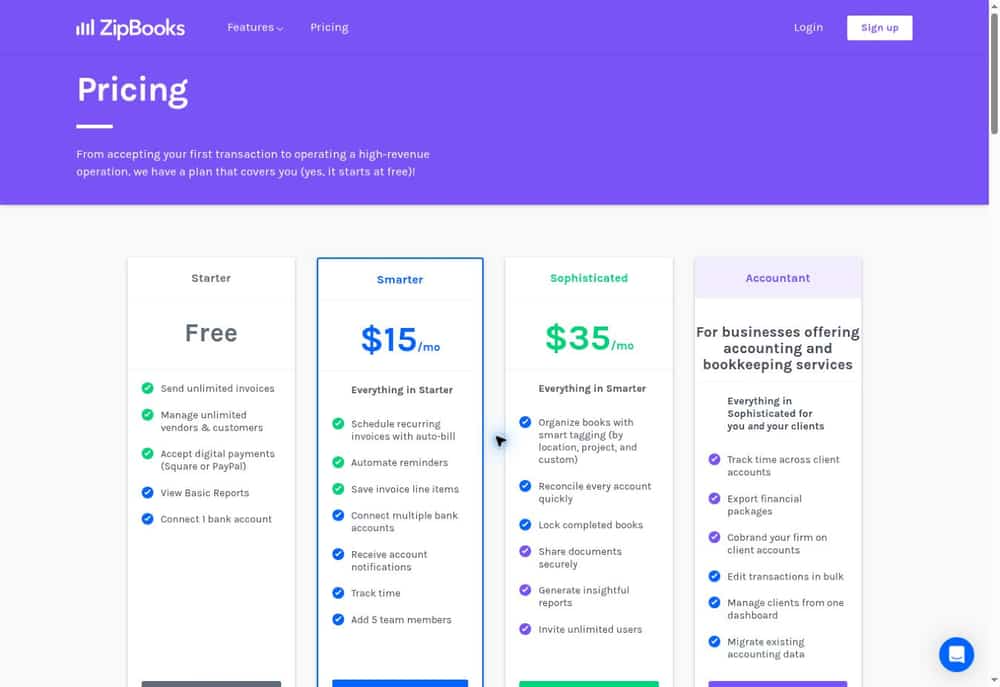
ZipBooks — Free invoicing with paid bookkeeping controls
ZipBooks is a plausible starting point for a freelancer using one business bank account. Starter includes unlimited invoices and customer records, while the accounting product describes receivables, a chart of accounts and financial reports. Those are useful building blocks when a spreadsheet has become awkward to maintain.
The paid tiers solve distinct problems. Smarter adds time tracking and recurring billing; Sophisticated adds reconciliation, tagging and the ability to lock completed books. If your accountant expects those controls from day one, compare Sophisticated directly with other accounting plans rather than choosing on the free headline.
Pricing
Starter is free; Smarter $15/month; Sophisticated $35/month, as displayed on the official pricing page.
Key Features
- Unlimited invoices on Starter
- Customer and vendor records
- One bank connection on Starter
- Recurring billing on Smarter
- Time tracking on Smarter
- Reconciliation and book locking on Sophisticated
Pros
- Free starting plan
- No Starter invoice-count ceiling
- Billing automation upgrade
- Time records available in-platform
- Stronger period-end controls on Sophisticated
Cons
- Starter connects only one bank
- Reconciliation requires Sophisticated
- Payment-provider charges remain separate
Best for: Freelancers with simple books and a small initial budget.
Official source: ZipBooks plans and product details.
10. Akaunting
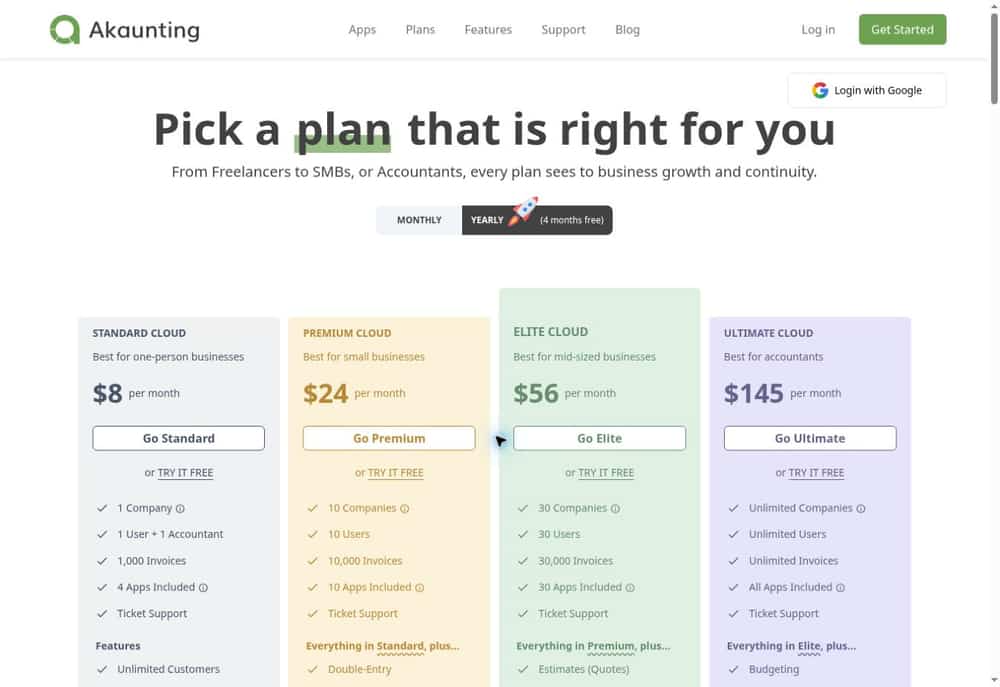
Akaunting — Modular bookkeeping with cloud and self-hosted choices
Akaunting offers a different buying decision: choose the hosting model, then the capabilities. A technically comfortable freelancer may value an on-premise option, while someone who wants the vendor to operate the service can use cloud hosting. The base tools cover invoices, contacts and cash-flow records.
Do not equate the lowest cloud price with full double-entry accounting. Akaunting’s help page reserves Double-Entry and Bank Feeds for Premium and above. Price the modules you actually need first; a self-hosted download also leaves you responsible for infrastructure, updates and backups.
Pricing
Cloud Standard $12/month or $96/year; Premium $36/month or $288/year. Standard on-premise download is free; hosting and apps may add costs.
Key Features
- Invoices
- Customer and vendor records
- Bank and cash account records
- Recurring transactions
- Multiple currencies
- Double-entry accounting on Premium cloud
Pros
- Cloud or self-hosted choice
- Modular expansion
- Accountant access in Standard cloud
- Multiple-currency support
- Recurring-record workflows
Cons
- Standard cloud excludes Double-Entry
- Automatic bank feeds require Premium cloud
- Self-hosting creates maintenance work
Best for: Freelancers comfortable evaluating modules and hosting.
Official source: Akaunting plans and product details.
11. Manager
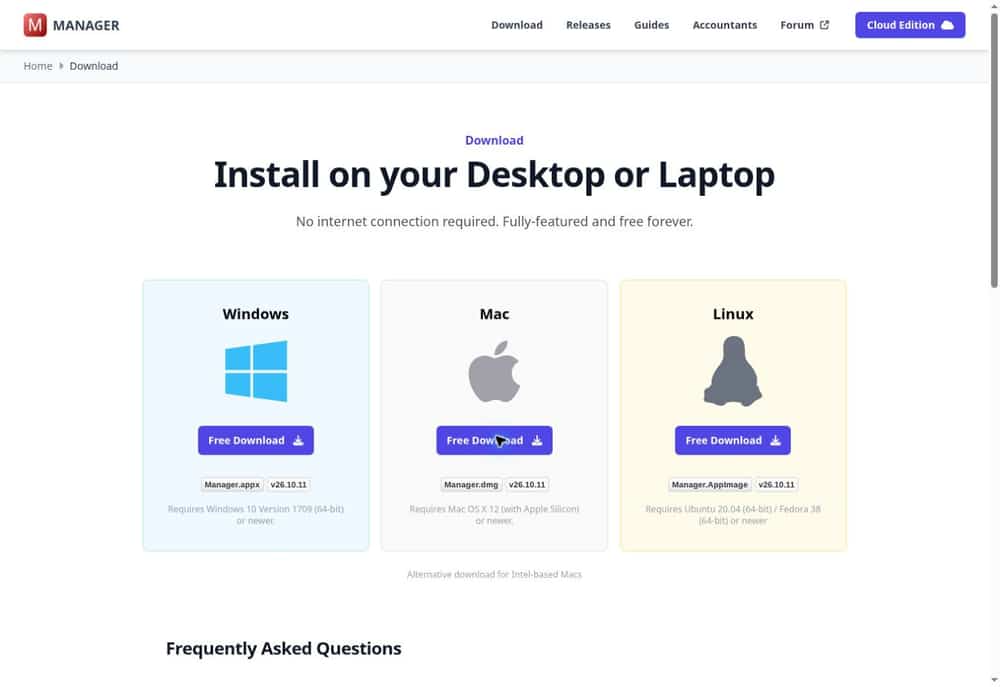
Manager — Free desktop accounting for a single operator
Manager is useful to consider when the accounting file should live on your own computer. Its free desktop edition works offline and does not impose transaction-volume limits. That makes it a different proposition from a free cloud plan designed around a small monthly allowance.
The compromise is collaboration. Desktop is single-user, so sharing a backup with an accountant is different from working together in a live cloud account. Its catalogue includes ledger reports, billing and reconciliation, but you still need to configure the books correctly and maintain recoverable backups.
Pricing
Desktop edition is free, with no time or usage limits. Multi-user or remote access requires a paid cloud edition; cloud pricing is not quoted here.
Key Features
- Sales invoices
- Bank reconciliation
- Time and service billing
- Billable expenses
- Profit-and-loss and balance-sheet reports
- Bank statement imports
Pros
- No desktop subscription
- Offline operation
- No desktop usage limits
- Cross-platform data files
- Broad accounting feature catalogue
Cons
- Desktop is single-user
- Remote access requires paid cloud
- Local backup responsibility
Best for: Freelancers who want local books without a subscription.
Official source: Manager download and edition details.
12. GnuCash
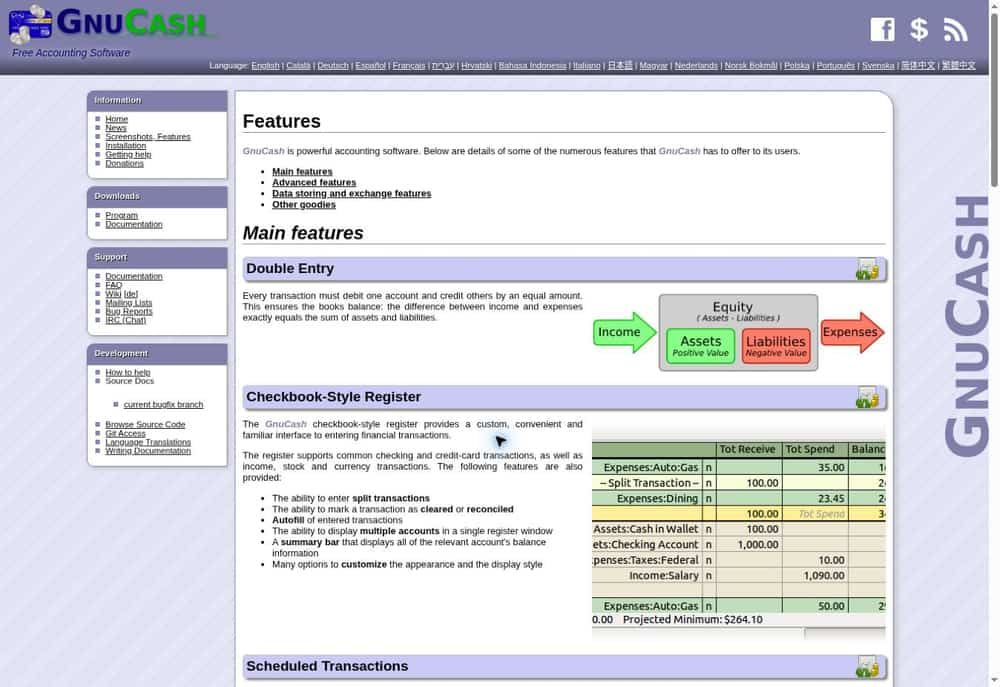
GnuCash — Open-source double-entry accounting on your desktop
GnuCash suits someone who wants to understand and control the accounting records directly. Its double-entry structure, transaction register and reconciliation tools support a disciplined bookkeeping routine. There is no subscription tier to unlock those fundamentals.
The decision is largely about working style. A freelancer willing to learn accounts and maintain local files may find it sufficient; someone expecting a guided, browser-based client workflow may prefer a hosted product. Budget time for setup and backups, and check that your accountant can use the reports you plan to supply.
Pricing
Free software under the GNU GPL; no subscription fee.
Key Features
- Double-entry records
- Customer invoices
- Bank statement reconciliation
- Scheduled transactions
- Financial reports and graphs
- Multiple-currency accounts
Pros
- No subscription cost
- Open-source licensing
- Desktop operating-system choice
- Built-in reconciliation
- Configurable reports
Cons
- Accounting knowledge helps
- Local files need backup planning
- Not a hosted client-management workflow
Best for: Freelancers comfortable with accounting concepts and local files.
Official source: GnuCash features.
Comparison Table: Features, Cost and Fit
These prices are not currency-converted. A lower number in another currency or region is not evidence of a cheaper equivalent plan.
| Tool | Suitable workflow | Regular starting cost | Main upgrade or limitation |
|---|---|---|---|
| FreshBooks | Service freelancers who invoice clients regularly | Lite US$23/mo; Plus US$43/mo | Lite’s five-client cap is restrictive |
| Wave | Freelancers prioritizing low fixed software costs | Free; Pro US$19/mo | Bank imports require Pro |
| Zoho Books | India-based freelancers needing GST-oriented records | Eligible Free; Standard ₹899/mo | Free revenue and document limits |
| QuickBooks Solopreneur | US solo operators with straightforward income and expenses | Free; Lite US$20/mo | No accountant access on Free or Lite |
| Xero | Freelancers collaborating regularly with a bookkeeper | US Early $27/mo | Early invoice and bill limits |
| FreeAgent | UK freelancers wanting connected records and filing workflows | UK £19/mo ex VAT; eligible bank access free | UK workflow is not universal |
| Sage Accounting | UK freelancers who need invoicing and VAT workflows | UK Start £20/mo ex VAT | Start is limited to one user |
| Bonsai | Freelancers wanting proposals, projects and invoices together | Essentials US$25/user/mo | Basic excludes invoicing |
| ZipBooks | Freelancers with simple books and a small initial budget | Free; Smarter US$15/mo | Starter connects only one bank |
| Akaunting | Freelancers comfortable evaluating modules and hosting | Cloud US$12/mo; Premium US$36/mo | Standard cloud excludes Double-Entry |
| Manager | Freelancers who want local books without a subscription | Desktop free | Desktop is single-user |
| GnuCash | Freelancers comfortable with accounting concepts and local files | Free | Accounting knowledge helps |
How to Choose Accounting Software for Freelance Work
Begin with your country and business structure. Confirm that the edition supports your required documents and the reports your accountant needs. Do not infer local tax-filing compatibility from a product’s global availability or from its ability to add a tax line to an invoice.
Next, map one complete job: estimate, deposit, work, invoice, expense reimbursement and payment. For hourly work, inspect how time reaches the invoice. For overseas clients, check the currencies in which you can invoice, receive money and keep the books; these are separate questions. For recurring work, test reminders and recurring billing before subscribing.
Compare the Cost of Your Actual Workflow
Build a twelve-month budget using the regular subscription, the relevant billing term, payment fees and any required modules. A free plan with manual administration can be a sensible choice at low volume. It becomes less attractive if you must add receipt capture, another bank account or accountant access immediately.
If you are beginning to hire, compare small-business accounting options before committing to a solo-only product. Ask your accountant to review a sample export and confirm that it includes the opening balances and transaction detail they will need.
Keep Project Delivery and Accounting Connected
An invoice tells you what you charged; it does not necessarily explain missed deadlines, scope changes or outstanding client approvals. Use project management tools for freelancers when delivery planning is the missing piece. You may keep that workflow separate, provided client and project names remain consistent and you avoid entering the same payment twice.
Before moving real records, run a small trial: create an invoice, record a partial payment and an expense, reconcile a bank transaction, and export the resulting reports. Desktop users should also test restoring a backup. A successful export is useful; a file that your accountant can actually work with is better.
Frequently Asked Questions
What is the best accounting software for a beginner freelancer?
Start with the workflow. FreshBooks is a candidate for service billing, Wave or ZipBooks for a low-cost starting point, and a local Zoho Books edition for broader accounting. If an accountant will maintain the books, choose together and check that their access is included.
Can a freelancer use free accounting software?
Yes, if the limits fit. Manager desktop and GnuCash avoid subscription fees but require local file care. Wave and ZipBooks provide free starting plans with paid automation or controls. Zoho Books’ India Free plan has revenue and document limits. Free access does not make payment processing free.
Is invoicing software the same as accounting software?
No. Invoicing records what clients owe; fuller accounting also handles transaction classification, reconciliation and financial reporting. Bonsai may organize proposals and billing effectively while a separate accounting application holds the ledger. Verify the exact reports required rather than relying on a product label.
Should I pay monthly or annually?
Trial the real workflow first. Annual payment can lower the advertised monthly equivalent, but compare the full commitment, refund rules and renewal price. Monthly billing may be preferable while your client volume or software requirements are changing. Promotional discounts should not be treated as permanent costs.
When should I move beyond a basic freelancer plan?
Consider upgrading when you need more client or invoice capacity, additional users, accountant access, multiple currencies, supplier controls or deeper reporting. First check whether a higher tier solves the problem. Moving platforms also means validating balances, historical records and exports, so plan the transition rather than reacting at a filing deadline.
Final Verdict
For client-facing service work, shortlist FreshBooks, while checking whether Plus is the real starting tier for your books. Wave and ZipBooks deserve a look when keeping fixed costs low is the priority. Xero is a candidate for shared cloud bookkeeping, and Zoho Books stands out for readers who need the capabilities of its local edition.
In the UK, compare FreeAgent with Sage Accounting against your business type. US solo operators can evaluate QuickBooks Solopreneur, paying attention to access and usage limits. Manager and GnuCash offer desktop routes without subscriptions. Choose Akaunting only after pricing the needed modules; choose Bonsai for client operations with a deliberate plan for the accounting records.
One thought on “12 Best Accounting Software for Freelancers in 2026: A Practical Comparison”