

Managing multiple clients, juggling deadlines, and tracking billable hours can turn into chaos without the right system. As a freelancer, you need tools that simplify workflows, not add complexity. In this guide, we break down the top 5 best project management tools for freelancers that deliver real value without breaking the bank. Whether you’re searching for the best free project management tools for freelancers or need advanced features for client tracking and project management, we’ve tested and ranked solutions that fit every budget and workflow. Let’s dive into the tools that will transform how you work.
Top 5 Project Management Tools for Freelancers
1. Monday.com – Visual Project Management Powerhouse
Monday.com stands out as one of the best project management tools for freelancers who value visual clarity and customization. The platform transforms complex workflows into colorful, intuitive boards that make project tracking feel effortless rather than overwhelming.
What sets Monday.com apart is its flexibility. You can customize nearly everything, from column types to automation rules, making it suitable for freelance developers, designers, consultants, and creative professionals. The platform grows with your business, supporting everything from simple to-do lists to complex multi-client workflows.
For freelancers managing diverse projects, Monday.com eliminates the need to switch between multiple apps. Time tracking, client communication, file sharing, and invoice management all live in one centralized workspace. This integration saves hours each week and keeps all project information accessible in seconds.
✅ Key Features
- Customizable visual boards with 10+ view options including Kanban, Gantt, Timeline, and Calendar for comprehensive project visualization
- Advanced automation builder that eliminates repetitive tasks like status updates, notifications, and deadline reminders across unlimited boards
- Built-in time tracking with detailed reporting that seamlessly integrates with invoicing tools for accurate client billing
- Client collaboration portals that provide controlled access to project progress without exposing your entire workspace
- 200+ native integrations including Slack, Google Drive, Zoom, and QuickBooks that streamline your existing workflow
- Mobile apps for iOS and Android with full functionality for managing projects on the go
✅ Pros
- Incredibly intuitive interface that requires minimal training for freelancers and clients alike
- Exceptional visual design makes project status instantly clear at a glance
- Powerful automation features save hours per week on administrative tasks
- Scales effortlessly from solo freelancer to growing agency without platform migration
- Outstanding customer support with live chat, extensive knowledge base, and video tutorials
❌ Cons
- Higher price point compared to basic project management tools, starting at around $9 per seat monthly
- Free plan is quite limited with only 2 seats and 1,000 items, making it impractical for most freelancers
- The extensive customization options can feel overwhelming during initial setup for beginners
- Some advanced features require higher-tier plans, which may not fit tight freelance budgets
🎯 Best For:
Monday.com is perfect for established freelancers and small agencies managing 5+ active clients who need visual clarity and powerful automation. It excels for creative professionals like designers, developers, and consultants who value aesthetic organization and want to impress clients with professional project dashboards.
2. Asana – Comprehensive Task Management Excellence
Asana has earned its reputation as one of the best tools for freelancers client tracking and project management through years of continuous improvement and feature expansion. The platform strikes an impressive balance between simplicity for beginners and depth for advanced users.
What makes Asana particularly valuable for freelancers is its task dependency system and Timeline view. You can map out complex projects with interconnected deliverables, automatically adjusting deadlines when dependencies shift. This feature alone prevents countless scheduling disasters when client feedback delays one phase of a project.
The platform’s free tier is genuinely useful, unlike many competitors. With unlimited tasks, projects, and activity log access, solo freelancers can run their entire business on Asana without paying a cent. As your freelance practice grows, paid tiers unlock portfolio management and workload balancing features.
✅ Key Features
- Task dependencies and Timeline view for visualizing project schedules and identifying bottlenecks before they cause delays
- Multiple project views including List, Board, Calendar, and Gantt Timeline that adapt to your working style
- Custom fields and tags for organizing projects by client, priority, project phase, or any other criteria you need
- Project templates that save hours when starting similar client engagements or recurring deliverables
- Robust search and filtering that helps you instantly find any task or conversation across hundreds of projects
- Native time tracking through integrations with Harvest, Toggl, and Everhour for accurate billing
✅ Pros
- Generous free plan supports up to 15 team members, making it ideal for freelancers who occasionally collaborate
- Clean, distraction-free interface that keeps you focused on actual work rather than tool management
- Excellent mobile apps that provide full functionality for updating tasks and checking deadlines anywhere
- Strong community support with countless tutorials, templates, and best practices shared by users
- Reliable performance with minimal downtime and fast syncing across devices
❌ Cons
- Steeper learning curve than simpler tools, especially when utilizing advanced features like rules and custom fields
- No native time tracking in the platform itself, requiring third-party integrations
- Reporting features on free plan are basic, with advanced analytics reserved for premium tiers
- Can feel overly complex for very simple projects or freelancers with minimal tracking needs
🎯 Best For:
Asana works brilliantly for detail-oriented freelancers who manage complex, multi-phase projects requiring task dependencies. It’s particularly well-suited for freelance project managers, content strategists, and developers who need to coordinate multiple deliverables across extended timelines.
3. Trello – Simple Kanban Boards That Just Work
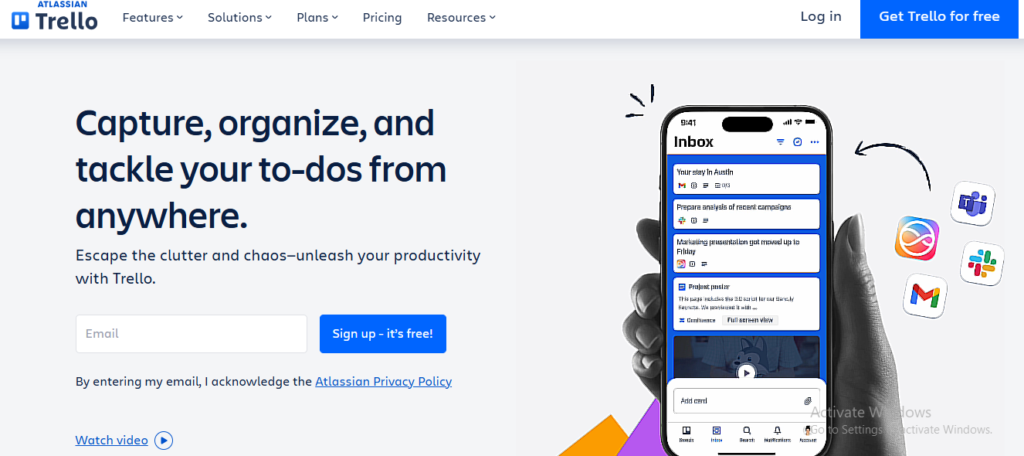
Trello pioneered the visual Kanban approach to project management and remains one of the best free project management tools for freelance developers and creative professionals. Its card-based system makes project status immediately obvious, with tasks flowing from to-do to in-progress to done.
The beauty of Trello lies in its simplicity. You can set up a complete project management system in under five minutes, with zero tutorials required. This low barrier to entry makes it perfect for freelancers who want to spend time working, not configuring software. Drag a card between columns, and everyone knows the project status changed.
Trello’s Power-Ups system extends functionality without cluttering the core experience. Add calendar views, time tracking, automation, or custom fields only when you need them. This modular approach keeps the tool lightweight for simple projects while supporting complex workflows when necessary.
✅ Key Features
- Intuitive Kanban boards with unlimited cards and lists that make project visualization effortless
- Butler automation that handles repetitive tasks like moving cards, setting due dates, and sending notifications
- Power-Ups marketplace with 200+ integrations including Slack, Google Drive, GitHub, and time tracking tools
- Card templates that speed up project creation for recurring client deliverables or standard workflows
- Mobile apps with offline mode so you can update tasks even without internet connectivity
- Custom backgrounds and stickers that let you personalize boards and make them visually distinct
✅ Pros
- Completely free for individuals with unlimited boards, cards, and essential features
- Zero learning curve makes it accessible even for non-technical freelancers and clients
- Visual drag-and-drop interface feels natural and requires no training
- Lightweight and fast, with instant syncing across all devices
- Perfect for collaborating with clients who aren’t tech-savvy
❌ Cons
- Limited reporting and analytics make it difficult to track productivity trends or project profitability
- Free plan restricts you to one Power-Up per board, limiting advanced functionality
- Not ideal for complex projects with dependencies or sophisticated timeline requirements
- Can become cluttered and hard to navigate when managing 10+ active boards
🎯 Best For:
Trello is ideal for visual thinkers and freelancers who prefer simplicity over complexity. It’s perfect for designers, writers, and consultants managing straightforward client projects without complex dependencies. If you want the best free project management tools for freelancers that delivers immediate value, Trello is hard to beat.
4. ClickUp – The All-in-One Productivity Platform
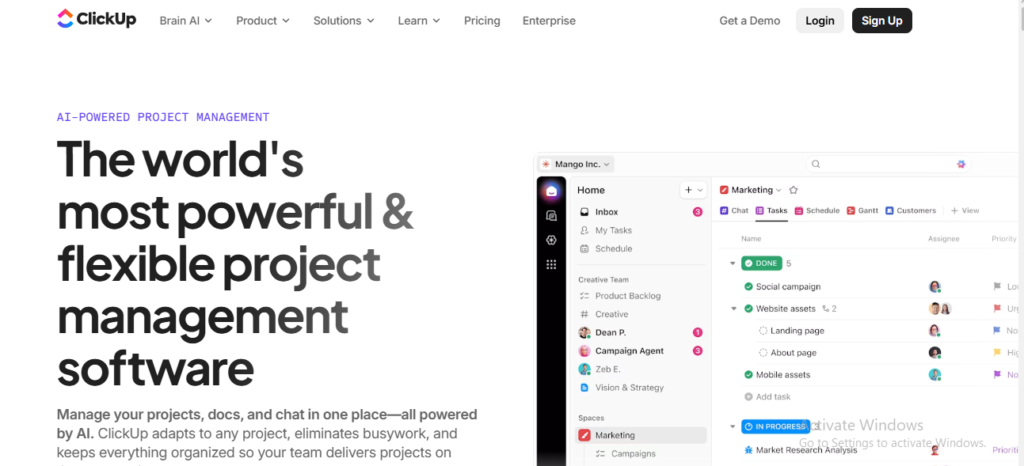
ClickUp positions itself as the one app to replace them all, and for many freelancers, it delivers on that promise. This platform combines project management, document collaboration, goal tracking, and time management in a unified workspace designed to eliminate app-switching fatigue.
The platform’s customization capabilities exceed most competitors. You can configure ClickUp to match virtually any workflow, from simple Kanban boards to complex enterprise project tracking. This flexibility makes it suitable for freelance developers, agencies, and consultants who need different views for different client types.
ClickUp’s free tier is genuinely generous, offering unlimited tasks and members with 100MB storage. For freelancers just starting out or those managing straightforward projects, this free version provides everything needed to run a professional operation without monthly fees eating into profits.
✅ Key Features
- 15+ customizable views including List, Board, Gantt, Timeline, Calendar, and unique Mind Maps for brainstorming
- Built-in time tracking with detailed reporting and seamless integration with billing systems
- Native document editor with real-time collaboration that can replace Google Docs for many use cases
- Comprehensive automation builder that connects tasks, statuses, assignees, and due dates without coding
- Goals and OKR tracking that helps freelancers measure progress toward business objectives
- Workload view for capacity planning and preventing overcommitment across multiple clients
✅ Pros
- Exceptional value with feature-rich free plan that rivals paid competitors
- Constant innovation with new features and improvements released monthly
- Truly all-in-one platform reduces reliance on multiple subscriptions
- Extensive customization options let you tailor the platform to your exact workflow
- Strong community with templates, guides, and university courses for mastering the platform
❌ Cons
- Overwhelming feature set creates significant learning curve, especially for beginners
- Interface can feel cluttered with so many options and views competing for attention
- Mobile app lacks some desktop features and can feel cramped on smaller screens
- Frequent updates sometimes introduce bugs or change familiar workflows without warning
🎯 Best For:
ClickUp excels for tech-savvy freelancers and small agencies who want maximum features at minimal cost. It’s perfect for freelance developers, digital marketers, and consultants who manage complex, multi-faceted projects and want deep customization without paying premium prices.
5. Notion – Flexible Workspace for Knowledge Management
Notion takes a different approach to project management by combining databases, documents, wikis, and task boards into one infinitely flexible workspace. Rather than forcing you into predefined structures, Notion provides building blocks you can arrange to match your exact thinking process.
For freelancers who manage knowledge-intensive projects, Notion shines as both a project manager and personal knowledge base. You can store client briefs, meeting notes, project documentation, and task lists in interconnected pages that create a second brain for your freelance business. This integration eliminates the disconnect between planning and execution.
The platform’s template gallery offers hundreds of pre-built systems for everything from client databases to content calendars to invoice tracking. These templates accelerate setup dramatically, letting you launch sophisticated project management systems in minutes instead of hours.
✅ Key Features
- Block-based editor that lets you mix text, tasks, databases, images, code, and embeds in any combination
- Relational databases that connect clients, projects, tasks, and invoices with powerful filtering and sorting
- Multiple database views including Table, Board, Calendar, Gallery, and Timeline for different perspectives
- Web clipper and mobile capture for saving ideas, articles, and inspiration directly to your workspace
- Templates and duplicate functionality that make creating new projects or client workspaces lightning-fast
- Inline comments and collaborative editing that support async teamwork across time zones
✅ Pros
- Incredibly flexible system adapts to any workflow or organizational style
- Beautiful, minimalist interface that makes working feel enjoyable rather than utilitarian
- Free personal plan includes unlimited pages and blocks, perfect for solo freelancers
- Exceptional for knowledge management and documentation alongside project tracking
- Active community constantly creating and sharing innovative templates
❌ Cons
- Blank slate approach can be paralyzing without templates or clear starting structure
- No native time tracking or invoicing requires workarounds or integrations
- Can become slow with very large databases or hundreds of interconnected pages
- Learning curve is moderate as the system requires understanding blocks, databases, and relations
🎯 Best For:
Notion is perfect for knowledge workers like writers, researchers, consultants, and strategists who need to capture ideas, organize information, and manage projects in one integrated system. It’s ideal for freelancers who value flexibility and aesthetics equally, and who want a tool that grows more valuable the more you use it.
Comparison Table: Best Project Management Tools for Freelancers
| Tool Name | Best For | Key Strength | Integrations | Ease of Use | Platform Type | Starting Price |
| Monday.com | Agencies & established freelancers | Visual clarity and automation | 200+ apps | Very Easy | Cloud-based | $9/user/month |
| Asana | Complex project management | Task dependencies | 100+ apps | Moderate | Cloud-based | Free (up to 15) |
| Trello | Visual thinkers & beginners | Simplicity | 200+ Power-Ups | Very Easy | Cloud-based | Free |
| ClickUp | Tech-savvy freelancers | All-in-one platform | 1,000+ apps | Moderate | Cloud-based | Free |
| Notion | Knowledge workers | Flexibility & documentation | 50+ apps | Moderate | Cloud-based | Free |
Final Verdict
Each tool brings unique strengths to the table. Monday.com wins for visual organization and client impressions. Asana dominates complex project tracking. Trello delivers unbeatable simplicity. ClickUp provides maximum features at minimal cost. Notion excels at knowledge integration. Your perfect tool depends on your workflow complexity, budget, and personal preferences.
To explore more in-depth comparisons like this, visit TheListify, where we regularly publish expert-curated lists of the best tools and software for businesses across various industries. Whether you’re searching for Best CRM Tools, Best Accounting Software, Best Recruiting Software, Best Project Management Software, Best marketing tools, or productivity solutions, our detailed guides help you make informed decisions faster.
Frequently Asked Questions
What is the best project management tool for freelancers in 2026?
The best project management tool for freelancers depends on your workflow. Tools like Trello, Asana, and ClickUp are popular for task tracking, while others offer advanced client management features.
Are there free project management tools for freelancers?
Yes, many tools offer free plans with essential features. Trello, ClickUp, and Asana provide free versions suitable for freelancers managing small to medium projects.
Which project management tools are best for freelancer developers?
Freelancer developers often prefer tools like ClickUp, Jira, or Notion due to their flexibility, integrations, and ability to manage complex workflows and tasks efficiently.
How do project management tools help freelancers manage clients?
Project management tools help freelancers track tasks, deadlines, and communication in one place. They improve transparency, streamline workflows, and enhance client collaboration.
What features should freelancers look for in project management tools?
Freelancers should look for task management, time tracking, client collaboration, integrations, automation, and reporting features to improve productivity and workflow efficiency.