
Choosing the right HR analytics tools can feel overwhelming when every vendor claims to be the smartest platform on the market. HR leaders don’t need more dashboards. They need clear answers about turnover risk, hiring bottlenecks, and pay equity before those issues turn into resignation letters or compliance headaches. This guide breaks down the 20 best HR analytics tools for 2026, from enterprise-grade predictive platforms to budget-friendly options built for small business teams.
Every entry below reflects real feature depth, verified user feedback, and honest tradeoffs, not just a vendor’s own marketing page. Whether the priority is payroll-connected reporting, AI-powered forecasting, or simple dashboards a first-time HR hire can use without training, there’s a tool on this list built for that exact job.
What Is HR Analytics Software?
HR analytics software collects workforce data from systems like the HRIS, payroll, applicant tracking, and performance management, then turns it into usable insights. Instead of digging through spreadsheets from five different systems, HR teams get one place to see turnover trends, hiring velocity, compensation gaps, and engagement scores.
Good HR analytics tools go beyond simple reporting. Descriptive dashboards show what already happened, like a spike in resignations last quarter. Predictive HR analytics tools go a step further, using historical patterns to forecast what’s likely to happen next, such as which employees show early signs of flight risk. Many of the tools on this list combine both, and a growing number now layer AI on top to flag risks before a manager even asks the question.
That gap between potential and practice is real. According to recent industry research, fewer than one in four HR teams currently rate themselves as highly effective at people analytics, which is exactly why picking the right tool, and using it consistently, matters so much more than chasing the flashiest feature list.
Top 20 HR Analytics Tools for 2026
Each tool below was evaluated on real feature depth, integration flexibility, ease of use for HR generalists, and how well it holds up against verified reviews on platforms like G2 and TrustRadius. Here’s the full breakdown.
1. Visier
Visier – AI-Powered Predictive People Analytics Platform
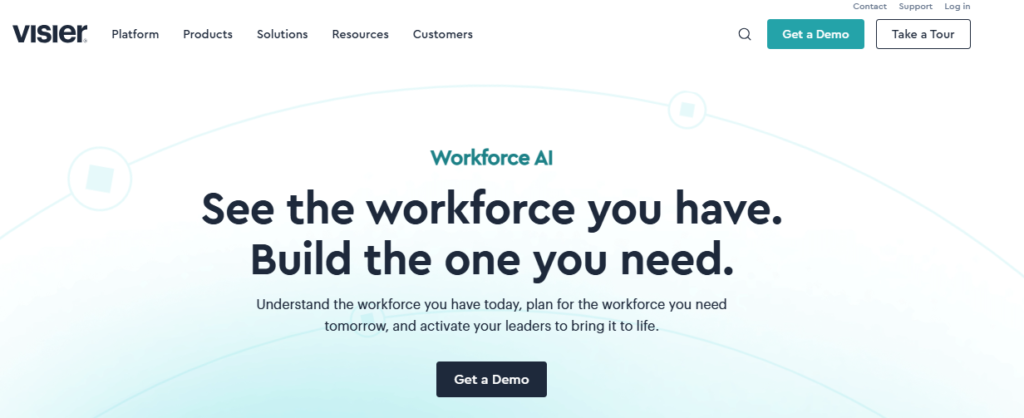
Visier sits at the top of nearly every people analytics shortlist, and for good reason. It pulls data from HRIS, payroll, applicant tracking, and performance systems into one validated dataset, so HR teams do not have to build formulas from scratch every time they need an answer.
What sets Visier apart is its predictive engine. Instead of just showing what happened last quarter, it forecasts flight risk, hiring demand, and pay equity gaps months in advance. It even helps HR connect quality of hire back to the interview process, which pairs well with the Best Assessment Tools for Hiring when a team wants to know whether its screening process actually predicts success on the job.
Best for mid-size to large organizations that want boardroom-ready insights without hiring a full data science team.
✅ Key Features
- Pre-built workforce metrics library covering turnover, headcount, DEI, and compensation, so teams skip the setup phase
- Predictive attrition modeling that flags flight-risk employees before they hand in notice
- Natural language query tool that lets managers ask plain-English questions and get instant charts
- Outlier detection that surfaces pay equity gaps and promotion bottlenecks automatically
- Pre-built connectors for Workday, SAP, Oracle, and over 100 HRIS and payroll platforms
- Embedded benchmarking against industry peers using Visier’s aggregated customer data
✅ Pros
- Deep predictive and diagnostic analytics right out of the box
- Strong data governance and role-based access controls
- Fast time-to-insight once implementation is complete
- Excellent customer support and onboarding resources
- Consistently ranked as a leader in independent analyst reports
❌ Cons
- Premium pricing puts it out of reach for small businesses
- Implementation can take several weeks depending on data quality
- It is not a full HRIS, so a separate system of record is still needed
- Advanced customization sometimes requires vendor support
🎯 Best For: Mid-size to large organizations that need predictive, boardroom-ready workforce insights.
2. Crunchr
Crunchr – Fast-Deploy Self-Service People Analytics
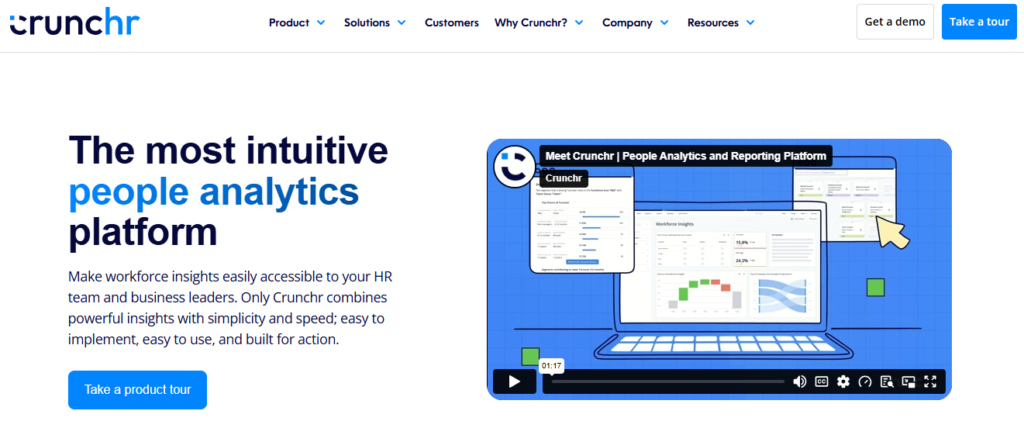
Crunchr built its reputation on speed. While enterprise analytics platforms often take months to configure, Crunchr promises usable dashboards within weeks by leaning on pre-built templates mapped to common HR questions.
The interface is designed for HR generalists, not analysts. Drag-and-drop filters let a business partner slice turnover by tenure, location, or manager without writing a single formula, and Crunchr’s AI assistant now answers plain-language questions about workforce trends directly inside the dashboard.
Best for teams that want to get people analytics live fast without a lengthy IT project.
✅ Key Features
- Pre-configured dashboards for headcount, turnover, DEI, and internal mobility
- AI-powered chat assistant that answers workforce questions in natural language
- Drag-and-drop report builder built for non-technical HR users
- Automated data refresh from connected HRIS and payroll systems
- Manager self-service portal for team-level insights
- Scenario planning tools for headcount and budget forecasting
✅ Pros
- Quick implementation compared to enterprise BI tools
- Genuinely easy for non-analysts to use day to day
- Strong customer reviews for support responsiveness
- Modern, uncluttered interface
❌ Cons
- Smaller integration ecosystem than Visier or Workday
- Advanced statistical modeling is more limited
- Newer vendor with a shorter enterprise track record
- Custom reporting can hit limits for very complex org structures
🎯 Best For: HR teams that want fast, self-service analytics without a long IT rollout.
3. One Model
One Model – People Data Infrastructure for Enterprise Analytics Teams
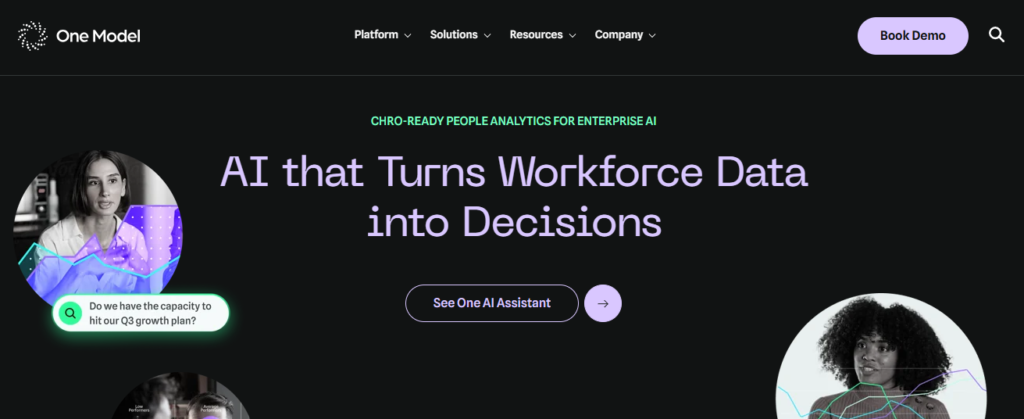
One Model takes a different approach than most tools on this list. Rather than a fixed dashboard product, it works as a data infrastructure layer that consolidates messy, disconnected HR data into one clean, query-ready warehouse.
This makes One Model a favorite among enterprise people analytics teams who want to bring their own BI tool, whether that is Power BI, Tableau, or a custom build, while still having a reliable single source of truth underneath it.
Best for enterprise analytics teams that already have data scientists or analysts on staff and want infrastructure, not just dashboards.
✅ Key Features
- Automated data pipelines that clean and standardize HR data from dozens of source systems
- Flexible data warehouse output compatible with Power BI, Tableau, and other BI tools
- Historical data tracking that preserves point-in-time accuracy for trend analysis
- Metric library with standardized HR calculation logic to keep definitions consistent
- API access for custom analytics builds and machine learning projects
- Data quality monitoring that flags anomalies before they reach dashboards
✅ Pros
- Extremely flexible for teams with their own BI stack
- Strong at solving messy, multi-system data problems
- Scales well for large, complex enterprises
- Trusted by analytics-mature organizations
❌ Cons
- Requires technical expertise to get full value
- Not plug-and-play for small HR teams
- Pricing and implementation are built for enterprise scale
- Less useful if you just want simple pre-built dashboards
🎯 Best For: Enterprise analytics teams that want clean data infrastructure, not just dashboards.
4. Workday People Analytics
Workday People Analytics – Native Workforce Intelligence Inside Workday HCM
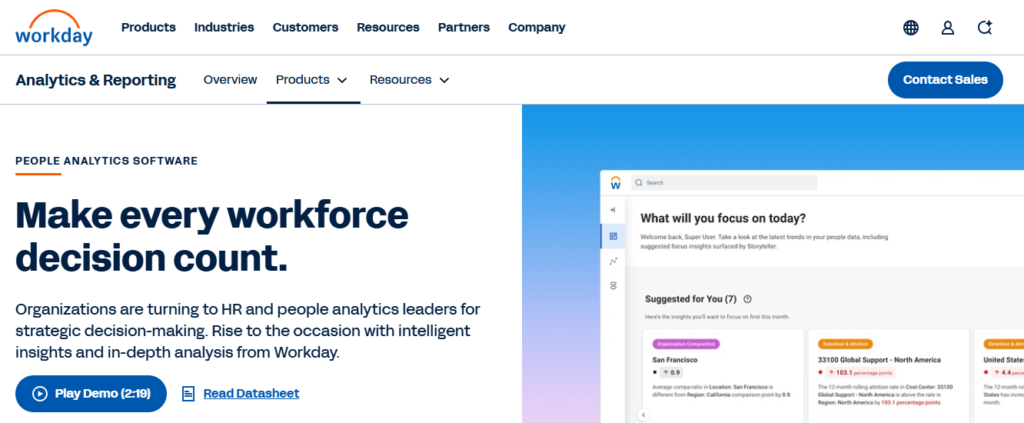
For companies already running Workday as their HCM system, Workday People Analytics is the path of least resistance. Because it lives inside the same platform where employee records already exist, there is no separate data export or integration project required.
The tool uses augmented analytics to surface plain-language narratives, not just charts, calling out things like unusual turnover spikes or pay compression before someone has to go looking for them. It also fits naturally alongside Workday’s recruiting module, which matters for teams comparing the Best AI HR and Recruitment Tools while already committed to the Workday ecosystem.
Best for mid-size and large organizations already using Workday HCM as their core HR system.
✅ Key Features
- Automated narrative insights that explain what changed and why, in plain language
- More than 5,000 configurable pre-built reports covering the full employee lifecycle
- Drag-and-drop discovery boards for ad hoc data exploration
- Native integration with Workday recruiting, performance, and compensation modules
- Manager-facing dashboards embedded directly in daily workflows
- Machine learning-driven anomaly detection for turnover and pay trends
✅ Pros
- Zero data integration needed if you already run Workday HCM
- Strong predictive and augmented analytics capabilities
- Insights embedded directly into daily HR workflows
- Backed by Workday’s enterprise-grade security and governance
❌ Cons
- Only makes sense if you are already a Workday customer
- Expensive to justify as a standalone consideration
- Learning curve for building custom reports
- Some reviewers note the interface feels dense for casual users
🎯 Best For: Mid-size and large organizations already running Workday HCM.
5. SAP SuccessFactors Workforce Analytics
SAP SuccessFactors Workforce Analytics – Enterprise Analytics for Complex, Global Workforces
SAP SuccessFactors Workforce Analytics is built for organizations managing thousands of employees across multiple countries and business units. It connects workforce data to broader SAP business systems, so HR insights can sit right next to financial and operational data in the same conversation.
Where this tool shines is multi-entity complexity: comparing headcount costs across regions, tracking leadership pipeline health by business unit, or modeling the financial impact of a restructuring. It is less about pretty dashboards and more about deep, structural workforce intelligence.
Best for large, global enterprises already invested in the SAP ecosystem.
✅ Key Features
- Deep integration with SAP ERP and financial systems for combined workforce and cost analysis
- Multi-country, compliance-aware reporting built for global organizations
- Leadership pipeline and succession analytics across business units
- Workforce cost modeling tied directly to financial planning data
- Customizable executive dashboards for board-level reporting
- Benchmarking against SAP’s global customer dataset
✅ Pros
- Excellent for connecting workforce data to financial outcomes
- Handles multi-country complexity well
- Strong data governance for regulated industries
- Deep bench of implementation partners available
❌ Cons
- Implementation is a significant, IT-heavy project
- Steep learning curve for HR generalists
- Best value only realized within the SAP ecosystem
- Slower to add newer AI-driven features than younger competitors
🎯 Best For: Large, global enterprises already using SAP for HR and finance.
6. UKG Pro People Analytics
UKG Pro People Analytics – Payroll-Connected Workforce Insights
UKG Pro pairs its HCM and payroll suite with analytics that draw on real, verified pay data rather than estimates. That distinction matters more than it sounds, since workforce cost and overtime analysis is only as accurate as the payroll data behind it.
The dashboards focus heavily on labor cost, scheduling efficiency, and compliance risk, which makes UKG a strong fit for organizations with hourly or shift-based workforces where payroll accuracy directly affects the bottom line.
Best for organizations that want HR analytics tools that integrate with payroll systems out of the box, especially those managing hourly, shift-based teams.
✅ Key Features
- Real-time labor cost and overtime analytics tied directly to payroll data
- Scheduling efficiency dashboards for hourly and shift-based workforces
- Compliance risk alerts for wage and hour regulations
- Turnover and retention analytics segmented by location and shift
- Manager-facing mobile dashboards for on-the-floor decision-making
- Benchmarking against UKG’s industry-specific customer data
✅ Pros
- Payroll accuracy feeds directly into analytics, reducing data errors
- Strong fit for hourly and shift-based industries
- Solid compliance and labor law risk monitoring
- Mobile-friendly manager dashboards
❌ Cons
- Less suited to organizations without significant hourly workforces
- Interface feels dated compared to newer analytics-first tools
- Advanced predictive features lag behind Visier or Crunchr
- Implementation timelines can run long for larger deployments
🎯 Best For: Organizations with hourly or shift-based teams that need payroll-accurate analytics.
7. ADP DataCloud
ADP DataCloud – Payroll-Powered Benchmarking and Workforce Insights
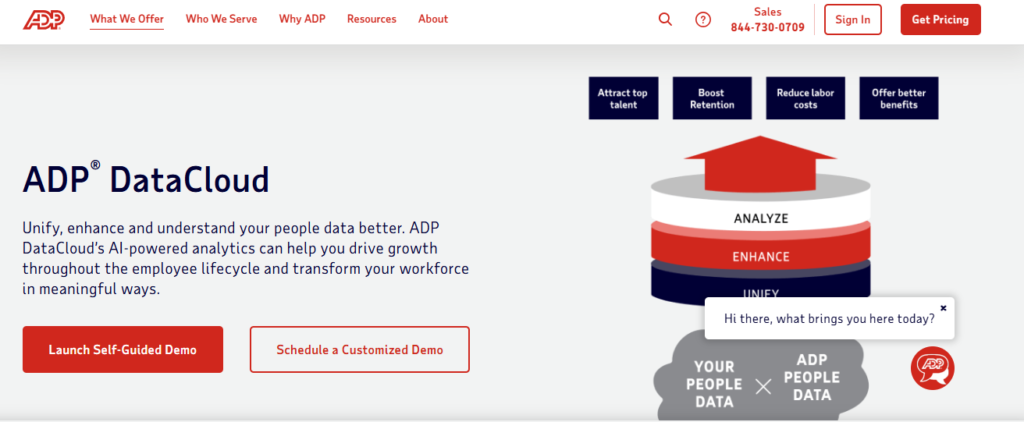
ADP processes payroll for a massive share of the US workforce, and DataCloud puts that scale to work. It benchmarks compensation, turnover, and hiring metrics against real, anonymized data from other ADP clients in your industry and region, not generic survey estimates.
This benchmarking angle is DataCloud’s biggest differentiator. Knowing a turnover rate is 18 percent means little on its own, but knowing that figure sits four points above the industry median tells a very different story to leadership. Revenue leaders comparing rep turnover often pair this data with the Best Sales Hiring Tools to fix recruiting bottlenecks before they show up in next quarter’s numbers.
Best for organizations already using ADP payroll that want real-world benchmarking layered on top of their own workforce data.
✅ Key Features
- Industry and regional benchmarking powered by ADP’s aggregated payroll dataset
- Turnover, compensation, and hiring trend dashboards updated in real time
- Diversity and pay equity analytics with benchmark comparisons
- Predictive turnover risk scoring for individual employees
- Seamless data flow from ADP payroll with no manual export needed
- Executive summary reports built for leadership presentations
✅ Pros
- Unmatched benchmarking data thanks to ADP’s payroll scale
- No integration headaches for existing ADP payroll customers
- Strong compensation and pay equity analytics
- Reliable, well-established vendor with broad support resources
❌ Cons
- Full value requires being an ADP payroll customer
- Less flexible for organizations wanting to mix in non-ADP data sources
- Some advanced features are bundled into higher pricing tiers
- Interface can feel less modern than analytics-first competitors
🎯 Best For: ADP payroll customers who want real-world, benchmarked workforce insights.
8. Paylocity Insights
Paylocity Insights – SMB-Friendly Payroll and HR Analytics Combo
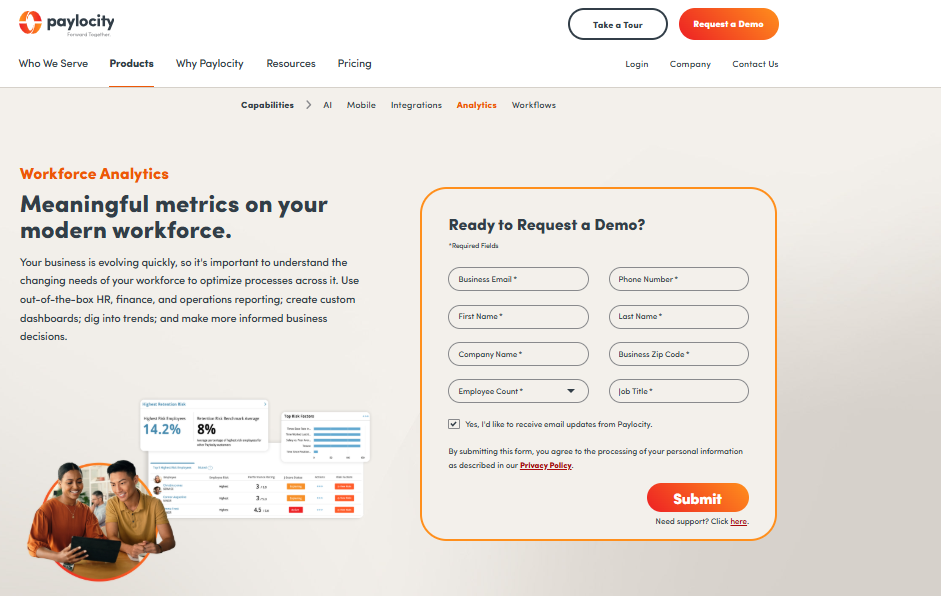
Paylocity built its reputation on payroll for small and mid-size businesses, and its analytics layer reflects that audience. Dashboards are simple and digestible, and they don’t require an analytics background to interpret at a glance.
Because payroll, benefits, and HR data already live in one system, HR teams get analytics that update automatically without stitching together spreadsheets from multiple vendors. It is a practical, no-frills option for growing companies not ready for enterprise-grade tools.
Best for small and mid-size businesses that want HR analytics tools that integrate with payroll systems without a big learning curve.
✅ Key Features
- Unified payroll, benefits, and HR data feeding automatic dashboards
- Turnover, headcount, and compensation reporting built for non-analysts
- Compliance dashboards flagging state and federal requirement changes
- Employee sentiment surveys with built-in analytics
- Custom report builder with export to Excel and PDF
- Mobile app access for managers reviewing team metrics on the go
✅ Pros
- Affordable and accessible for smaller HR teams
- No separate integration project needed for payroll data
- Simple, digestible dashboards
- Strong customer support reputation among SMB users
❌ Cons
- Lacks the predictive depth of enterprise platforms
- Customization options are more limited
- Not built for complex, multi-entity organizations
- Benchmarking data pool is smaller than ADP’s
🎯 Best For: Small and mid-size businesses that want payroll-connected analytics without complexity.
9. Personio
Personio – All-in-One HR Analytics for Growing SMEs
Personio consolidates core HR, recruiting, performance, and payroll data into one system, then layers a self-service report builder on top. For small and mid-size teams juggling scattered spreadsheets, that single source of truth alone is often the biggest win.
The report builder is genuinely easy to use, letting HR staff filter, sort, and visualize headcount, retention, and compensation data without technical training. Teams evaluating both analytics and hiring workflows often pair Personio with the Best Recruiting Software for Small Business to cover the full employee lifecycle in one stack.
Best for small and mid-size businesses that want one platform for HR data, reporting, and daily HR operations.
✅ Key Features
- Self-service report builder with predefined and custom report templates
- Dedicated metrics dashboard covering headcount, retention, time-off, and compensation
- Shareable data visualizations built for leadership meetings
- Role-based access controls to protect sensitive employee data
- Native integrations with payroll, recruiting, and performance modules
- Automated alerts for metric thresholds like rising absence rates
✅ Pros
- Very easy to learn for non-technical HR staff
- Strong automation reduces manual reporting work
- Clean, unified data across HR functions
- Solid compliance and data security controls
❌ Cons
- Not built for enterprise-level business intelligence needs
- Deeper forecasting often requires exporting to tools like Power BI
- Smaller library of pre-built industry benchmarks
- Best value is seen when using Personio as the core HRIS, not standalone
🎯 Best For: SMEs that want unified HR data, reporting, and operations in one platform.
10. HiBob (Bob)
HiBob (Bob) – People Analytics Built for Global, Fast-Growing Teams
HiBob’s analytics module, branded Bob, is designed with distributed, multi-country teams in mind. Real-time dashboards pull from every corner of the platform, from onboarding to time off to compensation, and present it in a genuinely modern, visual interface.
The standout feature is Proactive Insights, which flags unusual patterns, like a spike in resignations within one department, before they become a full retention crisis. HR teams managing complex global structures tend to appreciate how well it handles multiple currencies, languages, and local compliance nuances.
Best for scale-ups and mid-size companies with employees spread across multiple countries.
✅ Key Features
- Proactive Insights that automatically flag unusual workforce trends
- Attrition indicator that scores individual flight risk
- Customizable KPI dashboards for retention, absenteeism, and engagement
- Multi-country compensation and demographic reporting
- Compensation review analytics tied to performance data
- Open API for connecting additional HR and finance tools
✅ Pros
- Excellent for globally distributed teams
- Modern, intuitive interface that’s genuinely pleasant to use
- Strong engagement and performance analytics
- Fast-growing feature set with frequent updates
❌ Cons
- Can feel like more than needed for very small teams
- Some reviewers note gaps for very large enterprise structures
- Full analytics value requires using Bob as the core HRIS
- Pricing scales up quickly as headcount grows
🎯 Best For: Scale-ups and mid-size companies with employees across multiple countries.
11. BambooHR
BambooHR – Simple, Approachable Analytics for Small Business
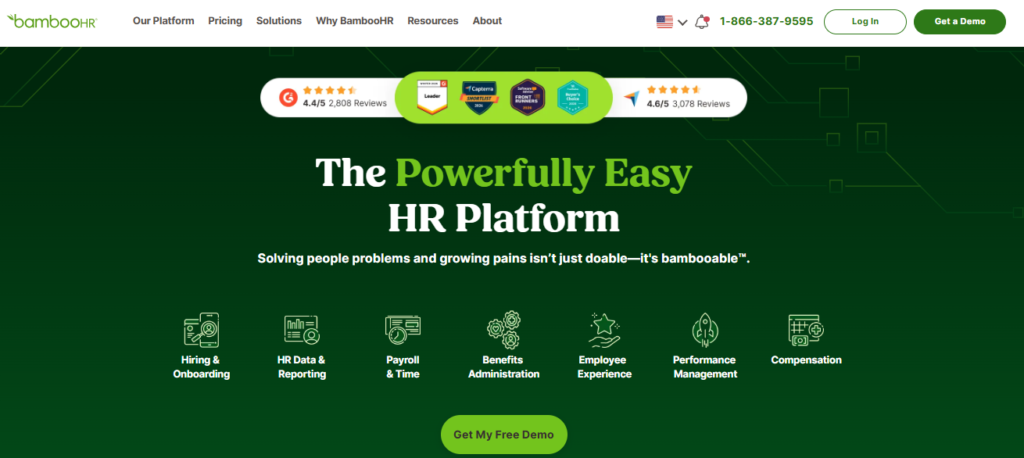
BambooHR keeps its analytics deliberately simple, which is exactly the point for small businesses running lean HR teams. Custom dashboards can be built and shared in minutes, without any training or technical setup.
Live data integration means dashboards update automatically as employee records change, so there is no manual refresh required. It won’t replace an enterprise BI tool, but for a company hiring its first dedicated HR analytics tool, BambooHR is a comfortable entry point.
Best for small businesses building their first real HR reporting habit.
✅ Key Features
- Custom dashboard builder with drag-and-drop simplicity
- Live HR data integration for always-current reporting
- Secure, permission-based dashboard sharing with stakeholders
- Turnover and headcount trend tracking over time
- Time-off and benefits usage reporting
- Data export tools for deeper analysis in Excel or Google Sheets
✅ Pros
- Extremely easy to learn with minimal setup
- Clean, uncluttered user interface
- Great starting point for teams new to HR data
- Strong customer support reputation
❌ Cons
- Analytics feel restrictive without exporting data elsewhere
- Limited predictive or advanced statistical capabilities
- Not designed for multi-entity or global organizations
- Compensation and benchmarking depth is minimal
🎯 Best For: Small businesses building their first HR reporting habit.
12. Rippling Analytics
Rippling Analytics – Unified HR, IT, and Finance Data in One View
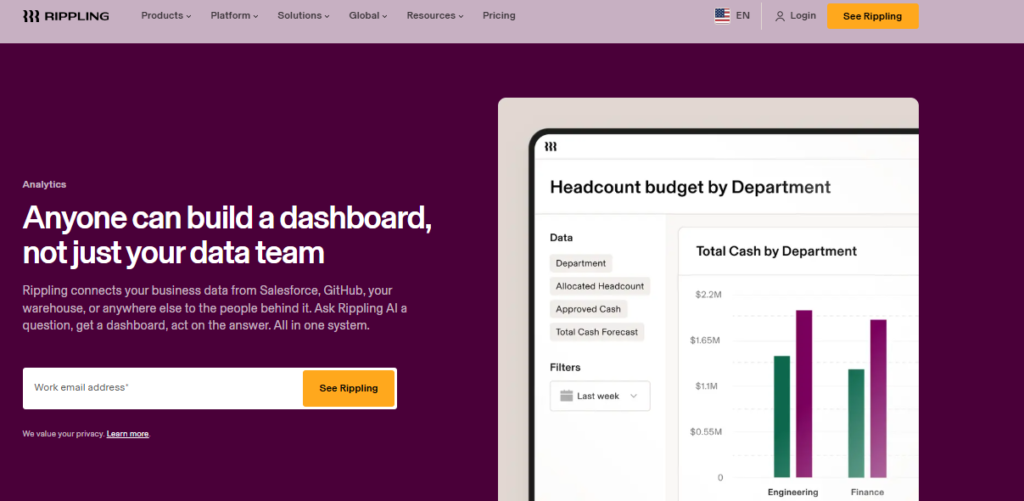
Rippling’s pitch is that HR, IT, and finance data shouldn’t live in separate systems. Because Rippling manages payroll, devices, and software access alongside core HR data, its analytics can answer questions other HR tools simply can’t, like which departments are paying for software licenses nobody uses.
For fast-growing companies, this cross-functional view often surfaces cost savings and process gaps that a pure HR analytics tool would miss entirely. It is a genuinely different angle on workforce data.
Best for growing companies that want HR, IT, and finance data analyzed together in one place.
✅ Key Features
- Combined HR, IT, and finance reporting in a single dashboard
- Real-time payroll and compensation analytics
- App and device spend analytics tied to headcount changes
- Custom report builder with dozens of pre-built templates
- Workflow automation triggered directly from analytics thresholds
- Global workforce reporting across entities and currencies
✅ Pros
- Unique cross-functional data view beyond typical HR metrics
- Strong automation tied directly to analytics insights
- Modern, fast-growing platform with frequent feature releases
- Good fit for tech-forward, distributed companies
❌ Cons
- Full value requires adopting Rippling across HR, IT, and finance
- Newer to the analytics space than dedicated people analytics vendors
- Can feel like overkill for companies with simple HR needs
- Pricing structure can get complex across multiple modules
🎯 Best For: Growing companies that want HR, IT, and finance data analyzed together.
13. ChartHop
ChartHop – Visual Org Design and Headcount Analytics
ChartHop turns the org chart into a living analytics tool. Instead of a static slide, headcount, compensation, and performance data are layered directly onto a visual, interactive org structure that updates in real time.
This makes ChartHop especially useful during planning season, when leaders need to model headcount changes, compare team structures, or spot management layers that have grown too deep. It turns what used to be a spreadsheet exercise into something visual and intuitive.
Best for HR and leadership teams focused on org design, headcount planning, and span-of-control analysis.
✅ Key Features
- Interactive, real-time org chart tied directly to live workforce data
- Headcount planning and scenario modeling tools
- Compensation analytics layered onto org structure views
- Span-of-control and management layer analysis
- DEI representation tracking across levels and departments
- Custom report builder for board and leadership presentations
✅ Pros
- Visual approach makes complex org data easy to understand
- Strong for headcount planning and scenario modeling
- Good compensation and DEI analytics built in
- Intuitive for non-technical leadership audiences
❌ Cons
- Less focused on predictive analytics than pure people analytics platforms
- Best suited as a complement to, not a replacement for, a core HRIS
- Smaller integration ecosystem than larger enterprise vendors
- Advanced modeling features are concentrated in higher pricing tiers
🎯 Best For: Teams focused on org design, headcount planning, and span-of-control analysis.
14. Orgvue
Orgvue – Workforce Planning and Organizational Design Platform
Orgvue is less a dashboard tool and more a modeling engine. It helps HR and business leaders simulate workforce changes, restructurings, or growth scenarios before a single decision gets made, showing the ripple effects on cost, headcount, and reporting lines.
This makes it a favorite during major transformation projects, mergers, or cost-reduction initiatives, where leadership needs to understand the full financial and structural impact of a decision before committing to it.
Best for organizations planning major restructuring, M&A integration, or large-scale workforce transformation.
✅ Key Features
- Scenario modeling for restructuring, growth, and cost reduction plans
- Workforce cost simulation tied to organizational structure changes
- Skills and capability mapping across the organization
- Visual organizational design tools for reporting line changes
- Integration with HRIS and financial planning data
- What-if analysis comparing multiple workforce scenarios side by side
✅ Pros
- Powerful for complex organizational modeling
- Strong support for M&A and transformation projects
- Detailed workforce cost simulation capabilities
- Trusted by large enterprises for high-stakes planning
❌ Cons
- Overkill for everyday HR reporting needs
- Requires accurate, well-structured source data to be useful
- Steeper learning curve than typical dashboard tools
- Primarily suited to project-based rather than ongoing daily use
🎯 Best For: Organizations planning major restructuring, M&A, or workforce transformation.
15. Culture Amp
Culture Amp – Engagement and Performance People Analytics
Culture Amp built its name on employee engagement surveys, and its analytics layer turns that feedback into something leadership can actually act on. Instead of a static survey report, it correlates engagement scores with performance and retention data to show what’s actually driving outcomes.
Benchmarking against other Culture Amp customers adds useful context too, so a team can see whether an engagement score of 72 is actually strong or below industry average.
Best for organizations that want to connect employee sentiment data with performance and retention outcomes.
✅ Key Features
- Engagement, pulse, and lifecycle survey analytics in one platform
- Correlation analysis linking engagement scores to performance and retention
- Industry benchmarking against Culture Amp’s customer dataset
- Manager-level dashboards for team engagement trends
- AI-powered theme detection in open-text survey comments
- Action-planning tools tied directly to survey results
✅ Pros
- Strong, purpose-built engagement and sentiment analytics
- Useful benchmarking context from a large customer base
- Good manager-facing reporting for team-level action
- AI theme detection saves time analyzing open comments
❌ Cons
- Narrower focus than full workforce analytics platforms
- Best used alongside, not instead of, a core HRIS analytics tool
- Survey fatigue risk if not managed carefully
- Deeper workforce metrics like compensation analytics are limited
🎯 Best For: Organizations that want to connect sentiment data with performance and retention.
16. Qualtrics EmployeeXM
Qualtrics EmployeeXM – Advanced Employee Listening and Text Analytics
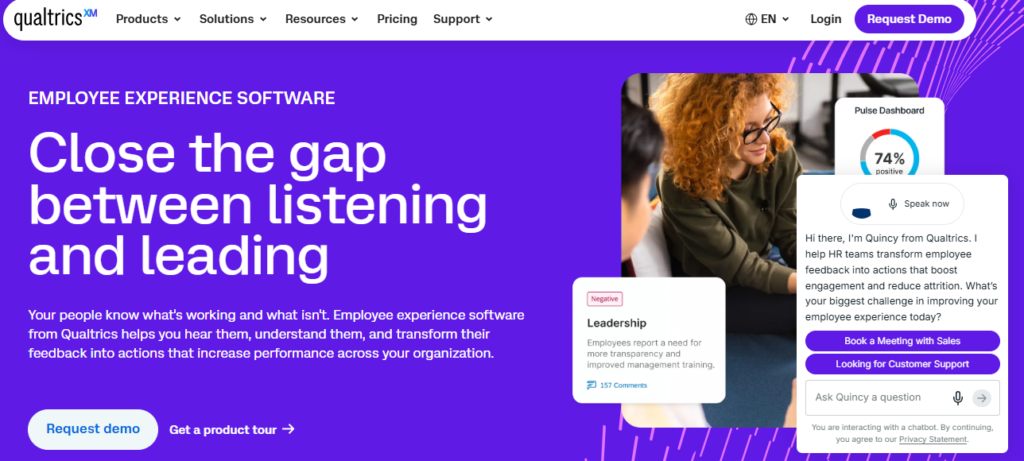
Qualtrics brings serious natural language processing power to employee feedback. Its analytics dig into open-text survey responses and exit interview comments to surface recurring themes that a simple keyword search would miss entirely.
For organizations running large-scale listening programs, that’s a real advantage. Instead of manually reading thousands of comments, HR can see that workload and manager communication are trending concerns across a specific region within minutes.
Best for organizations running large-scale, ongoing employee listening programs across the full employee lifecycle.
✅ Key Features
- Natural language processing that identifies themes in open-text feedback
- Lifecycle survey analytics from onboarding through exit interviews
- Predictive analytics linking sentiment trends to retention risk
- Real-time alerts when sentiment shifts significantly in a team
- Role-based dashboards for HR, managers, and executives
- Integration with HRIS and performance systems for combined analysis
✅ Pros
- Best-in-class text analytics for open-ended feedback
- Strong predictive sentiment and retention risk modeling
- Highly customizable for complex listening programs
- Enterprise-grade security and data handling
❌ Cons
- Steeper learning curve than simpler survey tools
- Pricing sits at the premium end of the market
- Full value requires a mature, ongoing listening strategy
- Can require dedicated admin resources to manage well
🎯 Best For: Organizations running large-scale, ongoing employee listening programs.
17. Lattice
Lattice – Combined Performance and Engagement Analytics
Lattice grew out of performance management, and its analytics reflect that DNA. Goal progress, review scores, and engagement survey data all live in one place, which makes it easy to see how performance and sentiment move together over time.
HR teams and managers alike use Lattice to spot patterns, like a team whose engagement dropped right before a wave of missed goals, that would be hard to catch by looking at performance and engagement data separately.
Best for organizations that want performance and engagement data analyzed together rather than in separate systems.
✅ Key Features
- Combined performance review and engagement survey analytics
- Goal tracking dashboards tied to individual and team outcomes
- 9-box talent grid analytics for succession planning
- Manager effectiveness scoring based on team outcomes
- Compensation planning tools linked to performance data
- Custom reporting for HR business partners and leadership
✅ Pros
- Strong at connecting performance and engagement in one view
- Intuitive interface that managers actually use
- Useful succession planning and talent grid analytics
- Regularly updated with new AI-assisted features
❌ Cons
- Less focused on core workforce metrics like headcount and turnover
- Best suited as a performance-and-engagement layer, not a full analytics suite
- Compensation analytics module is a separate add-on
- Deeper predictive modeling is more limited than dedicated analytics platforms
🎯 Best For: Organizations that want performance and engagement data analyzed together.
18. Assemble
Assemble – Compensation Analytics and Pay Equity Platform
Assemble focuses entirely on one high-stakes area: compensation. It pulls pay data together to build real-time compensation bands, benchmark against market data, and flag pay equity gaps before they turn into legal or retention problems.
This narrow focus is actually the point. General people analytics tools often treat compensation as one metric among many, but Assemble treats it as a discipline of its own, complete with audit trails for pay decisions.
Best for HR and compensation teams that need dedicated pay equity and compensation benchmarking analytics.
✅ Key Features
- Real-time compensation band building and management
- Market benchmarking against current compensation survey data
- Pay equity analysis flagging gaps by gender, race, and role
- Compensation review cycle planning and budget modeling
- Audit trail documentation for compensation decisions
- Integration with HRIS and payroll for accurate, current pay data
✅ Pros
- Deep, purpose-built compensation and pay equity analytics
- Strong audit trail features for compliance documentation
- Useful for compensation planning cycles and budget modeling
- Trusted by compensation and total rewards teams specifically
❌ Cons
- Narrow scope compared to full workforce analytics platforms
- Best used alongside a broader HR analytics tool, not instead of one
- Smaller vendor with a more limited integration ecosystem
- Pricing is geared toward mid-size and larger compensation teams
🎯 Best For: Compensation teams that need dedicated pay equity and benchmarking analytics.
19. Microsoft Power BI
Microsoft Power BI – Flexible, Enterprise-Grade BI for HR Dashboards
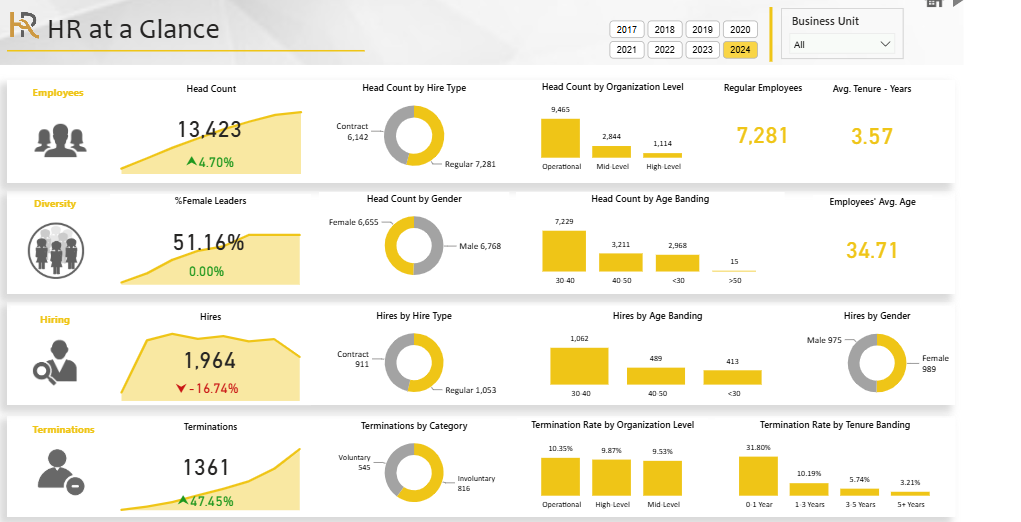
Power BI isn’t built specifically for HR, and that’s actually part of its appeal. It connects to virtually any data source, HRIS exports, payroll files, recruiting systems, and spreadsheets, then lets teams build dashboards exactly the way they want.
For organizations with an analyst on staff or a data-savvy HR team, that flexibility means Power BI can model workforce and financial data together in ways purpose-built HR tools often can’t. It’s a common companion tool for teams also researching the Best Recruiting Software Tools to unify hiring and workforce metrics in one dashboard.
Best for organizations with in-house analytics skills who want full control over how HR data gets visualized.
✅ Key Features
- Connects to virtually unlimited data sources, including most HRIS exports
- Drag-and-drop dashboard builder with advanced customization options
- Drill-down capability from summary metrics into individual employee records
- Combines HR data with financial and operational data in one view
- Scheduled automatic refresh from connected systems
- Broad library of templates and community-built HR dashboard examples
✅ Pros
- Extremely flexible and works with nearly any data source
- Powerful for combining HR and business data
- Lower licensing cost than most dedicated people analytics platforms
- Huge community and template ecosystem
❌ Cons
- Requires someone with data and dashboard-building skills
- No pre-built HR metric logic, so definitions must be built manually
- Data integration across HR systems takes upfront setup time
- Not purpose-built for HR-specific compliance and access needs
🎯 Best For: Organizations with in-house analytics skills who want full dashboard control.
20. Tableau
Tableau – Interactive Data Visualization for Workforce Trends
Tableau has long been known for turning dense datasets into visuals people actually want to explore. HR and analytics teams use it to build interactive dashboards that let leadership filter turnover or hiring trends by department, location, or tenure with a few clicks.
It demands more setup than a plug-and-play HR tool, structured, clean data and someone comfortable building the model, but the payoff is dashboards that feel genuinely exploratory rather than static reports.
Best for analytics-mature HR teams that want highly interactive, customizable workforce visualizations.
✅ Key Features
- Interactive dashboards with deep filtering and drill-down capability
- Connects to HRIS, ATS, payroll, and survey data sources
- Advanced visualization types beyond standard bar and line charts
- Combines workforce data with operational and financial datasets
- Mobile-friendly dashboards for on-the-go leadership review
- Strong community template library for HR-specific use cases
✅ Pros
- Best-in-class data visualization capabilities
- Highly interactive dashboards that encourage data exploration
- Works well combining HR with broader business data
- Large, mature user community and resources
❌ Cons
- Requires strong data structuring and analytical skills
- Higher licensing costs than several dedicated HR-only tools
- No built-in HR metric definitions or compliance features
- Steeper learning curve for HR generalists without analytics backgrounds
🎯 Best For: Analytics-mature HR teams that want highly interactive visualizations.
HR Analytics Tools Comparison Table
Use this side-by-side view to shortlist tools before booking demos.
| Tool Name | Best For | Key Strength | Integrations | Ease of Use | Platform Type |
|---|---|---|---|---|---|
| Visier | Mid-size to large orgs | Predictive analytics | 100+ HRIS/payroll | Moderate | Standalone analytics |
| Crunchr | Fast self-service rollout | Speed of deployment | Major HRIS platforms | Easy | Standalone analytics |
| One Model | Enterprise analytics teams | Data infrastructure | BI tools, HRIS | Advanced | Data warehouse |
| Workday People Analytics | Existing Workday users | Native augmented insights | Workday suite | Moderate | HCM-native |
| SAP SuccessFactors WFA | Global SAP enterprises | Finance + workforce data | SAP ecosystem | Advanced | HCM-native |
| UKG Pro People Analytics | Hourly/shift workforces | Payroll-accurate data | UKG payroll suite | Moderate | HCM-native |
| ADP DataCloud | ADP payroll customers | Industry benchmarking | ADP payroll | Moderate | Add-on analytics |
| Paylocity Insights | Small/mid-size business | Payroll + HR in one | Paylocity suite | Easy | HCM-native |
| Personio | Growing SMEs | Unified HR data | Payroll, recruiting | Easy | All-in-one HRIS |
| HiBob (Bob) | Global scale-ups | Proactive Insights alerts | Open API | Easy | All-in-one HRIS |
| BambooHR | Small business | Simplicity | Payroll add-ons | Very easy | All-in-one HRIS |
| Rippling Analytics | Growing tech companies | HR + IT + finance data | Rippling suite | Moderate | All-in-one platform |
| ChartHop | Org design planning | Visual org charts | HRIS connectors | Easy | Add-on analytics |
| Orgvue | Restructuring/M&A | Scenario modeling | HRIS, financial data | Advanced | Standalone analytics |
| Culture Amp | Engagement analytics | Sentiment-performance link | HRIS connectors | Easy | Add-on analytics |
| Qualtrics EmployeeXM | Large listening programs | Text/NLP analytics | HRIS, performance | Advanced | Add-on analytics |
| Lattice | Performance + engagement | Combined talent view | HRIS connectors | Easy | Add-on analytics |
| Assemble | Compensation teams | Pay equity analytics | HRIS, payroll | Moderate | Add-on analytics |
| Microsoft Power BI | In-house analysts | Flexibility | Nearly any data source | Advanced | General BI tool |
| Tableau | Analytics-mature teams | Data visualization | HRIS, ATS, payroll | Advanced | General BI tool |
Final Verdict
For most mid-size and large organizations, Visier remains the strongest all-around choice thanks to its predictive depth and broad integration library. Teams that already run Workday, SAP, or UKG get the most value staying inside that native analytics module instead of buying a separate tool. Small businesses are better served starting with Personio, BambooHR, or Paylocity Insights, then upgrading to a dedicated platform like Visier or Crunchr once workforce data outgrows a simple dashboard.
How to Choose the Right HR Analytics Tool
Not every organization needs the same depth of analytics. Working through these factors before comparing vendors saves months of wasted evaluation time.
Match the tool to your analytics maturity. A 40-person company doesn’t need predictive modeling. A 4,000-person enterprise probably does. Start with descriptive dashboards and add predictive capability once the team is ready to act on forecasts, not just admire them.
Check integration requirements first. Confirm the tool connects cleanly with the existing HRIS, payroll, and applicant tracking system. HR analytics tools that integrate with HCM systems and HR analytics tools that integrate with payroll systems save weeks of manual data wrangling compared to standalone platforms.
Budget realistically. Enterprise platforms like Visier or SAP SuccessFactors carry enterprise pricing. Smaller teams get more practical value from HRIS-native analytics inside tools they already pay for, like Personio or BambooHR.
Prioritize ease of use over feature count. A powerful tool nobody on the HR team can actually operate delivers zero value. Look for self-service report builders and plain-language dashboards over raw statistical horsepower.
Think about the full talent lifecycle, not just reporting. Workforce analytics works best paired with strong hiring data. Pairing an analytics platform with the Best Recruiting Software Tools closes the loop between why people are leaving and how well the company is replacing them.
Confirm data security and compliance controls. HR data is some of the most sensitive data a company holds. Role-based access, encryption, and clear compliance documentation should be non-negotiable, not an upsell.
Final Thoughts
The best HR analytics tool isn’t necessarily the one with the longest feature list. It’s the one the HR team will actually open every week. Enterprises juggling multiple entities and compliance zones tend to land on Visier, Workday People Analytics, or SAP SuccessFactors. Growing companies usually do better with Personio, HiBob, or Crunchr, tools that deliver clean insights without demanding a data science degree to operate. Specialized needs, like compensation analytics or employee listening, are often better served by a focused tool like Assemble or Qualtrics layered on top of a core HRIS.
Whatever the final shortlist looks like, the goal stays the same: fewer guesses, better decisions, and a workforce strategy backed by real data instead of gut feeling. Explore more software comparisons and buying guides on TheListify to build out the rest of the HR tech stack.